

 DownloadGlamurous View
Get the files on 9Minecraft
Guides
Step-by-step, in-game.
Customize Your Interface AppearanceAccess Menus with Updated Designs The resource pack automatically transforms the appearance of several key interface…Enable Random Entity Variants to See Different Animal SkinsAccess Video Settings Open your video settings menu and locate the Optifine section. This resource pack requires…Enjoy 3D Flowers and Crops in Your WorldConfirm Resource Pack is Active Ensure the Glamurous View resource pack is selected in your resource pack menu and…Make Connected Textures Work for BlocksOpen Optifine Settings Access your video settings and navigate to the Optifine options menu. Enable Alternate Blocks…
Items
 Netherite Scrap
 Prismarine Crystals
Blocks
A
 Acacia Leaves
 Allium
 Azalea Leaves
 Azure Bluet
B
 Birch Leaves
 Blue Orchid
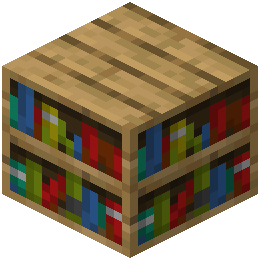 Bookshelf
 Brown Mushroom
C
 Cornflower
 Crimson Fungus
D
 Dandelion
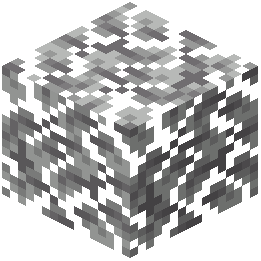 Dark Oak Leaves
F
 Fern
 Flower Pot
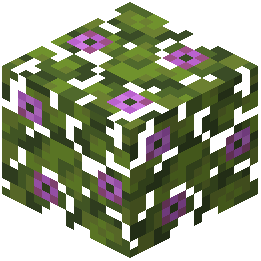 Flowering Azalea Leaves
I
 Iron Bars
J
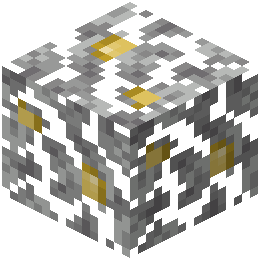 Jungle Leaves
L
 Ladder
 Lily of the Valley
M
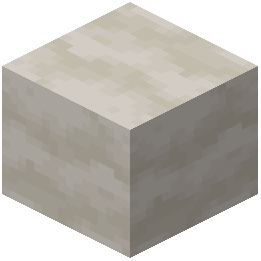 Mushroom Stem
N
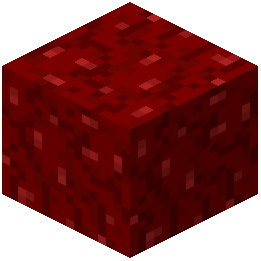 Nether Wart Block
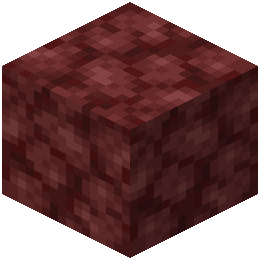 Netherrack
O
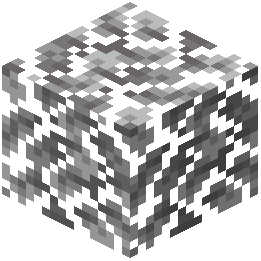 Oak Leaves
 Orange Tulip
 Oxeye Daisy
P
 Pink Tulip
 Poppy
 Potato
R
 Red Mushroom
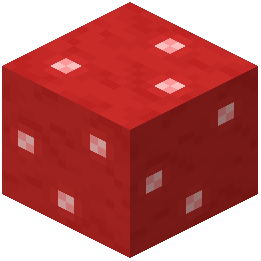 Red Mushroom Block
 Red Tulip
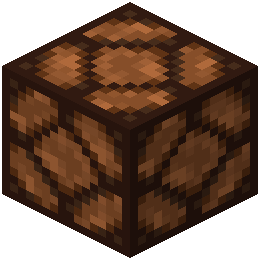 Redstone Lamp
S
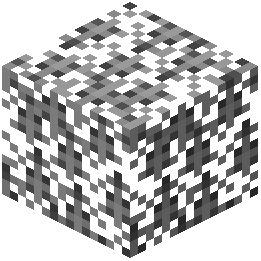 Spruce Leaves
 Sugar Cane
V
 Vines
W
 Warped Fungus
 White Tulip
 Wither Rose
What this pack changes
Every texture group the pack replaces, counted from the pack itself.
| Area | Textures replaced |
|---|---|
| GUI & menus | 389 |
| Particles | 140 |
| Blocks | 138 |
| Mobs & entities | 17 |
| Sky & weather | 3 |
| Misc | 3 |
| Biome colours | 2 |
| Items | 2 |
Pack format 46 (Minecraft 1.21.5)695 texture files in total
Extra features
Custom entity models (OptiFine/CEM)
Random entity textures
Custom font
Custom block/item models
Reworked GUI
Frequently asked questions
Why don't I see random animal variants?
Random Entities must be enabled in your Optifine video settings for animal variants to appear. Open Video Settings > Custom Entity Models, make sure it's on, then also enable Random Entities in the same menu.
How do I make stone and logs look connected?
Enable Connected Textures in Optifine's video settings, then turn on Alternate Blocks. This makes smooth stone, logs, and ore blocks blend together visually instead of showing individual block seams.
Do the 3D flowers and crops need Optifine?
Yes, Optifine is required for the 3D plant models to display correctly. Without it, flowers and crops will appear flat and won't show their custom shapes.
Can I use this pack with other resource packs?
You can layer this pack with others in your resource pack list, but packs loaded lower will override Glamurous View's textures. Place Glamurous View higher in your list if you want its changes to take priority.
Why do my enchanted tools look different?
This pack adds glowing details to enchanted armor and tools as a visual enhancement. If you don't like this look, you'll need to use a different resource pack or edit the enchantment textures yourself.
Are the different animal skins random every time?
Yes, with Random Entities enabled, each mob and animal spawns with a random variant from the available options. The same type of animal will look different each time one spawns in your world.
Do I need to change any other Optifine settings besides Custom Entity Models?
For full features, also enable Connected Textures and Alternate Blocks in your Optifine video settings. These settings unlock the connected block textures and some of the visual enhancements.
Will this pack affect my performance?
The 3D models and custom textures may impact performance on lower-end systems, especially with Optifine features enabled. If you experience lag, try disabling Random Entities or lowering your graphics settings.
Why do my menu screens look different?
This pack includes custom textures for crafting tables, furnaces, chests, villager trading menus, and shulker boxes. These changes are automatic and can't be toggled off without removing the pack.
Do mobs like zombies and creepers have variants too?
Gallery
12 images from the Glamurous View By Offgaro Resource Pack page.


You May Also Like
Wikis that share the most with this one
Wikis on the same theme: flower
Brunozamps FoliageFarm 3D Resource PackNautilus3D Resource PackAutumn Fall Resource PackGolden Days Resource PackQuadral Pack Resource PackSpring Flowers Texture PackFlower Clusters Resource PackPlayer Plushies Resource PackRecolored Plants Resource Pack Enough Of Sprouts Resource PackMostly True Above Resource Pack
More resource pack wikis on the site
Glamorous Glass Resource PackGigachad Villager Resource PackGerudoku Faithful Resource PackGentler Weather Sounds Resource PackGenshin Villager Resource PackGen Assets Resource PackGeforcelegends 3D Default Resource PackGarfield Totem of Undying Resource PackGamma Boost Resource PackFyoncles 3D Trims Resource PackFusion Connected Glass Resource PackFusion 3D Items Resource Pack
The most downloaded mods that have a wiki here
A few wikis from each of the other kinds