

 DownloadDefault Style Halloween Pack Resource Pack
Get the files on 9Minecraft
Contents (8)
Guides
Step-by-step, in-game.
Customize Your Game Interface with the Spooky Menu ThemeAccessing the Themed Main Menu Launch your game and observe the main menu display. The pack applies a darker,…Encounter and Observe Costumed MobsFinding Dressed-Up Mobs Travel through your world to encounter mobs wearing Halloween costumes. Illagers, Ravagers,…Explore Halloween-Themed Biomes and Spot Seasonal ChangesFinding Autumn Forests The pack transforms standard forests into warm autumn landscapes. Travel to any forest or…Identify and Collect Halloween Candy and Treat ItemsRecognizing Transformed Items The pack converts standard dyes and various items into Halloween candies and sweets.…
Items
A
 Apple
B
 Black Dye
 Blue Dye
 Book
 Book and Quill
 Bottle o' Enchanting
 Bread
 Brown Dye
 Bucket
 Bucket of Axolotl
 Bucket of Cod
 Bucket of Pufferfish
 Bucket of Salmon
 Bucket of Tadpole
 Bucket of Tropical Fish
C
 Cake
 Cyan Dye
E
 Elytra
 Enchanted Book
F
 Feather
G
 Gray Dye
 Green Dye
L
 Lava Bucket
 Leaf Litter
 Light Blue Dye
 Light Gray Dye
 Lime Dye
M
 Magenta Dye
 Magma Cream
 Milk Bucket
 Minecart
 Minecart with Chest
 Minecart with Command Block
 Minecart with Furnace
 Minecart with Hopper
 Minecart with TNT
O
 Orange Dye
P
 Pink Dye
 Powder Snow Bucket
 Purple Dye
R
 Red Dye
S
 Slimeball
T
 Totem of Undying
W
 Water Bucket
 White Dye
 Written Book
Y
 Yellow Dye
Blocks
A
 Acacia Leaves
 Acacia Sapling
 Allium
 Azure Bluet
B
 Beacon
 Big Dripleaf Stem
 Birch Leaves
 Birch Sapling
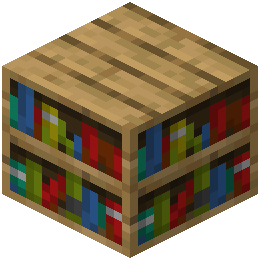 Bookshelf
C
 Cornflower
D
 Dandelion
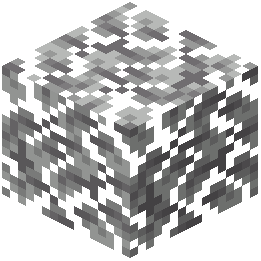 Dark Oak Leaves
 Dark Oak Sapling
L
 Lily of the Valley
M
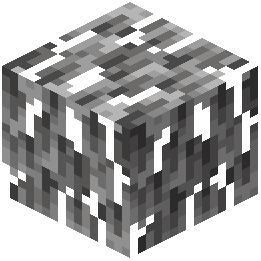 Mangrove Leaves
O
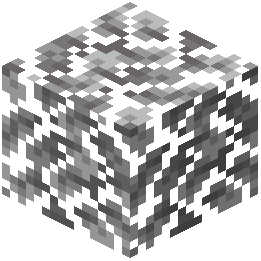 Oak Leaves
 Oak Sapling
 Orange Tulip
 Oxeye Daisy
P
 Pink Tulip
 Poppy
R
 Red Tulip
S
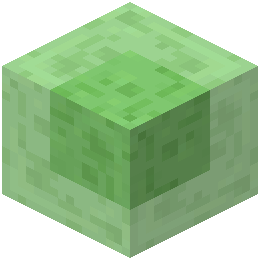 Slime Block
W
 White Tulip
What this pack changes
Every texture group the pack replaces, counted from the pack itself.
| Area | Textures replaced |
|---|---|
| Blocks | 104 |
| Items | 49 |
| Mobs & entities | 45 |
| GUI & menus | 31 |
| Biome colours | 3 |
| Paintings | 2 |
Pack format 69 (Minecraft 1.21.6)235 texture files in total
Extra features
Custom entity models (OptiFine/CEM)
Random entity textures
Custom block/item models
Reworked GUI
Frequently asked questions
Do I need to do anything after installing the pack or does it just work?
The pack applies automatically once you select it in your resource packs menu—no configuration needed. Simply load a world and you'll see the Halloween theme applied to your blocks, mobs, and UI right away.
Will the Halloween textures show up in my existing world or only new ones?
The pack works on any world, old or new, as long as it's active in your resource pack list. You'll see the spooky changes immediately when you load in.
Why don't my mobs look costumed?
Make sure the pack is ranked above any conflicting packs in your resource pack list, and that you've fully reloaded your world. If mobs still appear normal, check that you're looking at the mobs the pack actually retextures (Illagers, Ravagers, Iron Golems, Pigs, and Cats).
Can I use this pack with other resource packs at the same time?
Yes, but pack order matters—place the Halloween pack higher in your list if you want its textures to take priority. Lower-ranked packs will override it where they conflict.
Do the tall ferns turn into tombstones everywhere or just certain biomes?
Tombstones appear specifically in taiga biomes where tall ferns naturally generate. In other biomes, tall ferns keep their standard appearance.
Are the candy items just visual or do they actually function differently?
The candy items are purely visual reskins—they function exactly like their original items (dyes work as dyes, buckets work as buckets). The pack only changes how they look.
Will this pack cause lag or performance issues?
Resource packs are generally lightweight and shouldn't cause performance problems. If you experience lag, try disabling other packs or lowering your graphics settings, but the Halloween pack itself is optimized for standard play.
How do I turn off just the spooky menu theme but keep the mob costumes?
Resource packs are all-or-nothing—you can't selectively disable individual features. You'd need to use a different pack or create a custom one if you want to mix and match specific elements.
Do the skeletal dripleaf plants do anything special or are they just decoration?
They're purely decorative reskins of dripleaf blocks—they function identically to normal dripleaf and don't have special mechanics. They just add to the spooky atmosphere.
Will this pack work with mods that add new mobs or blocks?
The pack only retextures vanilla Minecraft content, so new mobs and blocks from mods will appear in their default style. There's no conflict, but modded content won't receive the Halloween treatment.
You May Also Like
Wikis that share the most with this one
 Default Style Christmas Model
 Depth Style Shaders
More resource pack wikis on the site
Default HD Sun and Moon Resource PackDefault Hd 64X Resource PackDefault Hd 512X Resource PackDefault Hd 256X Resource PackDefault Dark Mode: Expansion Resource PackDefault Beta Resource PackDeez Fps Resource PackDeep Origins Overlays Resource PackDeceased Craft Screen Tweak Resource PackDeath Knights PT BR Translation Resource PackDarkmode Resource PackDark Transparent GUI Resource Pack
The most downloaded mods that have a wiki here
A few wikis from each of the other kinds
Gallery
12 images from the Default Style Halloween Pack Resource Pack page.


