

 DownloadDefault Hd 512X Resource Pack
Get the files on 9Minecraft
Contents (8)
Guides
Step-by-step, in-game.
Appreciate Fine Details in Different BiomesExamine Block Textures Up Close The 512x resolution reveals details invisible in default textures. To fully…Build Structures That Look Sharp and DetailedChoose Blocks for Visual Impact Certain blocks benefit most from the 512x upgrade when building: 1. Stone and…Maximize Visual Quality Without Losing PerformanceEnable PBR Mapping for Realistic Depth The Default HD 512x pack includes PBR (Physically Based Rendering) mapping…Troubleshoot Texture Appearance IssuesVerify Pack Activation If blocks don't appear crisp or detailed: 1. Open resource pack settings in your world 2.…
Items
282 items · showing 24. Browse all →
 Acacia Boat
 Acacia Sign
 Apple
 Armor Stand
 Arrow
 Baked Potato
 Bamboo
 Banner Pattern (Piglin)
 Banner Pattern (Mojang)
 Banner Pattern (Flower)
 Banner Pattern (Creeper)
 Banner Pattern (Skull)
 Banner Pattern (Globe)
 Barrier
 Beetroot
 Beetroot Seeds
 Beetroot Soup
 Bell
 Birch Boat
 Birch Sign
 Black Dye
 Blaze Powder
 Blaze Rod
 Blue Dye
Blocks
65 blocks · showing 24. Browse all →
 Acacia Door
 Acacia Leaves
 Acacia Log
 Acacia Planks
 Acacia Sapling
 Acacia Trapdoor
 Activator Rail
 Allium
 Andesite
 Anvil
 Attached Melon Stem
 Attached Pumpkin Stem
 Azure Bluet
 Bedrock
 Birch Door
 Birch Leaves
 Birch Log
 Birch Planks
 Birch Sapling
 Birch Trapdoor
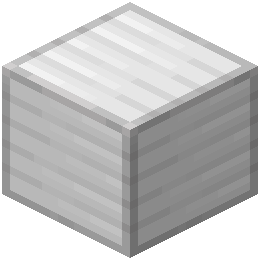 Block of Iron
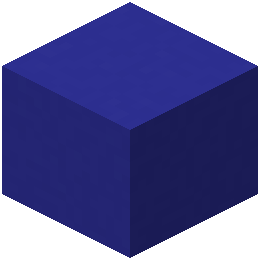 Blue Concrete
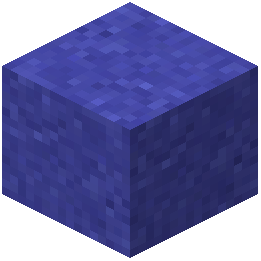 Blue Concrete Powder
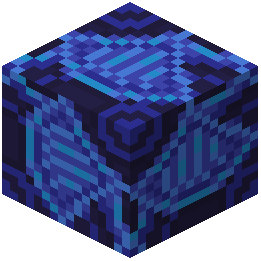 Blue Glazed Terracotta
What this pack changes
Every texture group the pack replaces, counted from the pack itself.
| Area | Textures replaced |
|---|---|
| Items | 433 |
| Mobs & entities | 401 |
| Blocks | 156 |
| Particles | 139 |
| Status effects | 32 |
| Paintings | 27 |
| Models | 17 |
| Misc | 9 |
| Maps | 3 |
| Biome colours | 2 |
| Sky & weather | 2 |
| Effect | 1 |
Pack format 15–1000 (Minecraft 1.20–1.21.9)1,222 texture files in total
Extra features
Custom block/item models
Frequently asked questions
How do I enable the resource pack after downloading it?
Open your world or go to Options > Resource Packs, then click the folder icon to open your resource packs folder and drag the Default HD 512x pack file into it. After restarting your game or refreshing the resource pack list, you'll see it available to activate.
Will this pack make my game lag or drop my FPS?
No, the pack is designed to deliver high-resolution visuals without significant performance impact because the lighting and shadows are baked directly into the textures rather than calculated in real-time. You should see minimal frame rate loss compared to vanilla, though very old hardware may notice a slight difference.
Can I use this pack with shaders?
Yes, you can use it with shaders, but the baked shadows and lighting in the textures may conflict with shader lighting effects, creating an over-lit or unnatural appearance. For the best look, use the pack without shaders to see the intended visual design.
Do custom blocks from other mods get the HD treatment?
No, only vanilla Minecraft blocks are included in this pack. Blocks added by other mods will appear in their default resolution unless those mods include their own texture files that match the pack's style.
Why do some blocks look flat or wrong compared to others?
Make sure you're using the latest version of the pack, as older versions may have incomplete texture coverage. If the issue persists, try deleting the pack's cache files and reloading it in your resource packs menu.
Does this work on multiplayer servers?
Yes, resource packs are client-side only, so you can use this pack on any server without needing permission or affecting other players' games.
What Minecraft version is this pack for?
Check the pack's description or README file for the specific version compatibility, as resource pack formats change between major Minecraft updates.
Can I mix this pack with other resource packs?
You can stack multiple packs in your resource pack list, but if two packs modify the same textures, only the one higher in the list will be visible. For best results, use Default HD 512x as your primary pack without layering others on top.
Why do transparent blocks like glass or leaves look weird?
The pack's baked shadows can sometimes create visual artifacts on transparent or semi-transparent blocks. If this bothers you, try adjusting your graphics settings or checking if a newer version of the pack has improved these textures.
How much storage space does this pack take up?
High-resolution texture packs are larger than vanilla, so expect it to use a noticeable amount of disk space; check the file size before downloading if storage is limited.
You May Also Like
Wikis that share the most with this one
More resource pack wikis on the site
Default Hd 256X Resource PackDefault Dark Mode: Expansion Resource PackDeez Fps Resource PackDeep Origins Overlays Resource PackDeceased Craft Screen Tweak Resource PackDeath Knights PT BR Translation Resource PackDarkmode Resource PackDark Transparent GUI Resource PackDark Smooth GUI Resource PackDark Red GUI Resource PackDark OreUI Recreation Resource PackDark Mode Skyblock Resource Pack
The most downloaded mods that have a wiki here
A few wikis from each of the other kinds
Gallery
11 images from the Default Hd 512X Resource Pack page.


