

 DownloadVillager Config Mod
Get the files on 9Minecraft
Guides
Step-by-step, in-game.
How to Configure Villager Discount Minimums and MaximumsFinding the Discount Options The mod exposes discount settings through its config file , which controls how much of a…How to Control Trade Cycling and Zombie Villager Conversion ChanceTrade Cycling When Workstations Change By default, breaking and replacing a villager's workstation can reroll its…How to Enable Pre-1.14 Trade MechanicsWhy Use Old Trade Mechanics Before the 1.14 village overhaul, trades worked differently: villagers had a fixed set of…How to Set Up Custom Villager Trades with a DatapackCreating the Datapack Structure Custom trades in Villager Config Mod are loaded from datapacks, so you never touch…
Configuration
Every setting in the mod config file, with what it changes.
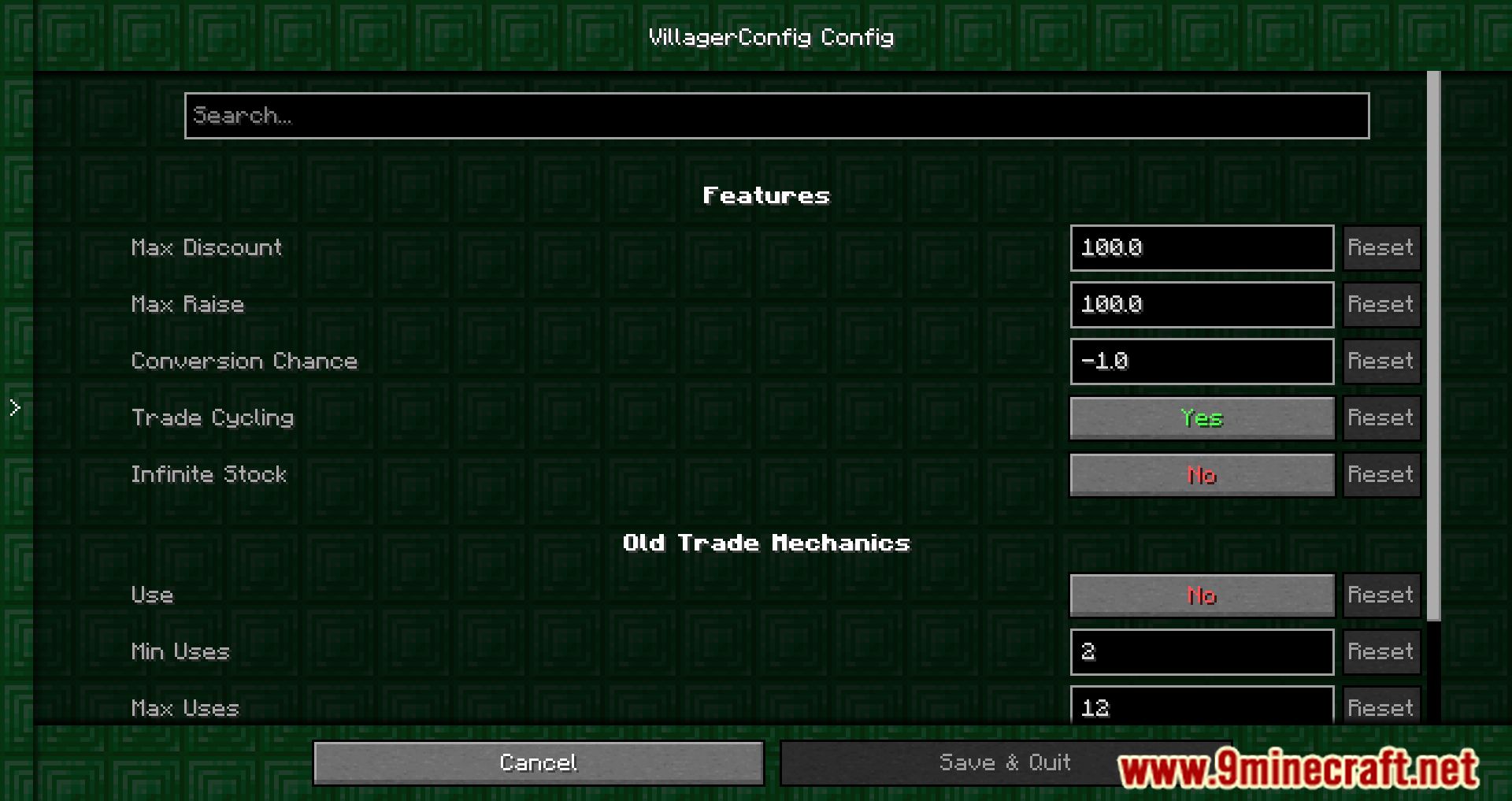
| Option | What it does |
|---|---|
conversionchanceConversion Chance | The chance of a villager to converting to a villagerzombie (-1 = vanilla behaviour) |
features | Features |
infiniteTradesInfinite Stock | If enabled, villagers will never run out of stock |
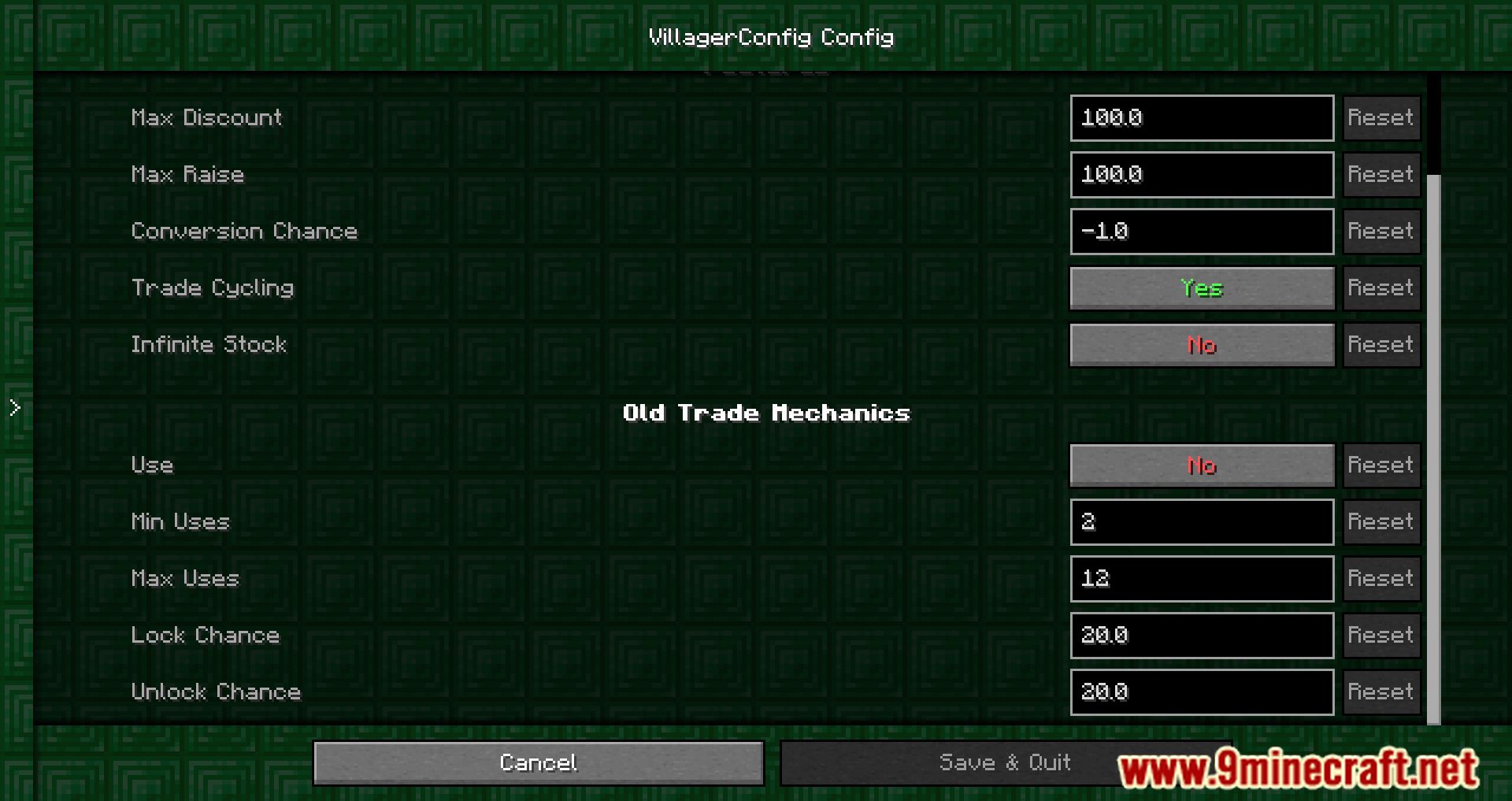
lockchanceLock Chance | The chance of a trade locking itself (1.12 default: 20) |
lockLock Profession | Whether or not villagers trades will change, when their workstation is replaced (true = vanilla) |
maxdiscountMax Discount | The highest possible price discount a villager can give on it's default trade price |
maxraiseMax Raise | The highest possible price raise a villager can give on it's default trade price (100 = vanilla, 0 = none) |
maxusesMax Uses | Defines how high the max usages should be (100 = vanilla, 200 = 2 x more than vanilla) |
maxuses2Max Uses | The maximum amount of trades possible, if reached a trade is guaranteed to get locked (1.12 default: 12) |
minusesMin Uses | The minimum amount of trades possible after which it can get locked (1.12 default: 2) |
old_trades | Old Trade Mechanics |
tradecyclingTrade Cycling | Toggles wherever or not villagers should change their trades when getting reemployed |
unlockchanceUnlock Chance | The chance of a trade unlocking all other trades (1.12 default: 20) |
enabledUse | Whether or not should be used for trade (un)locking |
Frequently asked questions
How do I get started with Villager Config Mod?
Decide what you want to change first, then open the mod's config file in your instance's config folder. Most features (discounts, conversion chance,  trade cycling, old trade mechanics) are toggled there, while custom trades are loaded from a datapack.
Where do I put the config file and how do I reload it?
The config lives in the config folder of your Minecraft instance, and you edit it with a text editor. Restart the game or reload the config through the mod's in-game config screen if it provides one, since changes usually don't apply to already-loaded villagers.
How do I add custom villager trades with a datapack?
Create a datapack in your world's datapacks folder and add the trade definitions in the folder structure the mod expects. Then run the reload command so the game picks up the new trades.
Do custom trades apply to villagers that already exist in my world?
Trades are usually assigned when a villager first offers them, so existing villagers keep their old trades. You generally need fresh villagers or a way to reset their trades for new datapack trades to show up.
See all 10 Villager Config questions ›
Gallery
12 images from the Villager Config Mod page.
You May Also Like
Wikis that share the most with this one
Wikis on the same theme: villager
More mod wikis on the site
The most downloaded mods that have a wiki here
A few wikis from each of the other kinds