

 DownloadLogarithmic Volume Control Mod
Get the files on 9Minecraft
Guides
Step-by-step, in-game.
Fine-Tuning Individual Sound Categories for Better BalanceAccessing Sound Settings Open Options → Sound Settings to see all available volume sliders. The mod applies…Reducing Audio Fatigue During Long Gaming SessionsUsing Logarithmic Scaling for Comfort The logarithmic scale is particularly useful for reducing audio fatigue during…Troubleshooting: Sounds Seem Louder or Quieter Than BeforeWhy Volume Levels Changed After installing the mod, your previous slider positions now represent different actual…Understanding the Logarithmic Scale and Why Your Volume Feels DifferentHow the Mod Changes Volume Perception The Logarithmic Volume Control Mod converts Minecraft's volume sliders from…
Frequently asked questions
How do I know if the logarithmic scale is actually working?
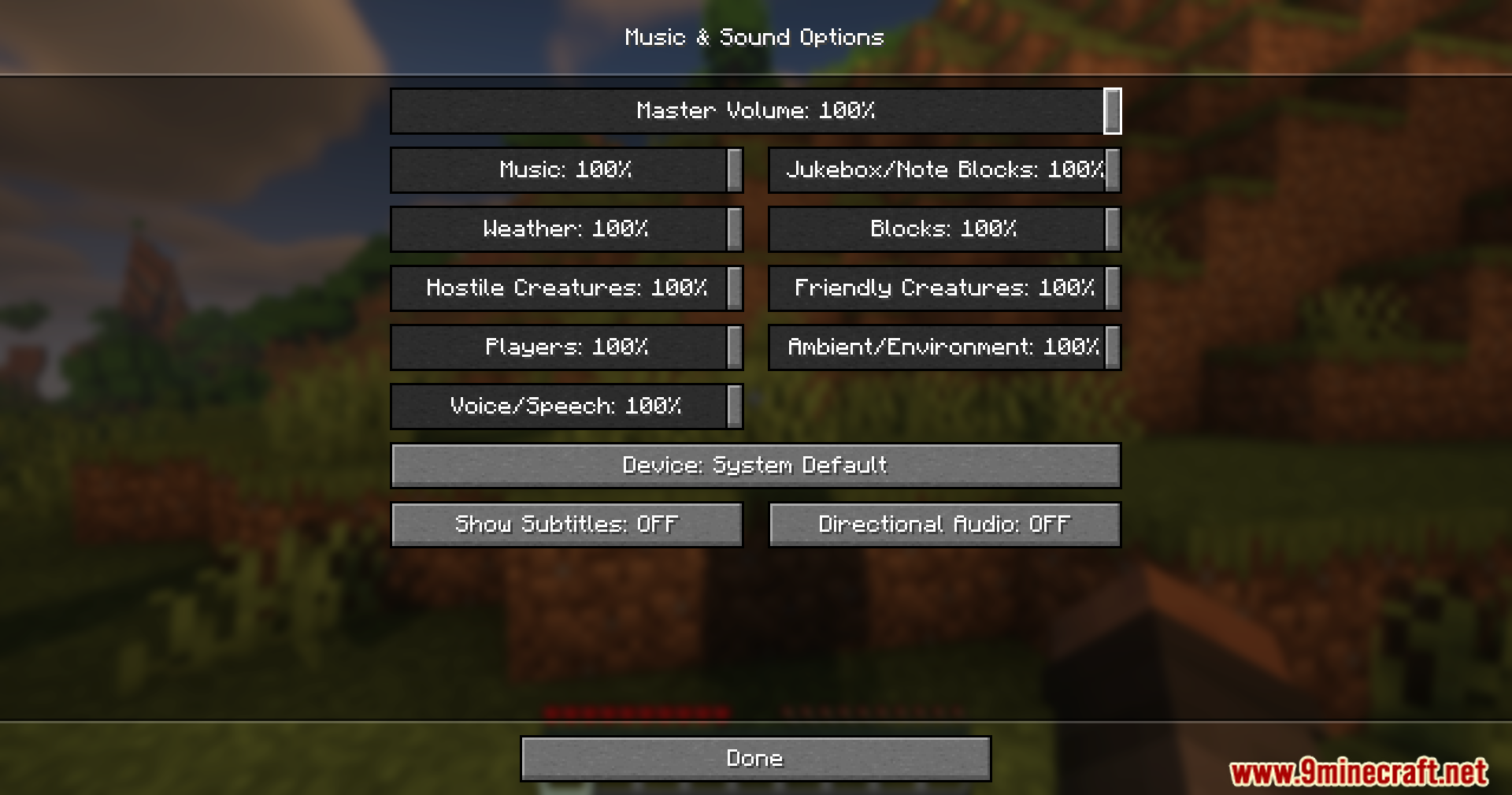
Open your sound settings and move a volume slider slowly from low to high—you should notice that small adjustments at the lower end produce subtle changes, while the same slider distance at higher volumes creates bigger jumps. This matches how your ears actually perceive loudness differences.
Why does my game sound completely different after installing this mod?
The mod recalibrates how volume changes feel across the slider range. What seemed like "medium volume" on the old linear scale may now feel louder or quieter because the logarithmic scale distributes perceived loudness more evenly—this is intentional and matches human hearing better.
Can I adjust individual sound categories separately?
Yes, the mod applies the logarithmic scale to each sound slider independently, so you can fine-tune master volume, music, blocks, hostile mobs, and other categories without affecting each other.
Does this mod work with resource packs or shader mods?
Yes, this mod only changes how volume sliders behave mathematically and doesn't interact with resource packs or shaders, so you can use them together without conflicts.
See all 10 Logarithmic Volume Control questions ›
Gallery
11 images from the Logarithmic Volume Control Mod page.







You May Also Like
Wikis that share the most with this one
Wikis on the same theme: level
More mod wikis on the site
The most downloaded mods that have a wiki here
A few wikis from each of the other kinds