DownloadAdvancement Frames
Get the files on 9Minecraft
Guides
Step-by-step, in-game.
Craft and Place Your First Advancement FrameGathering Materials Advancement frames require an emerald and wooden sticks. Gather these from your inventory or…Create a Display Wall of Your AchievementsPlanning Your Layout Decide where you want to showcase your advancements—a wall in your base, a trophy room, or a…Manage Advancements When They're RemovedUnderstanding Advancement Loss If you lose an advancement in your world (through commands, mod changes, or other…View Advancement Details on a FrameReading Frame Information When you look directly at a placed advancement frame containing an advancement, the frame…
Recipes
Every recipe the mod adds, grouped by how it is made.
Blocks
 Advancement Frame
 Stat Frame
Frequently asked questions
How do I craft an advancement frame?
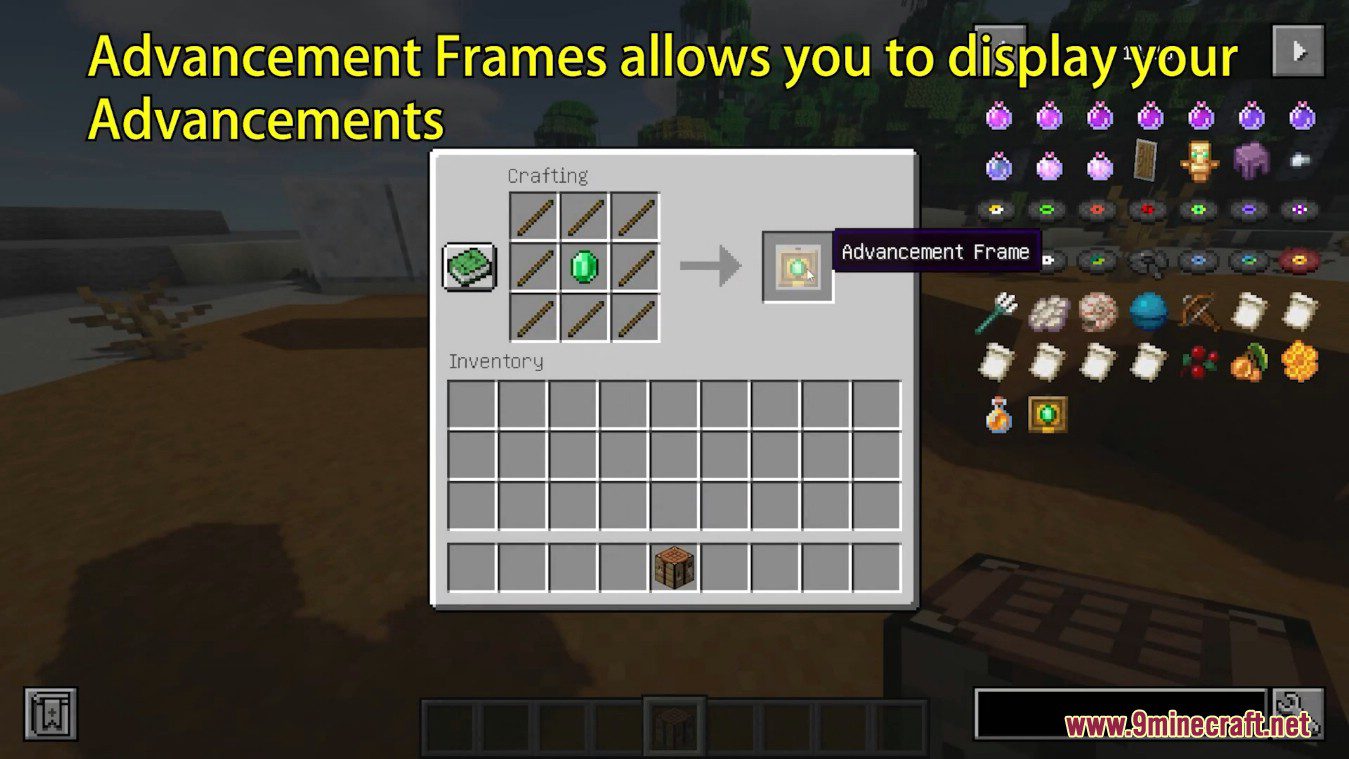
Craft an advancement frame using wooden sticks and an emerald in a crafting table. The exact arrangement follows standard Minecraft crafting patterns—check your recipe book or the mod's crafting guide for the layout.
What happens after I place the frame on a wall?
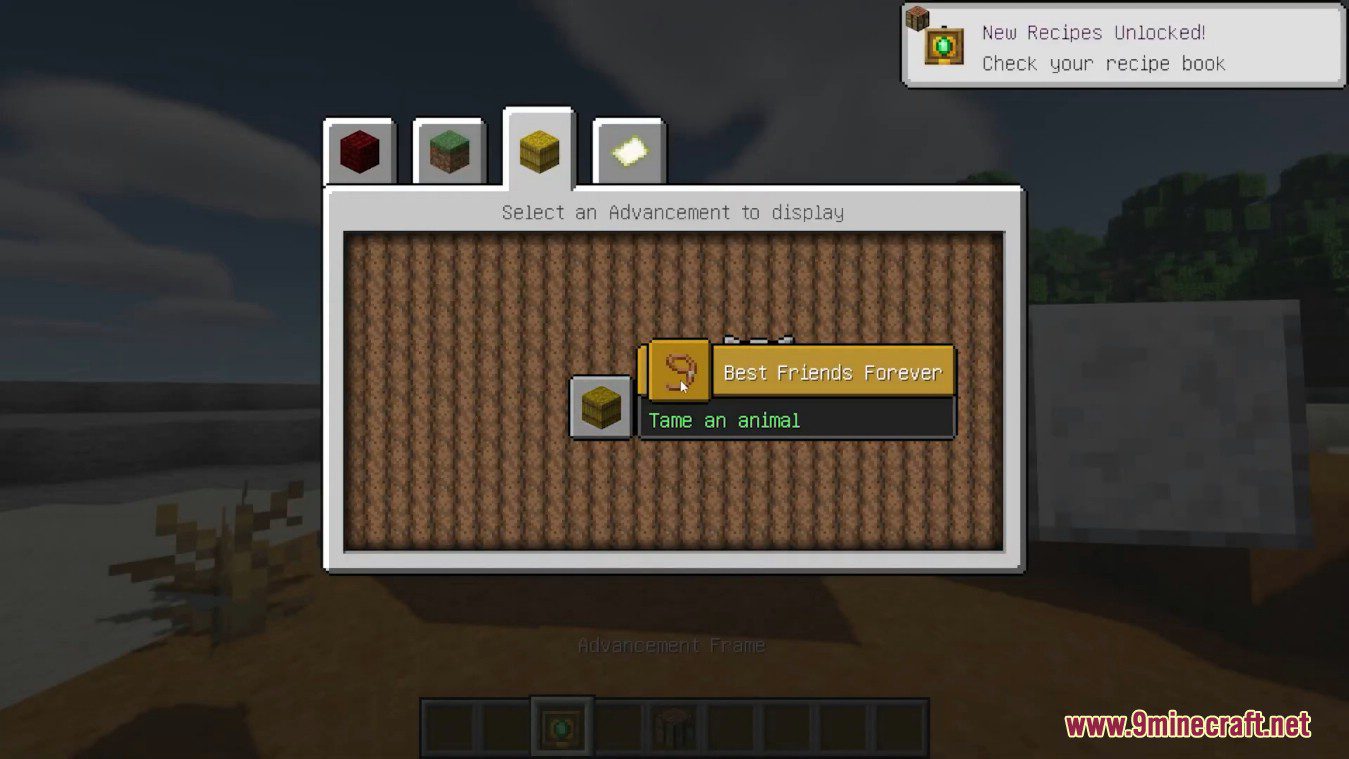
After placing the frame, a GUI will automatically open showing all the advancements you've earned. Select any advancement to display it in the frame, or close the GUI to leave it empty.
Can I change which advancement is displayed in a frame?
Yes, right-click the placed frame to open the GUI again and select a different advancement from your earned list. You can swap displayed advancements as many times as you want.
How do I see the advancement description on a frame?
Hold Shift and right-click on the frame to display the full description of the advancement shown inside it.
What shows when someone looks at my advancement frame?
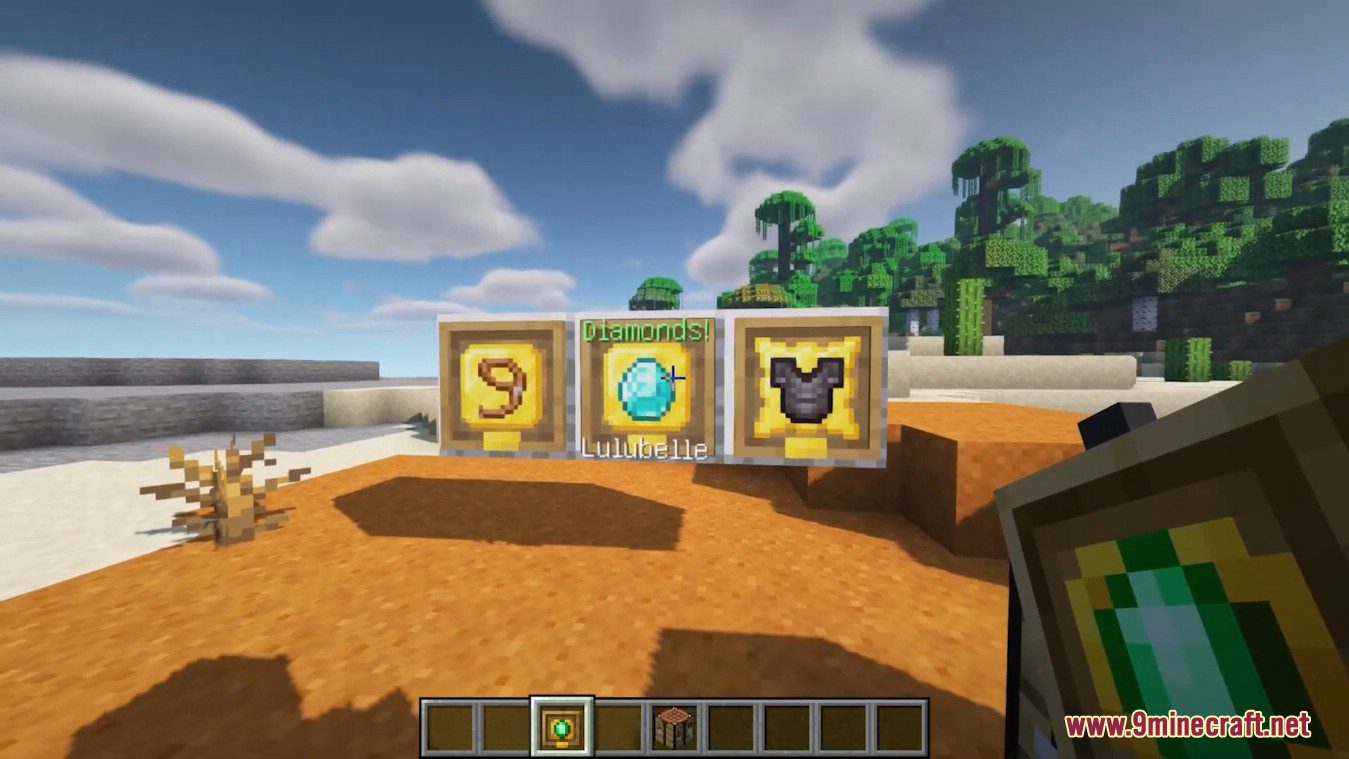
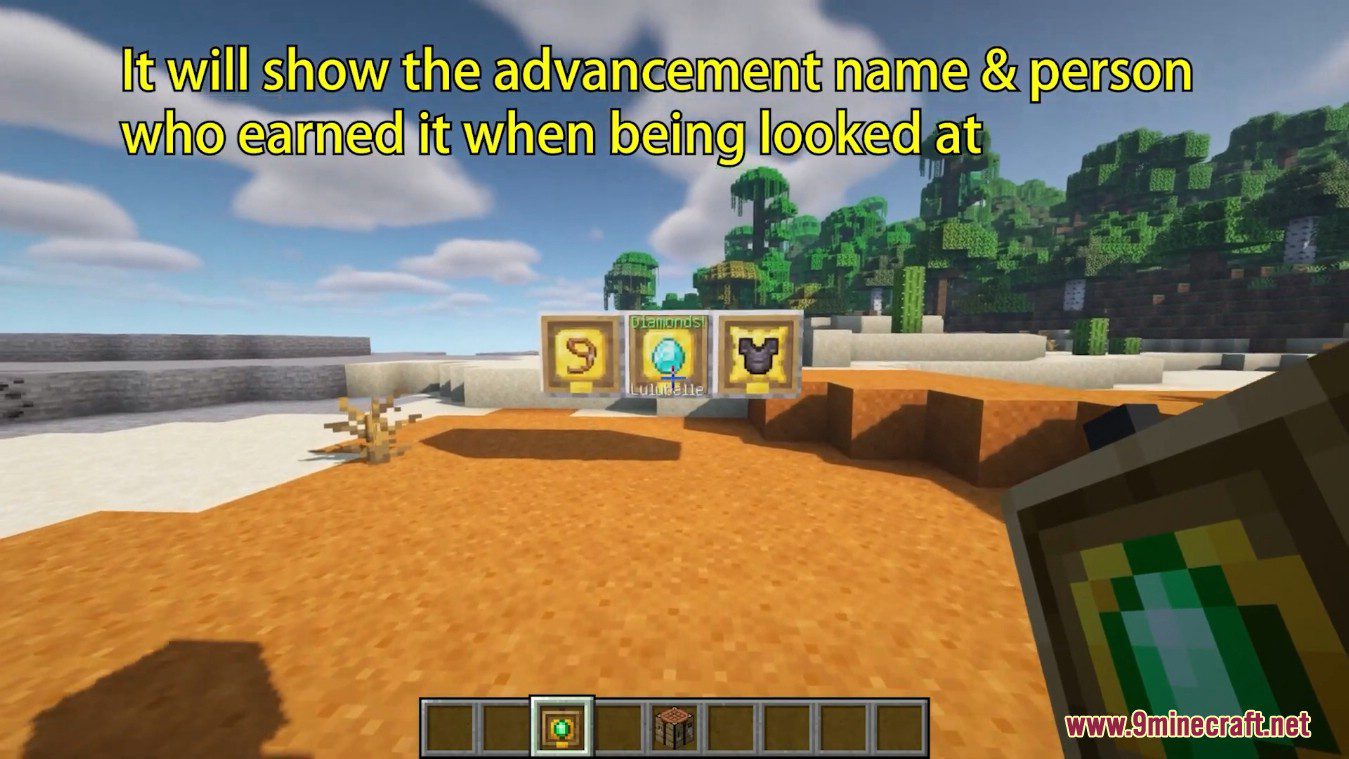
When another player looks directly at a frame containing an advancement, they'll see the advancement name and the name of the player who earned it displayed on the frame.
What happens if I lose an advancement after placing it in a frame?
If you lose an advancement that's currently displayed in a frame, it will be automatically removed from the frame the next time your world or chunk saves.
Can I display advancements I haven't earned yet?
No, the GUI only shows advancements you've already earned, so you can only display achievements you've actually completed.
Do Advancement Frames work in multiplayer?
Yes, advancement frames work in multiplayer and will display the name of whichever player earned the advancement shown in the frame.
Can I leave a frame empty without putting an advancement in it?
Yes, when the GUI opens after placing a frame, you can simply close it without selecting anything to leave the frame empty.
Do I need to craft a new frame every time I want to display a different advancement?
No, you only need one frame—just right-click it to open the GUI and select a different advancement from your earned list without crafting anything new.
You May Also Like
Wikis that share the most with this one
Wikis on the same theme: wall
More mod wikis on the site
The most downloaded mods that have a wiki here
A few wikis from each of the other kinds
Gallery
5 images from the Advancement Frames Mod page.