

 DownloadAdvanced Shulkerboxes Mod
Get the files on 9Minecraft
Guides
Step-by-step, in-game.
Open a Shulker Box from Your InventoryQuick Access Without Placing The core feature of Advanced Shulkerboxes lets you access your Shulker Box's contents…Organize Multiple Shulker Boxes in Your InventoryManaging Multiple Boxes When carrying several Shulker Boxes, you can open each one individually to organize your…Transfer Items Between a Shulker Box and Your InventoryMoving Items Efficiently Transferring items between your Shulker Box and main inventory is straightforward with the…Use Shulker Boxes as Mobile Storage While Mining or BuildingPortable Storage Strategy Advanced Shulkerboxes transforms Shulker Boxes into practical mobile storage for extended…
Frequently asked questions
How do I open a shulker box without placing it down?
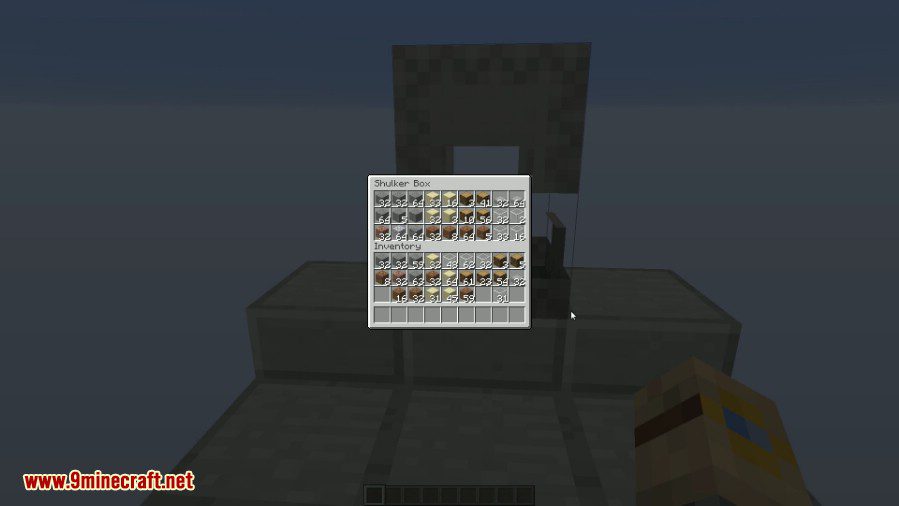
Right-click on the Shulker Box item while it's in your inventory. The Shulker Box GUI will open immediately, letting you access its contents without needing to place it in the world.
Can I open a shulker box that's already placed in the world?
Yes, you can still right-click on placed Shulker Boxes in the world to open them normally. The mod only adds the ability to open them from your inventory—it doesn't change how placed boxes work.
What happens if I close the GUI without taking items out?
The Shulker Box remains in your inventory with all its contents intact. Closing the GUI simply closes the window without affecting the box or its items.
Can I move items directly from a shulker box to another shulker box in my inventory?
You can open one Shulker Box at a time from your inventory. To transfer between two boxes, you'll need to move items through your inventory, or place one box in the world and transfer normally.
See all 10 Advanced Shulkerboxes questions ›
Gallery
8 images from the Advanced Shulkerboxes Mod page.

You May Also Like
Wikis that share the most with this one
Wikis on the same theme: storage
More mod wikis on the site
The most downloaded mods that have a wiki here
A few wikis from each of the other kinds