
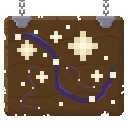
 DownloadStarry GUI and Hotbar
Get the files on 9Minecraft
Contents (6)
Guides
Step-by-step, in-game.
Adjust Hotbar Visibility and Star DensityLocating Hotbar Texture Files The hotbar appearance is controlled by textures in the resource pack. Extract the…Customize the Color Scheme of Your GUIAccessing the Resource Pack Files To modify the starry purple aesthetic, you'll need to access the resource pack's…Make the Starry GUI Work With Other Resource PacksUnderstanding Pack Compatibility The Starry GUI and Hotbar pack modifies GUI textures and hotbar elements. To use it…Restore Default GUI if Starry Pack Causes IssuesDisabling the Resource Pack If the Starry GUI and Hotbar pack causes visual glitches or you want to temporarily…
What this pack changes
Every texture group the pack replaces, counted from the pack itself.
| Area | Textures replaced |
|---|---|
| GUI & menus | 304 |
Pack format 75–88 (Minecraft 1.21.9)304 texture files in total
Extra features
Reworked GUI
Frequently asked questions
Why does my GUI look different after installing this pack?
The Starry GUI and Hotbar Resource Pack replaces your default inventory, menu, and hotbar textures with purple-themed versions decorated with stars. This is the intended effect—if you want to revert to the original appearance, you can disable the pack in your resource pack settings or follow the guide to restore the default GUI.
Can I use this pack with other resource packs at the same time?
Yes, but resource pack order matters. Place the Starry pack higher in your resource pack list if you want its GUI changes to take priority, or lower if you want another pack's GUIs to show instead. See the guide on making the Starry GUI work with other packs for detailed instructions.
How do I change the purple color to something else?
You can customize the color scheme by editing the texture files in the pack. The guide on customizing the color scheme walks you through which files to modify and how to apply your changes.
The stars are too distracting—can I remove them or make them less visible?
Yes, you can adjust star density through the pack's settings. Refer to the guide on adjusting hotbar visibility and star density to reduce or eliminate the stars from your GUI.
See all 18 Starry GUI and Hotbar questions ›
Gallery
12 images from the Starry Gui And Hotbar Resource Pack page.


You May Also Like
Wikis that share the most with this one
Starry SkiesStarry ExpressAuto Hide Hotbar ModImmersive Hotbar ModSimple Hotbar Resource PackCute Hotbar Icons Resource PackFrogcrafting Hotbar Resource PackVines & Leaves Hotbar Resource PackOvergrown Flowery Hotbar Resource PackLuvstar’s Nyan Cat Hotbar Resource PackSprout Hat Resource PackSpud’s 3D Celestials Resource Pack
More resource pack wikis on the site
Starboyz2743 Pvp Pack Resource PackStandart Kart Resource PackStained Glass Ultra Resource PackSsls Soft Textures Resource PackSquareful Skeleton’s Patch Resource PackSpunky Pvp Resource PackSpring Flowers Texture PackSpooky Birch Resource PackSplotch Resource PackSpinkys Christmas Chests Leaves Resource PackSpear Enchant Indicator Lunge And Sharpness Resource PackSpawned Eggs Resource Pack
The most downloaded mods that have a wiki here
A few wikis from each of the other kinds