

 DownloadPretty Realistic Pbr Resource Pack
Get the files on 9Minecraft
Contents (8)
Guides
Step-by-step, in-game.
Experiencing Realistic Material ReflectionsUnderstanding PBR Surface Properties The pack applies physically-based rendering to make materials behave…Exploring Landscapes with Enhanced DetailNoticing Texture Depth The pack adds visual depth through normal mapping and displacement: Stone blocks show cracks,…Optimizing Performance with PBR TexturesAdjusting Graphics Settings PBR resource packs are visually demanding. To maintain smooth gameplay while enjoying…Troubleshooting Texture IssuesFixing Missing or Incorrect Textures If textures appear broken, flat, or misaligned: Reload the pack : Go to Options…
Items
93 items · showing 24. Browse all →
 Acacia Door
 Acacia Hanging Sign
 Acacia Sign
 Amethyst Shard
 Arrow
 Bamboo
 Beetroot
 Bell
 Birch Door
 Birch Hanging Sign
 Birch Sign
 Black Dye
 Blue Dye
 Bottle o' Enchanting
 Bow
 Brown Dye
 Bucket
 Carrot
 Carrot on a Stick
 Cauldron
 Cherry Door
 Cherry Sign
 Coal
 Cyan Dye
Blocks
293 blocks · showing 24. Browse all →
 Acacia Leaves
 Acacia Log
 Acacia Planks
 Acacia Trapdoor
 Allium
 Amethyst Cluster
 Andesite
 Attached Melon Stem
 Attached Pumpkin Stem
 Azalea Leaves
 Azure Bluet
 Big Dripleaf Stem
 Birch Leaves
 Birch Log
 Birch Planks
 Birch Trapdoor
 Black Candle
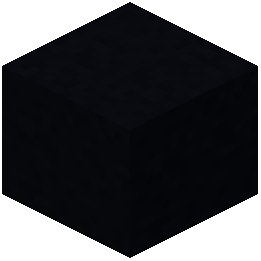 Black Concrete
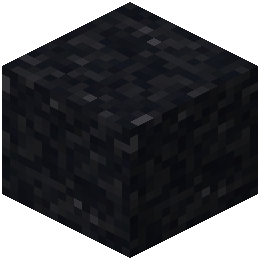 Black Concrete Powder
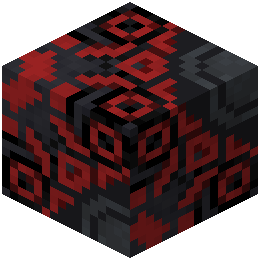 Black Glazed Terracotta
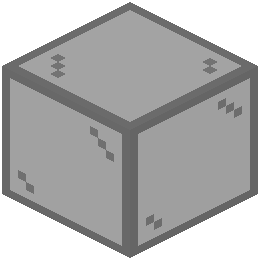 Black Stained Glass
 Black Terracotta
 Black Wool
 Blackstone
What this pack changes
Every texture group the pack replaces, counted from the pack itself.
| Area | Textures replaced |
|---|---|
| Blocks | 1,769 |
| Items | 360 |
| Mobs & entities | 158 |
| Particles | 76 |
| GUI & menus | 25 |
| Models | 6 |
| Biome colours | 2 |
| Misc | 1 |
Pack format 88 (Minecraft 1.21.9)2,397 texture files in total
Extra features
Custom block/item models
Reworked GUI
Frequently asked questions
How do I enable PBR effects after installing the pack?
PBR effects require a compatible shader mod installed alongside the resource pack. Once both are active, PBR textures will automatically render with realistic reflections and material properties in your world.
Why do my textures look flat or normal without the special effects?
Without a shader mod enabled, the resource pack will still improve texture quality but won't display PBR features like reflections and roughness mapping. Install a shader that supports PBR to see the full visual effect.
Can I use this pack with Optifine instead of a shader mod?
Optifine alone won't render PBR effects; you need a shader mod that specifically supports PBR materials. Some shader packs work alongside Optifine, but check compatibility before installing.
My game is lagging with this pack enabled. What can I do?
Refer to the Optimizing Performance with PBR Textures guide for detailed steps. Generally, lower your shader settings, reduce render distance, or disable resource-intensive features like parallax mapping to improve frame rate.
Do metallic blocks like iron and gold look shiny with this pack?
Yes—metallic blocks use PBR techniques to display realistic reflections and shine based on lighting conditions. The more reflective a material, the more it will mirror its surroundings.
Why do some textures look different or broken in my world?
Check the Troubleshooting Texture Issues guide for solutions. Common causes include shader incompatibility, missing texture files, or conflicting resource packs—try disabling other packs and updating your shader mod.
Does this pack work in multiplayer servers?
Yes, resource packs are client-side only, so you can use this pack on any server without needing server permission. However, other players won't see your enhanced textures unless they install the pack too.
How do water and glass look different with PBR?
Water and glass now display realistic reflections and refraction based on viewing angle and lighting. You'll notice they interact more naturally with their environment instead of appearing flat or uniform.
Can I customize which textures use PBR effects?
Most customization requires editing texture files directly in the resource pack folder. If you want to disable PBR for specific blocks, you can remove or modify their texture files, though this requires knowledge of resource pack structure.
What's the difference between roughness and reflectivity in this pack?
Roughness controls how scattered or diffuse a surface's reflections are—rough surfaces like stone scatter light, while smooth surfaces like polished metal create sharp reflections. Reflectivity determines how much light bounces off the surface overall.
You May Also Like
Wikis that share the most with this one
Wikis on the same theme: end
UltimacraftShaded Font Resource PackVibrant Pbr Resource PackMatralys 16X Resource PackX-Ray Vision Resource PackLiving Dragon Resource PackNew End Stone Resource Pack3d Entity Eggs Resource PackCapeless Wings Resource PackShield by Side Resource PackA7Mds 3D Potions Resource PackAuthentic Shadows Resource Pack
More resource pack wikis on the site
Pretty Dark UI Resource PackPrettier Parrots Resource PackPPL Alternative GUI Resource PackPotato Graphics Resource PackPop-out ClocksPoly Smooth Vanilla Resource PackPollachius Resource PackPokemon Atmosphere Resource PackPoke Discs Resource PackPogs Fresher Ores Glowing Resource Pack PMW Precipitation Redone Resource PackPlush Age Resource Pack
The most downloaded mods that have a wiki here
A few wikis from each of the other kinds
Gallery
12 images from the Pretty Realistic Pbr Resource Pack page.


