

 DownloadMoose Blocks Resource Pack
Get the files on 9Minecraft
Contents (8)
Guides
Step-by-step, in-game.
Create Natural-Looking Stone and Sand AreasUnderstanding Randomized Textures Moose Blocks randomizes textures for stone, sand , and soul sand so large patches…Decorate with Custom 3D Models and DetailsEnhanced 3D Elements Moose Blocks adds custom 3D models to decorative blocks, making them stand out more in your…Make Redstone Contraptions Easier to ReadVisual Redstone Improvements Moose Blocks updates redstone components with clearer, more readable textures and visual…Make Your Glass Structures Look SeamlessHow Connected Glass Works Moose Blocks automatically connects glass blocks when you place them adjacent to each…
Items
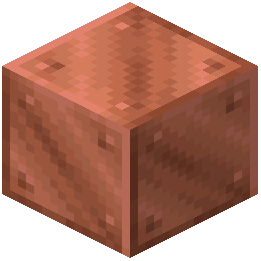 Block of Copper
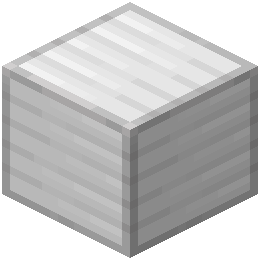 Block of Iron
 Brown Mushroom
 Cauldron
 Crimson Fungus
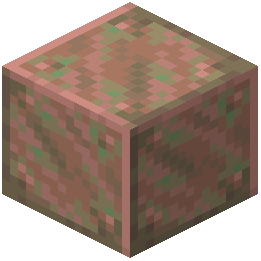 Exposed Copper
 Heavy Core
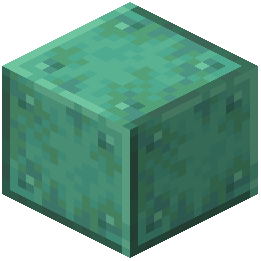 Oxidized Copper
 Red Mushroom
 Warped Fungus
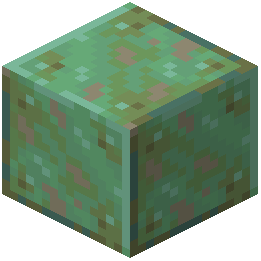 Weathered Copper
Blocks
580 blocks · showing 24. Browse all →
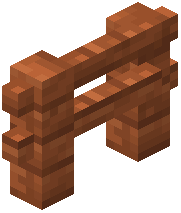 Acacia Fence
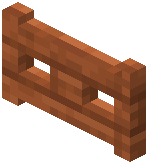 Acacia Fence Gate
 Acacia Hanging Sign
 Acacia Leaves
 Acacia Log
 Acacia Planks
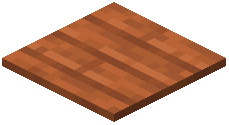 Acacia Pressure Plate
 Acacia Sapling
 Acacia Shelf
 Acacia Sign
 Acacia Trapdoor
 Activator Rail
 Allium
 Andesite
 Anvil
 Attached Melon Stem
 Attached Pumpkin Stem
 Azalea Leaves
 Azure Bluet
 Bamboo Fence
 Bamboo Fence Gate
 Bamboo Hanging Sign
 Bamboo Mosaic
 Bamboo Planks
What this pack changes
Every texture group the pack replaces, counted from the pack itself.
| Area | Textures replaced |
|---|---|
| Blocks | 3,045 |
| Mobs & entities | 187 |
| Particles | 162 |
| Items | 45 |
| Sky & weather | 15 |
| GUI & menus | 9 |
| Misc | 4 |
Pack format 96 (Minecraft 1.21.9)3,467 texture files in total
Extra features
Custom block/item models
Reworked GUI
Frequently asked questions
Do I need to start a new world to use this resource pack?
No, you can apply Moose Blocks to any existing world and your builds will instantly get the new textures while keeping their original colors and structure. All your old builds will look great with the minimal art style applied.
Why do my glass blocks look disconnected?
Make sure you're placing glass blocks directly adjacent to each other—the pack connects them automatically when they touch, creating a seamless look. If they still appear separate, check that you don't have conflicting resource packs enabled above Moose Blocks in your load order.
How do I make stone areas look less repetitive?
Moose Blocks randomizes stone, sand, and soul sand textures automatically, so large patches will naturally vary instead of tiling the same texture. Just place your blocks normally and the pack handles the visual variety for you.
Can I use this with other resource packs?
Yes, but Moose Blocks works best when loaded alone or with packs that don't override block textures. If you layer it with other packs, place Moose Blocks lower in your resource pack list so it doesn't get overwritten.
Why are my redstone components hard to see?
The pack redesigns redstone items with clearer visuals and fun styling to make them easier to read in contraptions. If specific components are still unclear, try adjusting your brightness settings or zoom in to see the updated details better.
Do the 3D lanterns and chains work with all wood types?
The pack includes custom 3D models for lanterns, chains, potted plants, and berries that work across the game. Fences get updated models for every wood type and nether brick, but other decorative blocks use the standard 2D textures.
Will this pack slow down my game?
Moose Blocks is lightweight and shouldn't cause performance issues on most systems since it only changes textures and adds a few 3D models. If you experience lag, try disabling other resource packs or mods that add extra visual effects.
How do nether portals look with this pack?
Nether portals connect together seamlessly like glass blocks do, creating a cleaner appearance when you place multiple portals side by side. The portal frames keep their recognizable look while fitting the pack's minimal aesthetic.
Can I make blocks glow with this pack?
Moose Blocks supports glowing textures if you have mods installed that enable them, allowing certain blocks to emit light in the dark. Without those mods, blocks will display normally without the glow effect.
Why do some blocks like the Observer look animated now?
Moose Blocks adds animations to blocks that normally stay still, like the Observer, to give them more visual interest and personality. This is part of the pack's stronger artistic style while keeping the core Minecraft feeling intact.
You May Also Like
Wikis that share the most with this one
Wikis on the same theme: stone
More resource pack wikis on the site
Modsinths Small Tools Resource PackModernity Resource PackModern Online Pack Resource PackModern Mizunos Resource PackModern Dark UI Resource PackModern Crosshair Resource PackModern Armour Bar Resource PackModded Omelet Modern Spawn Eggs Resource PackMobs Refreshed Fresh Animations Resource PackMobs Refreshed + Fresh Animations 9minecraft Resource PackMobs Refreshed 9minecraft Resource PackMob Grinding Utils Vanillafied 16px Resource Pack
The most downloaded mods that have a wiki here
A few wikis from each of the other kinds
Gallery
9 images from the Moose Blocks Resource Pack page.


