

 DownloadEntity View Distance Mod
Get the files on 9Minecraft
Guides
Step-by-step, in-game.
How to Change Entity View Distance In-Game (Video Settings)Opening the Entity Distance Settings You do not need to edit config files to change how far entities render.…Improving FPS by Reducing Entity Render DistanceFind the Culprit Entities Large numbers of visible entities — especially ones with models, animations, or name tags —…Making Modded or Specific Entities Visible From Farther AwayThe Mod Handles Modded Entities Too One of the strengths of this mod is that it works with entities added by other…Using the /entityviewdistance Command to Tune VisibilityWhy Use the Command Instead of the Menu The /entityviewdistance command lets you set distances without opening menus,…
Frequently asked questions
How do I open the entity view distance settings?
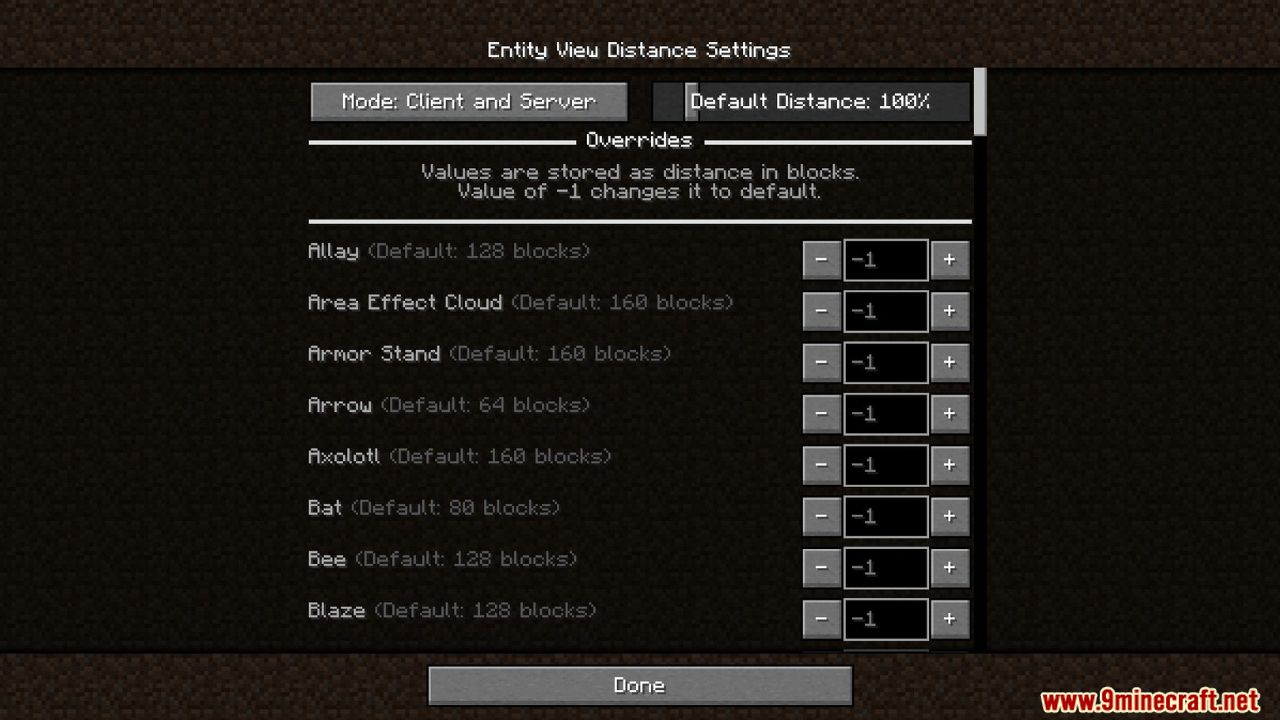
Go to Options, then Video Settings, and look for the Entity Distance Settings button. From there you can adjust visibility per entity type without leaving the game.
What does the /entityviewdistance command do?
It lets you view and change entity render distances directly from chat, which is faster than clicking through menus. Use it to set a global value or target specific entity types.
Why are my entities still disappearing even after I increased the distance?
The server's own entity tracking range can override your client setting, so if the server isn't sending the entity to you, no client tweak will show it. On singleplayer or a server you control, raise the server-side value too.
See all 10 Entity View Distance questions ›
Gallery
2 images from the Entity View Distance Mod page.
You May Also Like
Wikis that share the most with this one
More mod wikis on the site
The most downloaded mods that have a wiki here
A few wikis from each of the other kinds