

 DownloadFresh Textures Resource Pack
Get the files on 9Minecraft
Contents (8)
Guides
Step-by-step, in-game.
Adjusting Texture Detail and SharpnessUnderstanding Texture Scaling Fresh Textures Resource Pack enhances vanilla textures with improved detail and…Comparing Fresh Textures to Vanilla and Other PacksWhat Fresh Textures Changes Fresh Textures enhances vanilla Minecraft's visual style by increasing detail, improving…Ensuring Compatibility with Mods and Other Resource PacksLoad Order Matters Fresh Textures Resource Pack works best when properly positioned in your resource pack list. The…Troubleshooting Missing or Incorrect TexturesIdentifying Texture Problems Sometimes blocks appear with missing textures (purple and black checkerboard) or look…
Items
360 items · showing 24. Browse all →
 Acacia Boat
 Acacia Door
 Acacia Sign
 Apple
 Armor Stand
 Arrow
 Bamboo
 Banner Pattern (Mojang)
 Banner Pattern (Globe)
 Banner Pattern (Skull)
 Banner Pattern (Piglin)
 Banner Pattern (Flower)
 Banner Pattern (Creeper)
 Barrier
 Bat Spawn Egg
 Bee Spawn Egg
 Beetroot
 Beetroot Seeds
 Beetroot Soup
 Bell
 Birch Boat
 Birch Door
 Birch Sign
 Black Bed
Blocks
268 blocks · showing 24. Browse all →
 Acacia Button
 Acacia Leaves
 Acacia Log
 Acacia Planks
 Acacia Sapling
 Acacia Trapdoor
 Activator Rail
 Air
 Anvil
 Attached Melon Stem
 Attached Pumpkin Stem
 Azure Bluet
 Bedrock
 Birch Button
 Birch Log
 Birch Planks
 Birch Sapling
 Birch Trapdoor
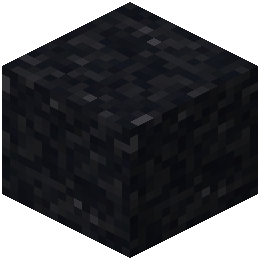 Black Concrete Powder
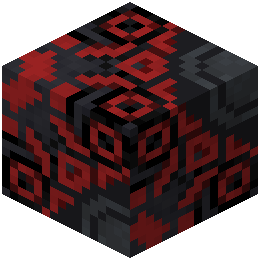 Black Glazed Terracotta
 Black Shulker Box
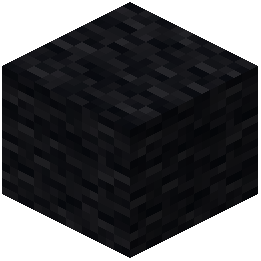 Black Wool
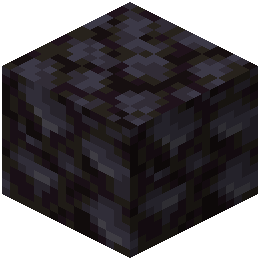 Blackstone
 Block of Diamond
What this pack changes
Every texture group the pack replaces, counted from the pack itself.
| Area | Textures replaced |
|---|---|
| Items | 2,574 |
| Blocks | 2,171 |
| Mobs & entities | 593 |
| Particles | 205 |
| Armor trims | 128 |
| Block Particle | 116 |
| GUI & menus | 91 |
| Paletted Permutations | 58 |
| Trim Preview | 55 |
| Font | 54 |
| Status effects | 33 |
| Models | 15 |
| Sky & weather | 6 |
| Misc | 5 |
| Paintings | 3 |
| Biome colours | 1 |
Pack format 15–999 (Minecraft 1.20–1.21.9)6,108 texture files in total
Extra features
Custom entity models (OptiFine/CEM)
Custom shaders
Custom font
Custom sounds
Custom block/item models
Reworked GUI
Custom particles
Frequently asked questions
How do I activate fresh textures after installing it?
Open your Resource Packs menu in Settings, find Fresh Textures in the Available packs list, and click the arrow to move it to Active packs. Make sure it's positioned above any conflicting packs in your load order.
Why do some blocks still look like vanilla textures?
Fresh Textures may not override every single block if other resource packs are loaded above it in your pack order. Check your resource pack priority in Settings and move Fresh Textures higher if needed, or disable conflicting packs.
Can I use fresh textures with other resource packs?
Yes, but resource pack load order matters—packs loaded later override earlier ones. Place Fresh Textures strategically in your list depending on which textures you want to prioritize, and test to make sure you get the look you want.
Does fresh textures work with mods that add new blocks?
Fresh Textures only retextures vanilla blocks and items. Mod-added content will use default textures unless the mod includes its own textures or another pack specifically supports it.
How do I make textures sharper or less sharp?
Adjust your texture detail and sharpness through the resource pack settings or your Minecraft video options. Some settings like mipmapping and texture filtering affect how crisp textures appear at different distances.
Fresh textures looks blurry on my world
Check that your Minecraft render distance and graphics settings aren't causing blur, and verify Fresh Textures is actually active in your resource packs menu. You can also try adjusting mipmap levels in Video Settings.
Will fresh textures affect my fps or performance?
Fresh Textures is designed to be lightweight and shouldn't significantly impact performance, but higher-resolution textures may use slightly more memory depending on your system. If you notice lag, try lowering your render distance or graphics settings.
How do I compare fresh textures to vanilla side by side?
Create a test world, take screenshots with Fresh Textures active, then disable it and take the same screenshots in the same location. You can also check the comparison guide on the wiki for before-and-after examples.
Some textures are missing or broken what do I do
First, disable all other resource packs and restart Minecraft to rule out conflicts. If the problem persists, try reinstalling Fresh Textures and checking the troubleshooting guide for your specific blocks or items.
Does fresh textures change gui or ui elements?
Fresh Textures primarily focuses on block and item textures in the world. Check the pack description or screenshots to see if it includes interface updates, as this varies depending on the pack version.
You May Also Like
Wikis that share the most with this one
Tazkos Fresh Textures Resource PackFresh Mowzie’s Mobs Textures Resource PackFresh AnimationsNative Vein TexturesFresh Food Resource PackMissing Textures ShadersFresh Hearts Resource PackFusion (Connected Textures)Fresh Paintings Resource PackFusion Connected Textures ModMC New Textures Resource PackAll White Textures Resource Pack
Wikis on the same theme: wood
More resource pack wikis on the site
Fresh Ores And Ingots Resource PackFresh Moves 9minecraft Resource PackFresh Illager Mod Compats Resource PackFresh Grass Better Colormap Resource PackFresh Food 9minecraft Resource PackFresh Flowers And Plants Resource PackFresh Flower Pots Compats Resource PackFresh Animations: Player Extension Resource PackFresh Animations Player Extension 9minecraft Resource PackFresh Animations Objects Resource PackFresh Animations Emissive Resource PackFresh Animations Details Resource Pack
The most downloaded mods that have a wiki here
A few wikis from each of the other kinds
Gallery
12 images from the Fresh Textures Resource Pack page.


