

 DownloadCherry Background Resource Pack
Get the files on 9Minecraft
Guides
Step-by-step, in-game.
Activate the Cherry Blossom Menu BackgroundEnable the Resource Pack The Cherry Background Resource Pack won't apply automatically after installation. You need…Adjust Resource Pack Priority if Multiple Packs Are InstalledReorder Your Resource Packs If you have multiple resource packs installed, their load order matters. Packs loaded…Combine Cherry Background with Other Visual ModsPairing with Shader Packs The Cherry Background Resource Pack works alongside shader mods. The background image…Troubleshoot a Missing or Unchanged Menu BackgroundCommon Fixes The background hasn't changed: Confirm the resource pack is in the Selected list, not just Available…
Frequently asked questions
Why isn't the cherry background showing up on my menu?
Make sure the resource pack is enabled in your Resource Packs menu and positioned above any conflicting packs. If you're using multiple packs that modify the menu background, the one listed highest in your active packs will take priority.
Can I use this with other resource packs?
Yes, but only one resource pack can display a menu background at a time. If you have multiple packs that change the menu, adjust their priority in the Resource Packs menu so Cherry Background is on top.
Does this mod affect gameplay or performance?
No, this is purely a visual change to the main menu and has no impact on game performance or mechanics. It only replaces the background image you see before entering a world.
What Minecraft version does this work with?
This resource pack is designed for Minecraft 1.20 and later versions. Check the mod's download page to confirm compatibility with your specific version.
See all 10 Cherry Background questions ›
Gallery
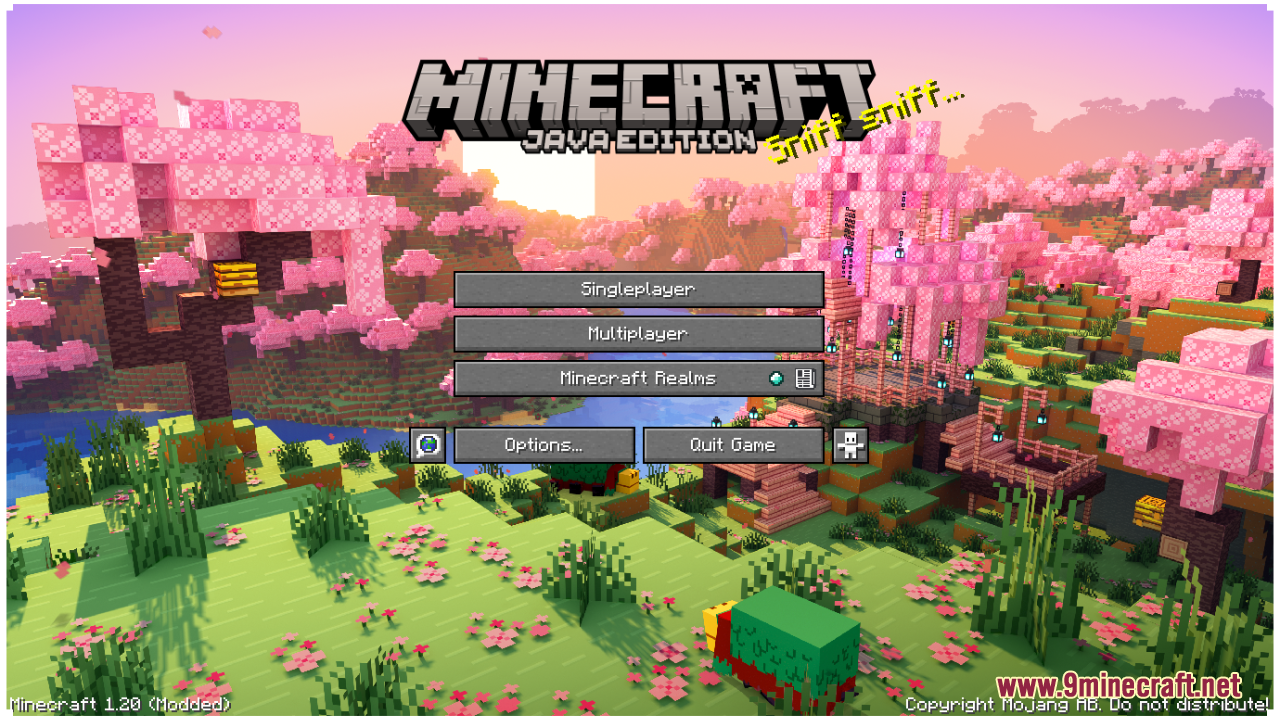
3 images from the Cherry Background Resource Pack page.
You May Also Like
Wikis that share the most with this one
Cherry Village ModCherry Reimagined ShadersItem Count Background ModCustom Background HD Resource PackCherry Villages Mot’s Structures ModSky Inventory Background Resource Pack Flower Inventory Background Resource PackCatppuccin UI Resource PackCentral Crosshair Resource PackCenturion Ships Resource PackChaos Pvp Pack Resource PackChar1Ies Backrooms Resource Pack
More resource pack wikis on the site
Chen Dian Metro Way Resource PackChat Reporting Helper Resource PackChase The Skies Resource PackCatgirl Beds Resource PackCat Creepers Resource PackCassette Music Disc Resource PackCassette Music Disc 9Minecraft Resource PackCartooncraft Resource PackCartoon Texture Concept Update 120 Resource PackCarrot Farmer Totem Of Undying Resource PackCapeless Wings Resource PackCanon PC Wallpapers Resource Pack
The most downloaded mods that have a wiki here
A few wikis from each of the other kinds