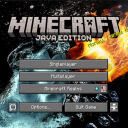
DownloadCherry Background Resource Pack
Get the files on 9Minecraft
Common Fixes
The background hasn't changed:
- Confirm the resource pack is in the Selected list, not just Available
- Restart Minecraft completely; sometimes changes don't apply until a full reload
- Check that no other resource pack is overriding it by reviewing your pack order in Resource Packs settings
The pack isn't appearing in the list:
- Verify the resource pack file is in your
resourcepacksfolder (usually found in your.minecraftdirectory) - Ensure the file isn't corrupted; try reinstalling if problems persist
Advanced Check
If issues continue, temporarily disable all other resource packs to isolate whether a conflict exists. Re-enable them one by one to identify which pack, if any, conflicts with the Cherry Background. This helps determine the correct load order for your setup.
More guides for this mod
Activate the Cherry Blossom Menu BackgroundAdjust Resource Pack Priority if Multiple Packs Are InstalledCombine Cherry Background with Other Visual Mods