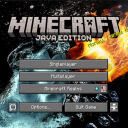
DownloadCherry Background Resource Pack
Get the files on 9Minecraft
Reorder Your Resource Packs
If you have multiple resource packs installed, their load order matters. Packs loaded later override earlier ones. To ensure the Cherry Background displays correctly:
1. Open Settings → Resource Packs
2. In the Selected list, locate the Cherry Background Resource Pack
3. Use the up/down arrow buttons to position it appropriately
4. If another pack also modifies the menu background, place Cherry Background above it to take priority, or below if you want the other pack to override it
Test the Result
Close settings and return to the main menu to see which background displays. Adjust the order again if needed until you achieve your preferred visual result. You can experiment with different positions to find the combination that works best with your other installed packs.