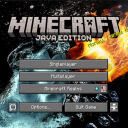
DownloadCherry Background Resource Pack
Get the files on 9Minecraft
Pairing with Shader Packs
The Cherry Background Resource Pack works alongside shader mods. The background image itself won't be affected by shaders (it only displays on the menu), but your in-game world will render with your chosen shader effects once you start playing.
Layering with Other Resource Packs
You can use Cherry Background together with other packs that modify different elements:
1. Open Resource Packs settings
2. Place Cherry Background in your Selected list alongside other packs
3. Arrange the order so packs modifying different features don't conflict (e.g., a texture pack and a menu background pack typically coexist well)
4. Test in-game to ensure both modifications display correctly
Avoiding Conflicts
If you notice visual glitches or one pack overriding another, adjust the load order. Packs loaded later take priority, so experiment with positioning until the menu background and other visual elements appear as intended.