

 DownloadSoartex Grove Resource Pack
Get the files on 9Minecraft
Contents (8)
Guides
Step-by-step, in-game.
Customizing the Pack for Your PreferencesUnderstanding Pack Variants Soartex Grove may offer optional features or variants that let you adjust the visual…Enhancing Your World with Soartex Grove's AestheticBuilding with the Pack's Visual Style Soartex Grove's balanced approach to detail works best when you align your…Optimizing Texture Quality and PerformanceAdjusting Resolution Settings Soartex Grove's 64x resolution delivers exceptional detail, but performance depends on…Troubleshooting Texture Display IssuesFixing Missing or Incorrect Textures If blocks appear with placeholder textures or incorrect colors: 1. Verify pack…
Items
352 items · showing 24. Browse all →
 Allay Spawn Egg
 Amethyst Shard
 Angler Pottery Sherd
 Apple
 Archer Pottery Sherd
 Armor Stand
 Arms Up Pottery Sherd
 Arrow
 Axolotl Spawn Egg
 Baked Potato
 Banner Pattern (Mojang)
 Banner Pattern (Piglin)
 Banner Pattern (Flower)
 Banner Pattern (Globe)
 Banner Pattern (Creeper)
 Banner Pattern (Skull)
 Barrier
 Bat Spawn Egg
 Bee Spawn Egg
 Beetroot
 Beetroot Seeds
 Beetroot Soup
 Black Dye
 Blade Pottery Sherd
Blocks
372 blocks · showing 24. Browse all →
 Acacia Hanging Sign
 Acacia Log
 Acacia Planks
 Acacia Sign
 Acacia Trapdoor
 Amethyst Cluster
 Andesite
 Attached Melon Stem
 Attached Pumpkin Stem
 Azalea Leaves
 Bamboo Hanging Sign
 Bamboo Mosaic
 Bamboo Planks
 Bamboo Sign
 Bamboo Trapdoor
 Bedrock
 Big Dripleaf Stem
 Birch Hanging Sign
 Birch Log
 Birch Planks
 Birch Sign
 Birch Trapdoor
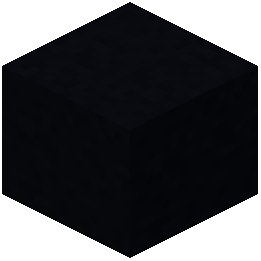 Black Concrete
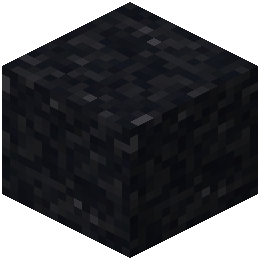 Black Concrete Powder
What this pack changes
Every texture group the pack replaces, counted from the pack itself.
| Area | Textures replaced |
|---|---|
| Blocks | 1,672 |
| Mobs & entities | 774 |
| Items | 664 |
| GUI & menus | 650 |
| Particles | 244 |
| Paintings | 51 |
| Armor trims | 40 |
| Status effects | 39 |
| Maps | 38 |
| Sky & weather | 15 |
| Misc | 12 |
| Font | 5 |
| Biome colours | 3 |
Pack format 15–1000 (Minecraft 1.20–1.21.9)4,207 texture files in total
Extra features
Custom shaders
Custom font
Custom block/item models
Reworked GUI
Frequently asked questions
How do I activate the resource pack after downloading it?
Place the resource pack file in your resourcepacks folder, then open Minecraft, go to Options > Resource Packs, and move Soartex Grove from the available list to the selected list on the right side.
Will this pack work with my shader mod?
Yes, Soartex Grove is compatible with most shader mods, though the final appearance depends on how your shader processes the high-resolution textures—test it in-game to see if you like the combination.
Why do some textures look blurry or pixelated?
This usually means your GPU isn't set to use the correct texture filtering; check your graphics driver settings and ensure mipmapping and anisotropic filtering are enabled for the best results.
Does Soartex Grove require more RAM or cause lag?
The 64x resolution does use more video memory than default textures, so if you experience lag, try lowering your render distance or allocating more RAM to Minecraft.
Can I use this pack with mods that add new blocks?
Soartex Grove will work with most mods, but blocks added by other mods will use their default textures unless the mod includes its own Soartex-compatible textures.
How do I customize specific textures in the pack?
Extract the resource pack file, navigate to the assets folder, find the texture you want to modify, edit it with an image editor, then repackage the folder as a .zip file and rename it to .zip if needed.
What Minecraft version does this pack support?
Check the pack's download page for the specific versions it's designed for; Soartex Grove is typically available for multiple recent versions, but compatibility varies by release.
Why do connected textures look broken or disconnected?
This usually happens if you're using a mod that changes how connected textures work; verify that your mods and the resource pack are compatible, or try disabling connected texture features in your mod settings.
Can I layer Soartex Grove with other resource packs?
Yes, you can stack multiple packs in the Resource Packs menu—packs higher in the list override those below, so place Soartex Grove above any packs you want it to override.
How do I revert to default textures if I don't like the changes?
Simply move Soartex Grove back to the available list in Resource Packs, or delete it from your resourcepacks folder entirely, and Minecraft will return to using default textures.
You May Also Like
Wikis that share the most with this one
Soartex FanverBlue Grove Data PackSoartex Fantastik Resource PackSoartex Fanver Vanilla Resource PackSMP Basics Resource PackSnapshotxbr Resource PackSneks Improvements And Consistencies Resource PackSnod Animated Torches Resource PackSnowy Mountains Sky Resource PackSoartexfanver Rebirth Resource PackSofron Pack 16X Resource PackSoft Weather 9minecraft Resource Pack
More resource pack wikis on the site
Smoothies Pvp Essentials Resource PackSmooth Pvp Overlay Resource PackSmooth Glass Resource Pack Smooth FontSmooth Drawers Resource PackSmooth Bow Animations Resource PackSmart Boost Resource PackSmaller Totems Resource PackSmaller Totem Resource PackSmaller Handhelds Resource PackSmall X Crosshair Resource Pack
 Small Utills Resource Pack
Smooth FontSmooth Drawers Resource PackSmooth Bow Animations Resource PackSmart Boost Resource PackSmaller Totems Resource PackSmaller Totem Resource PackSmaller Handhelds Resource PackSmall X Crosshair Resource PackSmall Utills Resource PackThe most downloaded mods that have a wiki here
A few wikis from each of the other kinds
Gallery
12 images from the Soartex Grove Resource Pack page.


