

 DownloadSofron Pack 16X Resource Pack
Get the files on 9Minecraft
Contents (8)
Guides
Step-by-step, in-game.
Adjusting Night Brightness and Starfield VisibilityUnderstanding Sofron's Dark Night Aesthetic Sofron Pack 16x is designed with deep night lighting to capture classic…Creating Expressive Farm Animal DisplaysShowcasing Sofron's Stylized Animal Models Sofron Pack gives passive animals expressive models with clean facial…Maximizing the Look of Custom 3D Block ModelsGetting the Best View of Sofron's Detailed Blocks Sofron Pack includes custom 3D models for wooden doors, minecart…Using Emissive Textures for Atmospheric LightingUnderstanding Emissive Blocks in Sofron Pack Emissive textures glow naturally in darkness without requiring light…
Items
A
 Apple
B
 Bone
 Brick
C
 Cooked Chicken
 Cooked Mutton
 Cooked Porkchop
 Copper Ingot
D
 Diamond
E
 Egg
F
 Feather
G
 Gold Ingot
 Golden Apple
I
 Iron Ingot
L
 Lapis Lazuli
P
 Paper
R
 Raw Beef
 Raw Chicken
 Raw Mutton
 Raw Porkchop
S
 Steak
Blocks
273 blocks · showing 24. Browse all →
 Acacia Leaves
 Acacia Log
 Acacia Planks
 Acacia Trapdoor
 Activator Rail
 Allium
 Andesite
 Azalea Leaves
 Bamboo Mosaic
 Bamboo Planks
 Birch Door
 Birch Leaves
 Birch Log
 Birch Planks
 Birch Trapdoor
 Black Concrete
 Black Concrete Powder
 Black Stained Glass
 Black Terracotta
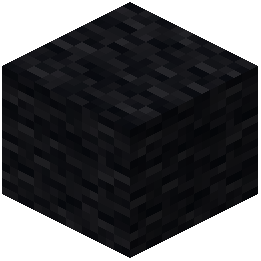 Black Wool
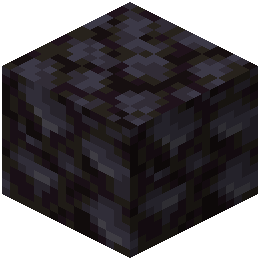 Blackstone
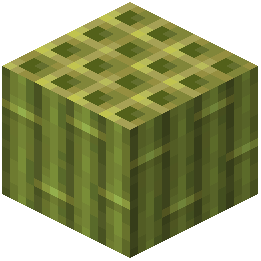 Block of Bamboo
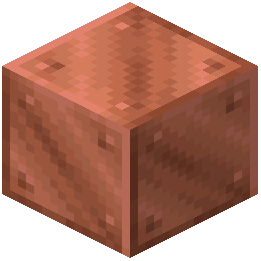 Block of Copper
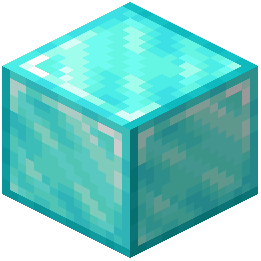 Block of Diamond
What this pack changes
Every texture group the pack replaces, counted from the pack itself.
| Area | Textures replaced |
|---|---|
| Blocks | 521 |
| GUI & menus | 27 |
| Items | 26 |
| Mobs & entities | 3 |
| Biome colours | 2 |
| Font | 1 |
Pack format 97–999 (Minecraft 1.21.9)580 texture files in total
Extra features
Custom shaders
Custom font
Custom block/item models
Reworked GUI
Frequently asked questions
Do I need to do anything after installing the pack or does it just work?
The pack applies automatically once selected in your resource pack menu—no configuration needed. However, you may want to adjust your brightness slider in Video Settings to fully experience the dark night lighting the pack is designed for.
Why do my nights look too bright compared to the screenshots?
Check your Brightness setting in Video Settings; the Sofron Pack is designed for Bright or maximum brightness to show off the starry sky and deep shadows. If you're using Moody or Dim, the night atmosphere won't display as intended.
The wooden doors and minecart rails look flat, not 3D like in the guide. What's wrong?
Make sure you're using a version of Minecraft that supports custom model data and 3D block models—older versions may fall back to flat textures. Also verify the pack is actually selected as your active resource pack in the menu.
Do the glowing blocks (emissive textures) work in vanilla Minecraft or do I need mods?
Emissive textures work in vanilla Minecraft 1.17 and later without any mods—they're a built-in resource pack feature. If you're on an older version, the glowing effect won't appear.
Will this pack slow down my game or cause lag?
The 16x resolution is designed to be lightweight and shouldn't cause performance issues on most systems. If you experience lag, try lowering your render distance or disabling fancy graphics, as the custom 3D models do add some processing overhead.
Can I use this pack with shader mods like Optifine or Sodium?
Yes, the pack works with most shader and optimization mods, though visual results may vary depending on the shader settings. Test it with your preferred shader to ensure the emissive textures and colors display as intended.
The farm animals look weird or have missing textures. How do I fix this?
Delete the pack from your resource packs folder and reinstall it completely, as partial installations can cause entity texture corruption. Make sure you're extracting the full pack file, not just opening it.
Can I use this pack on a multiplayer server?
Yes, resource packs are client-side only and won't affect other players or the server. Simply select it in your resource pack menu and it will apply only to your game view.
Does this pack change how mobs behave or add new mobs?
No, the pack only changes textures and models—all mob behavior, drops, and spawning work exactly like vanilla Minecraft. It's purely visual.
Why do some custom textures look different on my screen than in the screenshots?
Your monitor's color settings, gamma, and brightness can affect how textures appear; try adjusting your display's contrast and brightness to match the screenshots. Also ensure your Minecraft brightness is set to Bright as the pack is optimized for that setting.
You May Also Like
Wikis that share the most with this one
Sneks Improvements And Consistencies Resource PackSnod Animated Torches Resource PackSnowy Mountains Sky Resource PackSoartex Fantastik Resource PackSoartex FanverSoartex Fanver Vanilla Resource PackSoartex Grove Resource PackSoartexfanver Rebirth Resource PackSoft Weather 9minecraft Resource PackSolo Leveling Arsenal Resource PackSong Of Resurrection I X128 I X256 I X512 I X1024 I Rtx I Pom I Lab Pbr Resource PackSonic the Hedgehog Beds Resource Pack
More resource pack wikis on the site
Snapshotxbr Resource PackSMP Basics Resource PackSmoothies Pvp Essentials Resource PackSmooth Pvp Overlay Resource PackSmooth Glass Resource Pack Smooth FontSmooth Drawers Resource PackSmooth Bow Animations Resource PackSmart Boost Resource PackSmaller Totems Resource PackSmaller Totem Resource PackSmaller Handhelds Resource Pack
The most downloaded mods that have a wiki here
A few wikis from each of the other kinds
Gallery
11 images from the Sofron Pack 16X Resource Pack page.


