

 DownloadComprogrammer Programmer Art Mod Compat Compliation
Get the files on 9Minecraft
Guides
Step-by-step, in-game.
Customize Your World with Classic-Styled Mobs and BossesDiscovering Restyled Creatures The resource pack transforms mobs and bosses from supported mods into classic…Ensure Consistent Classic Art Style Across Your ModpackUnderstanding Pack Coverage This resource pack applies classic Minecraft programmer art to items, blocks, and mobs…Optimize Load Times by Removing Unused Mod TexturesWhy Remove Unused Textures The resource pack includes textures for over 180 mods. If your modpack only uses a…Use Classic Textures for Weapons, Tools, and ArmorFinding Your Equipment Weapons, tools, and armor from supported mods are restyled with classic programmer art. This…
Items
A
 Acacia Boat
 Acacia Boat with Chest
B
 Birch Boat
 Birch Boat with Chest
 Blaze Powder
 Blaze Rod
 Bone Meal
 Bucket of Cod
C
 Cherry Boat
 Cherry Boat with Chest
 Cooked Cod
D
 Dark Oak Boat
 Dark Oak Boat with Chest
G
 Ghast Tear
 Glistering Melon Slice
J
 Jungle Boat
 Jungle Boat with Chest
M
 Mangrove Boat
 Mangrove Boat with Chest
 Melon Slice
N
 Nether Quartz
 Nether Wart
O
 Oak Boat
 Oak Boat with Chest
R
 Raw Cod
S
 Spectral Arrow
 Spruce Boat
 Spruce Boat with Chest
T
 Twisting Vines
W
 Warped Fungus on a Stick
Blocks
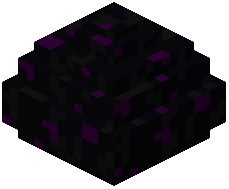 Dragon Egg
 Glass
 Redstone Torch
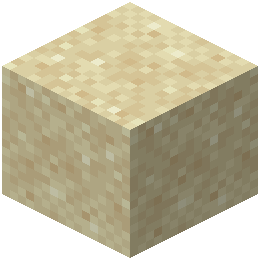 Sand
 Warped Fungus
 Weeping Vines
 Weeping Vines Plant
What this pack changes
Every texture group the pack replaces, counted from the pack itself.
| Area | Textures replaced |
|---|---|
| Blocks | 9,207 |
| Items | 5,882 |
| Mobs & entities | 3,081 |
| Particles | 1,734 |
| GUI & menus | 1,176 |
| Entities | 265 |
| Quark Variant Chests | 135 |
| Models | 100 |
| Paintings | 81 |
| Misc | 71 |
| Armor trims | 64 |
| Model | 57 |
| Status effects | 46 |
| Exposure | 40 |
| Map Marker | 38 |
| Armor | 30 |
| Attribute | 25 |
| Emote | 24 |
| Arrow Pull | 18 |
| Hud | 17 |
| Backpack | 15 |
| Slot | 9 |
| Screens | 8 |
| Emi Ores | 8 |
| Photograph | 6 |
| Sky | 6 |
| Slimes | 3 |
| Immersiveoverlays | 3 |
| Thigh Highs | 2 |
| Pattern | 2 |
| Armour | 2 |
| Icon | 2 |
| Stand | 1 |
| Advancements | 1 |
| Maps | 1 |
| Screen | 1 |
Pack format 15 (Minecraft 1.20)22,189 texture files in total
Extra features
Custom entity models (OptiFine/CEM)
Custom font
Custom sounds
Sound overrides
Custom block/item models
Reworked GUI
Custom particles
Frequently asked questions
How do I make my modpack look consistent with this pack?
Install the resource pack and load it above any other packs in your resource pack menu. The pack will automatically retexture all supported mod content to match the classic Minecraft style, overriding modern textures from those mods.
Will this pack slow down my game?
No, but you can improve performance by deleting folders inside the pack for mods you don't use—this reduces the file size the game needs to load. The pack itself doesn't add processing overhead since it only replaces existing textures.
What mods does this pack support?
The pack covers over 180 mods across categories like world generation, new mobs and bosses, farming and food, and weapons and tools. Check the pack's folder structure to see which specific mods are included.
Can I use this with other resource packs?
Yes, but load this pack higher in your resource pack list than others so its textures take priority. If you load it below another pack, those textures will override the classic art style.
How do I remove textures for mods I don't have installed?
Open the resource pack folder and delete the mod-specific folders you don't need. This reduces file size and improves load times without affecting the packs you do use.
Does this pack work with modded armor and weapons?
Yes, the pack retextures weapons, tools, and armor from supported mods to match the classic blocky style. All equipped items and held tools will display with the old-school programmer art look.
Will modded mobs and bosses look right with this pack?
Yes, mobs and bosses from supported mods are retextured to fit the classic Minecraft aesthetic. You'll see the same blocky, bright-colored design across all modded creatures.
What if a mod I use isn't supported?
Unsupported mods will keep their original textures. Only the 180+ mods listed in the pack will receive the classic art treatment, so you may see a mix of styles if you use additional mods.
Can I customize individual textures in this pack?
Yes, you can edit texture files inside the pack folder to customize specific items or blocks. Make sure to keep the file structure intact so the pack continues to load correctly.
Does this pack affect gameplay or just visuals?
This is a resource pack, so it only changes how things look—it doesn't alter any game mechanics, recipes, or mod functionality. All gameplay remains exactly the same.
Gallery
6 images from the Comprogrammer Programmer Art Mod Compat Compliation By Flabberghast2 Resource Pack page.


You May Also Like
Wikis that share the most with this one
Comprogrammer Programmer Art Mod Compat Compliation Resource PackEMI Compat ModSilentgear CompatFTB XMod Compat ModQuark Compat Data PackTensura Compat Ftb ModAether Compat Data PackVan Backport Compat ModCobblemon EMI Compat ModTACZ First Aid Compat ModAbnormals Compat Data PackCataclysm Compat Data Pack
Wikis on the same theme: boat
More resource pack wikis on the site
 Comforts Modernized Resource PackComforts Modernized 9minecraft Resource PackColourful Containers OLED GUI Resource PackColourful Containers Modded GUI Compat Resource PackColourful Containers GUI Resource PackColourful Containers Dark Mode GUI Resource PackColorful Grasses 9Minecraft Resource Pack
 Colored Leaf Litter Resource PackColor Enchantment Resource PackCocricot 9Minecraft Resource PackCobblemon Wallpapers Plus Resource PackCobblemon Translation RU Resource Pack
The most downloaded mods that have a wiki here
A few wikis from each of the other kinds