

 DownloadOs Crops Resource Pack
Get the files on 9Minecraft
Guides
Step-by-step, in-game.
Customize Your Farmland AppearanceUpdate Soil and Surrounding Blocks Os' Crops Resource Pack includes texture updates for farmland and related blocks,…Identify Crops Ready for HarvestSpot the Final Growth Stage Os' Crops Resource Pack makes the mature stage of every crop visually distinct, so you…Make Your Farm Look More NaturalCreate Visual Variety in Your Crops Os' Crops Resource Pack automatically adds natural rotations and varied plant…Understand Crop Growth Stages with New ModelsLearn the Visual Progression Os' Crops Resource Pack redesigns how crops look as they grow, giving each stage a…
Blocks
 Attached Melon Stem
 Attached Pumpkin Stem
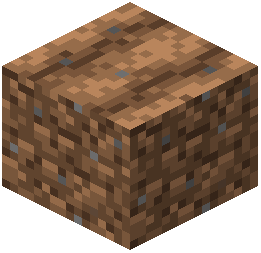 Farmland
 Melon Stem
 Pumpkin Stem
What this pack changes
Every texture group the pack replaces, counted from the pack itself.
| Area | Textures replaced |
|---|---|
| Blocks | 30 |
Pack format 34 (Minecraft 1.21.2)30 texture files in total
Extra features
Custom block/item models
Frequently asked questions
Do I need to restart my world after installing this pack?
No, the resource pack only changes how crops look visually, so you can apply it to existing worlds without any issues. Simply activate it in your resource pack settings and the new crop models will appear immediately.
Why do my crops still look the same after installing?
Make sure the resource pack is enabled and ranked above any conflicting packs in your resource pack list. If you're using other crop-related packs, move Os' Crops to the top to ensure its textures take priority.
Can I tell when crops are fully grown just by looking at them?
Yes, that's a key feature of this pack—the final growth stage of each crop has a distinctly different appearance so you can instantly recognize when it's ready to harvest without counting growth stages.
Does this pack work with mods that add new crops?
Will my farm performance drop with these new crop models?
No, this is a resource pack that only changes textures and model rotations, so it has no impact on game performance or server load.
Do pumpkins and melons look different too?
Yes, the pumpkin and melon stems have been updated to match the new natural style of the pack, though the full-grown pumpkins and melons themselves remain unchanged.
Can I use this pack with shader mods?
Yes, resource packs are compatible with shader mods. The new crop textures will work alongside shaders, though the visual effect depends on your specific shader settings.
Does this pack change how farmland looks?
Why do my crops point in different directions?
The pack intentionally rotates crops slightly so they don't all face the same way, creating a more natural and varied farm appearance instead of a uniform grid.
Does this pack affect crop growth speed or harvest amounts?
No, this is purely a visual pack—it only changes how crops look, not how they grow or what you get when you harvest them.
You May Also Like
Wikis that share the most with this one
Wikis on the same theme: farm
 Repurposed Structures
More resource pack wikis on the site
Os Colorful Grasses Resource Pack Os Colorful Grasses Official Resource PackOs’ Carved Wood Resource PackOs’ Bookshelves Resource PackOs’ 3D Iron Bars Resource PackOriginal Pokemon Battle Music Resource Pack
 OreUI Recreation Resource PackOre Visible Resource PackOre Highlighter Resource PackOre Grids Resource PackOratots Pvp Resource PackOptimum Realism Pom Pbr Resource Pack
Os Colorful Grasses Official Resource PackOs’ Carved Wood Resource PackOs’ Bookshelves Resource PackOs’ 3D Iron Bars Resource PackOriginal Pokemon Battle Music Resource PackOreUI Recreation Resource PackOre Visible Resource PackOre Highlighter Resource PackOre Grids Resource PackOratots Pvp Resource PackOptimum Realism Pom Pbr Resource PackThe most downloaded mods that have a wiki here
A few wikis from each of the other kinds
Gallery
9 images from the Os Crops Resource Pack page.


