

 DownloadClayful 256X Resource Pack
Get the files on 9Minecraft
Contents (8)
Guides
Step-by-step, in-game.
Building Cohesive Structures with Clay-Styled BlocksChoose Complementary Block Palettes The Clayful 256x pack maintains vanilla color schemes, making block combinations…Creating Natural-Looking Terrain with Clay TexturesSculpt Landscape Features The clay-styled grass, dirt, and stone blocks create a cohesive natural appearance across…Decorating Interiors and Storage SpacesDesign Functional Storage Areas The pack includes clay-styled crafting stations and storage blocks that maintain…Getting the Best Visual Quality from Clayful 256xOptimize Your Graphics Settings To fully appreciate the high-definition clay textures, adjust your video settings for…
Items
284 items · showing 24. Browse all →
 Acacia Boat
 Acacia Door
 Acacia Sign
 Apple
 Armor Stand
 Arrow
 Baked Potato
 Bamboo
 Banner Pattern (Globe)
 Banner Pattern (Creeper)
 Banner Pattern (Mojang)
 Banner Pattern (Skull)
 Banner Pattern (Piglin)
 Banner Pattern (Flower)
 Barrier
 Beetroot
 Beetroot Seeds
 Beetroot Soup
 Bell
 Birch Boat
 Birch Door
 Birch Sign
 Black Dye
 Blaze Powder
Blocks
A
 Acacia Leaves
 Acacia Log
 Acacia Planks
 Acacia Sapling
 Acacia Trapdoor
 Activator Rail
 Allium
 Andesite
 Anvil
 Attached Pumpkin Stem
 Azure Bluet
B
 Beacon
 Bedrock
 Birch Leaves
 Birch Log
 Birch Planks
 Birch Sapling
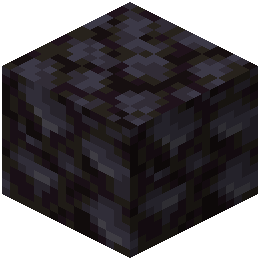 Blackstone
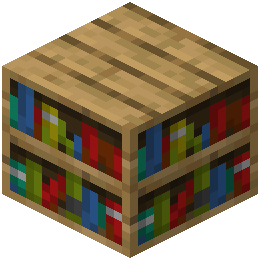 Bookshelf
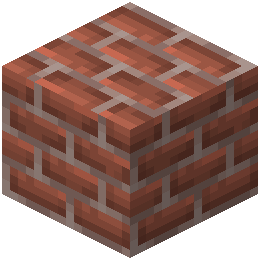 Bricks
C
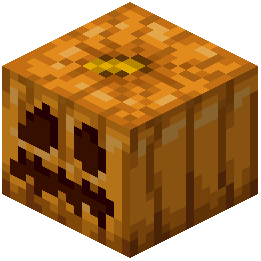 Carved Pumpkin
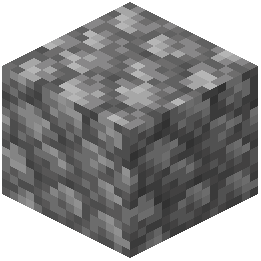 Cobblestone
N
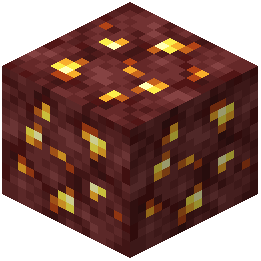 Nether Gold Ore
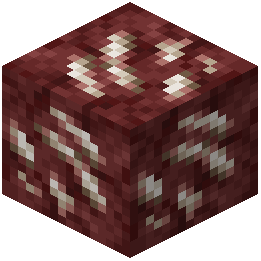 Nether Quartz Ore
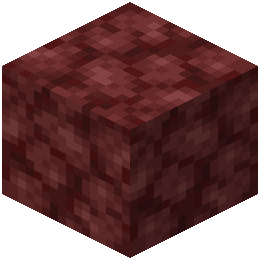 Netherrack
O
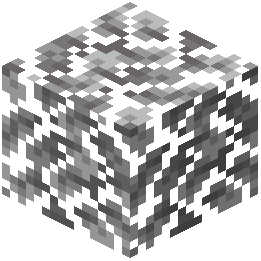 Oak Leaves
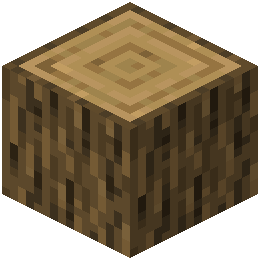 Oak Log
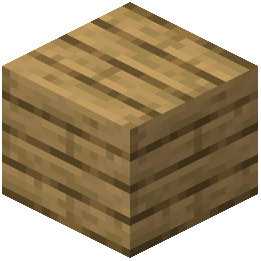 Oak Planks
S
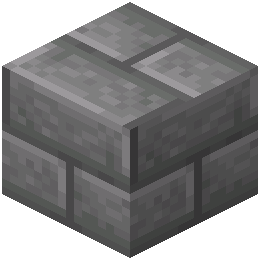 Stone Bricks
What this pack changes
Every texture group the pack replaces, counted from the pack itself.
| Area | Textures replaced |
|---|---|
| Mobs & entities | 1,464 |
| Items | 606 |
| GUI & menus | 478 |
| Particles | 228 |
| Blocks | 93 |
| Armor trims | 55 |
| Paintings | 51 |
| Models | 45 |
| Status effects | 39 |
| Maps | 38 |
| Misc | 15 |
| Sky & weather | 7 |
| Font | 5 |
| Biome colours | 2 |
| Effect | 1 |
Pack format 15–1000 (Minecraft 1.20–1.21.9)3,127 texture files in total
Extra features
Custom font
Custom block/item models
Reworked GUI
Frequently asked questions
Do I need to do anything special after installing Clayful 256x or does it just work?
The pack applies automatically once installed—just select it in your resource pack menu and restart your world. Make sure it's positioned above any conflicting packs in your load order for the clay textures to display correctly.
Why do my blocks look blurry or pixelated even with Clayful 256x enabled?
Check that your Minecraft video settings have mipmapping disabled or set to minimum, and ensure your GPU can handle 256x textures without downscaling. If you're on lower-end hardware, the pack may automatically reduce resolution—check your launcher's allocated RAM and graphics driver.
Does Clayful 256x work with mods that add new blocks?
The pack only retextures vanilla Minecraft blocks and items. Blocks from other mods will keep their default textures unless those mods include Clayful 256x compatibility patches.
Can I use Clayful 256x with shaders?
Yes, the pack works with shader mods, though the soft clay appearance may look different depending on your shader's lighting and shadow settings. Test a few shaders to find one that complements the clay aesthetic.
My FPS dropped significantly after installing this pack. How do I fix it?
256x textures are demanding—try lowering your render distance, disabling fancy graphics, or reducing your allocated RAM if it's set too high. You can also check if other resource packs or mods are conflicting by testing Clayful 256x alone.
Do animated textures like water and lava look different in Clayful 256x?
Yes, water, lava, and other animated elements are restyled with the clay aesthetic, so they'll appear softer and more sculpted than vanilla while maintaining their animation cycles.
Will my old builds look weird with this pack applied?
No—Clayful 256x keeps vanilla color palettes and block shapes the same, so existing builds remain recognizable. The change is purely visual, giving them a smoother, more handcrafted appearance.
Can I mix Clayful 256x with other resource packs?
You can stack multiple packs in your resource pack list, with Clayful 256x positioned higher to override textures. However, mixing packs may create visual inconsistencies where non-clay textures stand out.
Does this pack change the UI, menus, or HUD?
Clayful 256x primarily focuses on block and item textures in the world. Some UI elements may receive subtle styling, but the main menu and inventory interface remain largely vanilla.
What's the best way to build with Clayful 256x to make structures look intentional?
Use complementary block types and avoid sudden texture shifts—the clay aesthetic works best when you group similar materials together and let the soft, sculpted surfaces create visual flow rather than relying on sharp color contrasts.
You May Also Like
Wikis that share the most with this one
Clayful 512x Resource PackDefault Hd 256X Resource PackFaithful Pbr 256X Resource PackClarity 9Minecraft Resource PackClarityClassic 3DClassic 3DClassic Earth And Modern Rubies Resource PackClassic Faithful 32X Jappa Resource PackClassic Faithful 64X Jappa Resource PackClassic Glint Resource PackClean Connected Glass Resource Pack
More resource pack wikis on the site
Civilizations Roma Invicta Classical Civilizations Texture Pack Resource PackCIT for Roguelike Dungeons Resource PackChristmas Spirit Resource PackChipote Chillon Resource PackChinese Mythology Mash Up Resource PackChicknTurtle’s Better Shield Resource PackChicknTurtle’s 3D Tools Resource PackChickens to Turkey Resource PackChests Reimagined Resource PackCherryCore UI Resource PackCherry Background Resource PackChen Dian Metro Way Resource Pack
The most downloaded mods that have a wiki here
A few wikis from each of the other kinds
Gallery
11 images from the Clayful 256X Resource Pack page.


