

 DownloadBedwars Remastered Resource Pack
Get the files on 9Minecraft
Contents (8)
Guides
Step-by-step, in-game.
Identify Enemy Gear Quickly in Team FightsRead Armor Textures at Distance The pack's cleaned-up armor textures let you assess enemy threat level instantly:…Maintain Frame Rate During Large Lobby FightsUnderstand Performance Design Bedwars Remastered is built to run smoothly even when many players are visible: The…Optimize Visibility During Bridge FightsAdjust Wool Block Contrast The resource pack simplifies wool textures to make bridging faster and more accurate. To…Use Simplified Blocks for Faster Defense BuildingPlace Defensive Blocks Efficiently The pack's outlined wool blocks and clear utility item models speed up bed…
Items
A
 Apple
D
 Diamond Axe
 Diamond Hoe
 Diamond Pickaxe
 Diamond Shovel
 Diamond Sword
E
 Ender Pearl
F
 Fire Charge
G
 Glass Bottle
 Gold Ingot
 Golden Apple
 Golden Axe
 Golden Hoe
 Golden Pickaxe
 Golden Shovel
 Golden Sword
I
 Iron Axe
 Iron Hoe
 Iron Ingot
 Iron Pickaxe
 Iron Shovel
 Iron Sword
N
 Netherite Sword
P
 Potion
S
 Shears
 Sign
 Splash Potion
 Stick
 Stone Axe
 Stone Hoe
 Stone Pickaxe
 Stone Shovel
 Stone Sword
W
 Wooden Axe
 Wooden Hoe
 Wooden Pickaxe
 Wooden Shovel
 Wooden Sword
Blocks
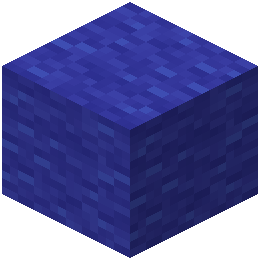 Blue Wool
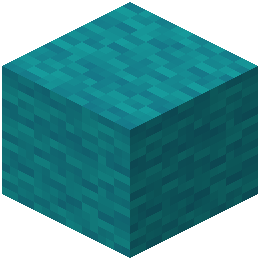 Cyan Wool
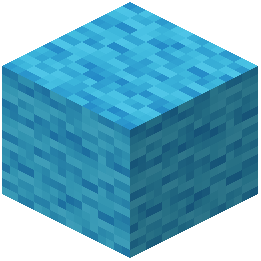 Light Blue Wool
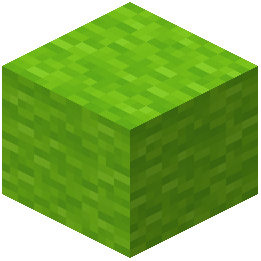 Lime Wool
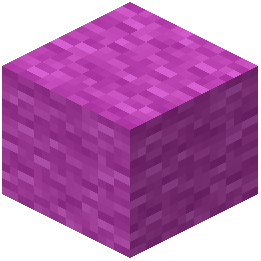 Magenta Wool
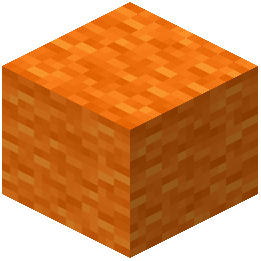 Orange Wool
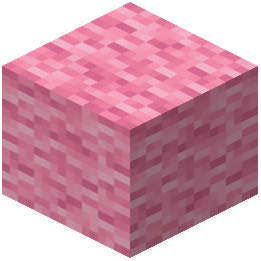 Pink Wool
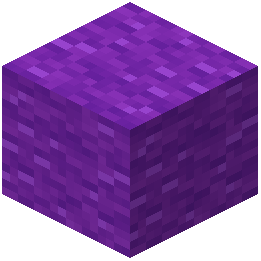 Purple Wool
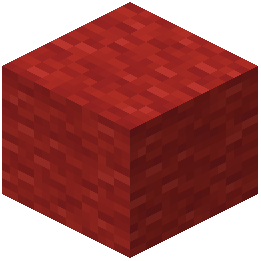 Red Wool
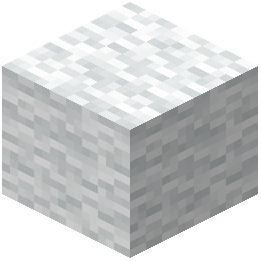 White Wool
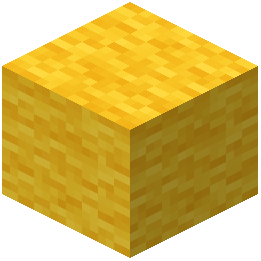 Yellow Wool
What this pack changes
Every texture group the pack replaces, counted from the pack itself.
| Area | Textures replaced |
|---|---|
| GUI & menus | 441 |
| Items | 43 |
| Blocks | 11 |
Pack format 88 (Minecraft 1.21.9)495 texture files in total
Extra features
Reworked GUI
Frequently asked questions
Why do my weapons look different after installing this pack?
The pack redesigns sword and weapon models to reduce visual clutter during combat, making it easier to see enemy positions and incoming attacks. This is intentional—the simplified geometry keeps your view clear without changing how weapons actually function.
Does this pack work on servers or do I need it installed locally?
Resource packs are client-side, so you only need to install it on your own game. Other players won't see your changes, and servers won't reject you for using it.
How do I enable the pack after downloading it?
Place the pack file in your resourcepacks folder, restart Minecraft, go to Options > Resource Packs, find Bedwars Remastered in the Available list, and click the arrow to move it to Active. The pack will apply immediately.
Will this pack make me lag or drop frames during big fights?
No—the pack is optimized to run smoothly on any system by using cleaner textures and simplified models that actually reduce rendering load. You should maintain steady frame rates even in crowded lobbies.
Can I tell what armor an enemy is wearing faster with this pack?
Does this pack change how wool blocks look for bridging?
Yes, wool blocks have crisp outlines and simplified textures that make them easier to place accurately and quickly while bridging. The distinct appearance also helps you spot your team's defenses faster.
Will my hotbar and inventory look cleaner?
Yes, the pack removes visual clutter from hotbars and interface menus, giving you clearer icons and a less distracting view of your items during fast-paced matches.
Does this pack work for games other than Bedwars?
Yes, it's designed for competitive minigames including SkyWars, Duels, and other PvP servers. Any mode that benefits from clearer combat visuals and simplified textures will work well with this pack.
Can I use this pack with other resource packs at the same time?
You can load multiple packs together, but if two packs modify the same textures or models, the one higher in your Active list will take priority. Test your setup to make sure there are no conflicting changes.
Does this pack give me an unfair advantage?
No—resource packs are allowed on all major servers and minigame platforms. The pack only changes how things look on your screen; it doesn't alter game mechanics, hitboxes, or gameplay rules.
You May Also Like
Wikis that share the most with this one
End Remastered ModNew Bedwars PluginPhazez Remastered MapTiny Mob Farm RemasteredBetter End Remastered ModTarotcards Remastered ModLost_Tape_Remastered Shaders Remade And Remastered ModpackThx Helicopter Mod RemasteredStonecutter GUI Remastered ModBlocked in Combat Remastered MapBerkao Bedwars Pack Resource Pack
Wikis on the same theme: weapon
More resource pack wikis on the site
Bedrock Ore UI JE Resource PackBed Wars Texture 16X16 Pixel Resource PackBeautiful Sky Resource PackBeautiful Enchanted Books Resource PackBd Hill Reforge The Sword Edge Resource PackBB’s Bosses of Mass Destruction Tweaks Resource PackBarebones Bossbars Resource PackBarebones Betterpvp Resource PackBarebones 3D Crops Resource PackBare Bones X Mods Resource PackBare BonesBare Bones Pbr X128 Resource Pack
The most downloaded mods that have a wiki here
A few wikis from each of the other kinds
Gallery
11 images from the Bedwars Remastered Resource Pack page.


