DownloadBarebones Betterpvp Resource Pack
Get the files on 9Minecraft
Contents (8)
Guides
Step-by-step, in-game.
Keep Your Screen Clear While Taking Damage in DuelsReducing Fire and Damage Overlays When fighting in Netherite Pot duels or other intense PvP scenarios, the pack…Manage Inventory and Potions Faster During CombatNavigating a Simplified Inventory Interface The BareBones-BetterPvp pack provides clean potion item icons and a…Optimize Your Crystal PvP Setup with High-Contrast TexturesIdentifying Crystals and Obsidian Quickly The BareBones-BetterPvp pack enhances End Crystal and Obsidian visibility…Track Wool Blocks Effectively in Bridge GamesUsing Bordered Wool Textures for Quick Recognition The BareBones-BetterPvp pack features clean wool textures with…
Items
381 items · showing 24. Browse all →
 Acacia Boat
 Acacia Boat with Chest
 Acacia Door
 Acacia Hanging Sign
 Acacia Sign
 Amethyst Shard
 Angler Pottery Sherd
 Apple
 Archer Pottery Sherd
 Armadillo Scute
 Armor Stand
 Arms Up Pottery Sherd
 Arrow
 Baked Potato
 Bamboo
 Bamboo Door
 Bamboo Hanging Sign
 Bamboo Raft
 Bamboo Raft with Chest
 Bamboo Sign
 Banner Pattern (Piglin)
 Banner Pattern (Globe)
 Banner Pattern (Flower)
 Banner Pattern (Flow)
Blocks
468 blocks · showing 24. Browse all →
 Acacia Leaves
 Acacia Log
 Acacia Planks
 Acacia Sapling
 Acacia Trapdoor
 Activator Rail
 Allium
 Amethyst Cluster
 Andesite
 Anvil
 Attached Melon Stem
 Attached Pumpkin Stem
 Azalea Leaves
 Azure Bluet
 Bamboo Fence
 Bamboo Fence Gate
 Bamboo Mosaic
 Bamboo Planks
 Bamboo Trapdoor
 Beacon
 Bedrock
 Big Dripleaf Stem
 Birch Leaves
 Birch Log
What this pack changes
Every texture group the pack replaces, counted from the pack itself.
| Area | Textures replaced |
|---|---|
| Blocks | 1,012 |
| Items | 590 |
| Mobs & entities | 523 |
| GUI & menus | 273 |
| Particles | 229 |
| Armor trims | 55 |
| Status effects | 40 |
| Maps | 35 |
| Paintings | 34 |
| Models | 24 |
| Misc | 9 |
| Sky & weather | 5 |
| Custom | 2 |
| Biome colours | 2 |
Pack format 48 (Minecraft 1.21.5)6 per-version overlays2,833 texture files in total
Extra features
Custom font
Custom block/item models
Reworked GUI
Frequently asked questions
Why does my screen look so different after installing this pack?
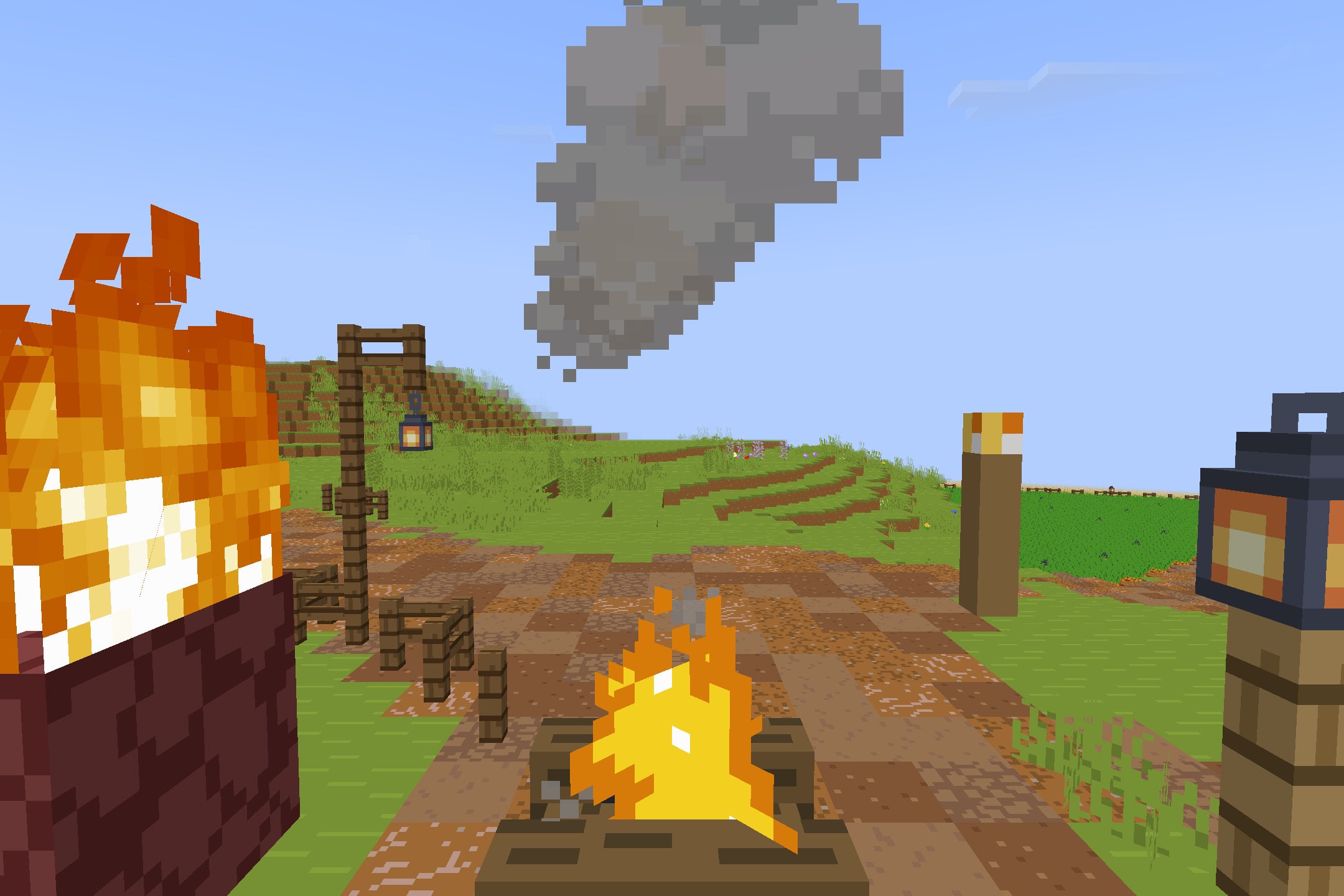
BareBones-BetterPvp replaces textures and visual effects to reduce clutter during combat. Fire overlays are lowered, shield models are repositioned, and totem animations are compacted so you can see opponents clearly instead of being blocked by graphics.
Does this pack work for all PvP modes or just Crystal PvP?
While optimized for Crystal PvP with high-contrast End Crystals and Obsidian, the pack also includes features for other modes like bridge games (bordered wool textures) and general duels (lowered shields, clear potions).
How do the purple sweep particles help during sword fights?
The bright purple sweep animations make sword swing arcs more visible, helping you track your attack range and timing more clearly during fast melee combat.
Will this pack improve my FPS?
Yes—the 16×16 lightweight textures and simplified models reduce rendering load, which helps prevent frame drops during crowded battles with many players or visual effects.
Can I still see wool colors clearly in bridge games?
Yes, the pack features clean wool textures with solid borders that make each color distinct and easy to track quickly while building or defending.
Why is my shield so small now?
The shield model is lowered and repositioned to keep more of your screen visible while blocking, so you can still see incoming threats and your surroundings during defense.
Do I need to change any Minecraft settings for this pack to work best?
No special settings are required, but enabling fast graphics and higher render distance will let you benefit most from the pack's performance optimizations.
What happens to potion icons and inventory display?
Potion items and armor textures are simplified and cleaned up for fast visual scanning, and the interface is compact so you can switch between items quickly without visual confusion.
Does the reduced fire overlay affect my ability to see when I'm on fire?
The fire overlay is lowered but still visible—you'll still know you're burning, just without a large graphic blocking your view of the fight.
Can I use this pack on servers or only singleplayer?
Resource packs work on any server or world—this pack is purely client-side, so it won't affect other players and works everywhere you play.
You May Also Like
Wikis that share the most with this one
 Helpful Cpvp Pack Resource Pack
 Ultimate Cpvp Pack Resource Pack
Wikis on the same theme: pet
More resource pack wikis on the site
Bare Bones X Mods Resource PackBare BonesBare Bones Pbr X128 Resource PackBare Bones Origin Realms Resource PackBare BonesBare Bones 3D Tools Resource Pack Bare Bones 2D Block Items Resource PackBanner Pattern Clarity Resource PackBananas Pvp Essentials Resource PackBackrooms Retextured Resource PackBaby Mobs Resource PackBaby Makeover Resource Pack
The most downloaded mods that have a wiki here
A few wikis from each of the other kinds
Gallery
11 images from the Barebones Betterpvp Resource Pack page.