

 DownloadCreate: Design n' Decor
Get the files on 9Minecraft
Choosing a Boiler Style
Design n Decor offers boiler variants in different stone and metal finishes, including andesite and aluminium looks. These are decorative shells — they are meant to sit alongside your real Create fluid and steam infrastructure and make it look like a proper plant. Pick the boiler finish that matches your surrounding blocks: 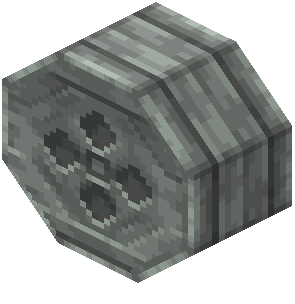 andesite boilers against stone brick,
  aluminium boilers against lighter metal walls.
Building a Believable Plant Room
1. Cluster boilers in groups of two or three rather than placing them singly — industrial equipment rarely stands alone.
2. Run your actual Create pipes and shafts behind or between the boilers so the decorative shells appear connected to a working system.
3. Place 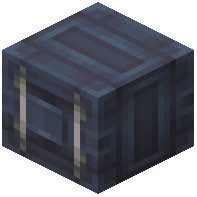 containers nearby as feed tanks, and stack them at different heights to break up the silhouette.
4. Add a display board on the wall above the cluster as a control panel.
5. Frame the whole room with girders and light it with lamps aimed at the equipment.
Because these  blocks are decorative, you have full freedom in placement — you are not bound by Create's rotational or stress rules. Use that freedom to make the layout look practical.


