

 DownloadCreate: Design n' Decor
Get the files on 9Minecraft
Picking Your Color Palette
Create: Design n' Decor adds colored variants of cogwheels, flywheels, and 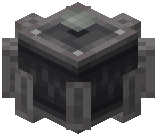 industrial cogwheels so you can theme a machine to match a build instead of settling for default andesite grey. Decide on one or two accent colors first — for example Amber for a warm brass-adjacent factory, or a cool tone for a laboratory. Craft the colored cogwheel variant you want the same way you would craft the base cogwheel, substituting the decorative material the mod provides for that color.
Assembling the Machine
1. Place your colored large cogwheel as the visual centerpiece of the build, then mesh smaller colored cogwheels around it so the rotation reads clearly.
2. Use colored industrial cogwheels where you want a chunkier, heavier silhouette — they pair well with girders and sheet metal.
3. Back the machine with a wall of matching sheet metal or 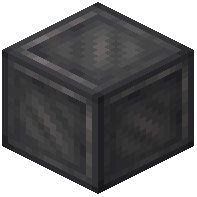 dark metal plating so the cogs stand out against a flat surface.
4. Add a colored flywheel on the same shaft line to suggest a power source, even if the actual stress comes from a hidden Create source.
5. Finish with catwalks and lamps so the machine is visible and walkable.
Keep the palette limited. Two colors plus a neutral metal reads as intentional; five colors reads as noise.


