

 DownloadHola Blocks Shaders
Get the files on 9Minecraft
Contents (8)
Guides
Step-by-step, in-game.
Create Atmospheric Indoor Spaces with Soft LightingUse Torches and Lanterns Effectively Hola Blocks Shaders softens indoor light , creating a cozy atmosphere. Place…Highlight Ores and Minerals in Cave SystemsExplore Deep Caves at Night (In-Game) Hola Blocks Shaders enhances ore visibility in dark environments through…Make Stone and Wood Blocks Look Their BestPosition Your Buildings for Optimal Lighting Hola Blocks Shaders excels at showing material depth when light hits…Optimize Shader Performance on Lower-End ComputersAdjust Quality Settings Hola Blocks Shaders includes performance options to keep your game smooth. Access the shader…
Items
391 items · showing 24. Browse all →
 Allay Spawn Egg
 Amethyst Shard
 Angler Pottery Sherd
 Apple
 Archer Pottery Sherd
 Armadillo Scute
 Armadillo Spawn Egg
 Arms Up Pottery Sherd
 Arrow
 Axolotl Spawn Egg
 Baked Potato
 Bamboo
 Bamboo Raft
 Bamboo Raft with Chest
 Banner Pattern (Mojang)
 Banner Pattern (Flow)
 Banner Pattern (Globe)
 Banner Pattern (Guster)
 Banner Pattern (Skull)
 Banner Pattern (Piglin)
 Banner Pattern (Flower)
 Banner Pattern (Creeper)
 Barrier
 Bat Spawn Egg
Blocks
542 blocks · showing 24. Browse all →
 Acacia Button
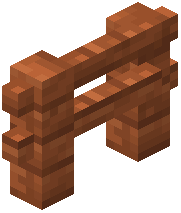 Acacia Fence
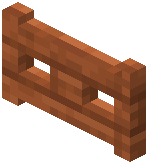 Acacia Fence Gate
 Acacia Leaves
 Acacia Log
 Acacia Planks
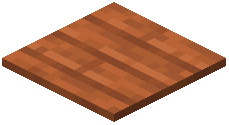 Acacia Pressure Plate
 Acacia Sapling
 Acacia Trapdoor
 Allium
 Andesite
 Anvil
 Attached Melon Stem
 Attached Pumpkin Stem
 Azalea Leaves
 Azure Bluet
 Bamboo Button
 Bamboo Fence
 Bamboo Fence Gate
 Bamboo Mosaic
 Bamboo Planks
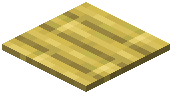 Bamboo Pressure Plate
 Bamboo Trapdoor
 Beacon
What this pack changes
Every texture group the pack replaces, counted from the pack itself.
| Area | Textures replaced |
|---|---|
| Blocks | 2,750 |
| Items | 1,166 |
| Mobs & entities | 720 |
| GUI & menus | 524 |
| Particles | 254 |
| Paintings | 41 |
| Status effects | 40 |
| Armor trims | 40 |
| Maps | 37 |
| Font | 26 |
| Sky & weather | 14 |
| Misc | 14 |
| Biome colours | 3 |
| Effect | 1 |
Pack format 84 (Minecraft 1.21.9)5,631 texture files in total
Extra features
Custom entity models (OptiFine/CEM)
Random entity textures
Custom shaders
Custom font
Custom sounds
Custom block/item models
Reworked GUI
Frequently asked questions
How do I turn on Hola Blocks Shaders after installing it?
Open your Video Settings in-game, go to Shaders, and select Hola Blocks Shaders from the list. Apply the changes and the shader will activate immediately on your world.
Why does my game lag when I use this shader?
Shaders are performance-intensive; try lowering your render distance, disabling advanced lighting options in the shader settings, or reducing your overall graphics quality. Check the performance optimization guide for your specific computer type.
Can I use Hola Blocks Shaders with other mods?
Yes, it works with most mods, but incompatibilities can occur with mods that heavily modify lighting or block rendering. Test your mod combination in a new world first to check for visual glitches.
Does this shader work in the Nether and End?
Yes, Hola Blocks Shaders applies its lighting effects throughout all dimensions, though the medieval aesthetic works best in the Overworld with traditional building blocks.
How do I make caves brighter to see ores better?
The shader automatically enhances cave lighting, but you can increase visibility further by adjusting the brightness or ambient lighting sliders in the shader options menu.
Why do my indoor spaces look too dark or washed out?
Place torches and light sources strategically to work with the shader's soft lighting system; the shader responds to in-game light blocks rather than overriding them. Refer to the indoor lighting guide for placement tips.
Can I disable the shader for specific biomes or blocks?
No, Hola Blocks Shaders applies globally to your entire world, but you can adjust overall intensity through shader settings to find a balance you prefer.
Does this shader affect my FPS in multiplayer servers?
Yes, shaders impact performance the same way in multiplayer as single-player; your FPS depends on your computer, not the server. Lower-end machines may need to reduce shader intensity or render distance.
How do I make wood and stone textures look more detailed?
The shader automatically adds depth to these materials, but pairing it with a higher-resolution texture pack will enhance the effect even further. See the material details guide for best results.
What should I do if the shader makes everything look too dark?
Adjust the brightness and gamma settings in both your Video Settings and the shader options menu; you can also increase ambient light values to brighten shadows without losing the medieval mood.
You May Also Like
Wikis that share the most with this one
More shader wikis on the site
The most downloaded mods that have a wiki here
Gallery
11 images from the Hola Blocks Shaders page.


