

 DownloadWhimscape Resource Pack
Get the files on 9Minecraft
Contents (8)
Guides
Step-by-step, in-game.
Customize Your Biome ColorsAccess Resource Pack Settings Whimscape allows you to personalize how different biomes appear in your world. The…Enhance Portal and Dimension VisualsUnderstand Portal Customization Whimscape completely retextures portal-related blocks and effects, creating a more…Explore Retextured Blocks and ItemsDiscover Custom Textures Throughout Your World Whimscape retextures numerous blocks and items to create a cohesive,…Maintain Performance While Using Custom ModelsUnderstand Whimscape's Performance Profile Whimscape includes many completely retextured blocks and custom models…
Items
542 items · showing 24. Browse all →
 Acacia Boat
 Acacia Boat with Chest
 Acacia Door
 Activator Rail
 Allay Spawn Egg
 Amethyst Cluster
 Amethyst Shard
 Angler Pottery Sherd
 Apple
 Archer Pottery Sherd
 Armadillo Scute
 Armadillo Spawn Egg
 Armor Stand
 Arms Up Pottery Sherd
 Arrow
 Axolotl Spawn Egg
 Baked Potato
 Bamboo
 Bamboo Door
 Bamboo Raft
 Bamboo Raft with Chest
 Banner Pattern (Mojang)
 Banner Pattern (Guster)
 Banner Pattern (Creeper)
Blocks
597 blocks · showing 24. Browse all →
 Acacia Button
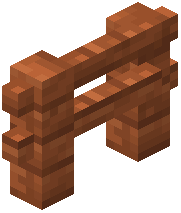 Acacia Fence
 Acacia Hanging Sign
 Acacia Leaves
 Acacia Log
 Acacia Planks
 Acacia Sapling
 Acacia Shelf
 Acacia Sign
 Acacia Trapdoor
 Allium
 Andesite
 Anvil
 Attached Melon Stem
 Attached Pumpkin Stem
 Azalea Leaves
 Azure Bluet
 Bamboo Button
 Bamboo Fence
 Bamboo Fence Gate
 Bamboo Hanging Sign
 Bamboo Mosaic
 Bamboo Planks
 Bamboo Shelf
What this pack changes
Every texture group the pack replaces, counted from the pack itself.
| Area | Textures replaced |
|---|---|
| Blocks | 1,831 |
| Items | 1,195 |
| Mobs & entities | 808 |
| GUI & menus | 676 |
| Particles | 342 |
| Armor trims | 57 |
| Jei | 48 |
| Paintings | 46 |
| Status effects | 42 |
| Maps | 42 |
| Palettes | 17 |
| Waystones Gui | 13 |
| Sky & weather | 12 |
| Misc | 8 |
| Font | 4 |
| Waystone Overlays | 3 |
| Biome colours | 2 |
Pack format 84–98 (Minecraft 1.21.9)5,148 texture files in total
Extra features
Custom entity models (OptiFine/CEM)
Custom font
Custom block/item models
Reworked GUI
Custom particles
Frequently asked questions
How do I install this resource pack?
Place the resource pack file into your resourcepacks folder (located in your .minecraft directory), then select it from the Resource Packs menu in your game settings and move it to the active list.
Will Whimscape work with other resource packs?
You can layer Whimscape with other packs by adjusting their order in the Resource Packs menu, but conflicts may occur if multiple packs retexture the same blocks—place Whimscape lower in the list to prioritize its textures.
Does this pack work on servers?
Yes, resource packs are client-side only, so you can use Whimscape on any server without needing permission or affecting other players.
How do I customize biome colors in Whimscape?
Open the resource pack folder and locate the colormap files; you can edit these to adjust grass, foliage, and water colors for specific biomes, then reload your resource pack in-game.
Why is my performance dropping with this pack?
The custom models in Whimscape add some rendering overhead; try disabling fancy graphics, reducing render distance, or enabling mipmaps in your video settings to improve performance.
Which blocks and items are retextured?
Whimscape retextures a wide variety of blocks and items while keeping them recognizable; check the Screenshots section of the wiki or load the pack in-game to see the full range of changes.
Can I use Whimscape with shader mods?
Yes, Whimscape is compatible with shader mods like Optifine or Sodium, though the visual result depends on how the shader interacts with the custom textures and models.
How do I customize portal and dimension visuals?
Edit the portal and dimension-related texture files in the resource pack folder to change colors and appearances for the Nether, End, and other portals, then reload the pack.
Does Whimscape change the UI or menus?
Whimscape focuses on block and item textures; it may include minor UI adjustments, but the main changes are to in-world visuals rather than menu screens.
What Minecraft version does this pack support?
Check the resource pack's description or download page for the specific versions it supports, as compatibility varies depending on the pack's release date.
You May Also Like
Wikis that share the most with this one
Wikis on the same theme: wood
More resource pack wikis on the site
When Dungeons Arise When Dungeons AriseWhats Vanilla Pvp Pack Resource PackWh33Zys Tack Overhaul Resource PackWeskersons Torches Resource PackWeskersons 3D Items Resource Pack
 Welshie Rail Resource PackWeapons of Miracles Japanese Translation Pack Resource PackWe Dont BiteWavy Banners Resource PackWavi Mons Cobblemon Resource PackWater Improved Resource Pack
When Dungeons AriseWhats Vanilla Pvp Pack Resource PackWh33Zys Tack Overhaul Resource PackWeskersons Torches Resource PackWeskersons 3D Items Resource PackWelshie Rail Resource PackWeapons of Miracles Japanese Translation Pack Resource PackWe Dont BiteWavy Banners Resource PackWavi Mons Cobblemon Resource PackWater Improved Resource PackThe most downloaded mods that have a wiki here
A few wikis from each of the other kinds
Gallery
12 images from the Whimscape Resource Pack page.


