

 DownloadVanillaenhanced Resource Pack
Get the files on 9Minecraft
Guides
Step-by-step, in-game.
Comparing Tool and Armor AppearanceViewing Your Equipment Tools, armor, and food items receive a fresh coat of paint in VanillaEnhanced. To see these…Creating Cohesive Landscapes with Enhanced TexturesUnderstanding the Visual Hierarchy VanillaEnhanced upgrades natural blocks to work together seamlessly. When…Getting the Best Visual Experience with VanillaEnhancedOptimize Your Settings VanillaEnhanced is designed to work best at specific graphics settings. Open your Video…Identifying Block Changes When BuildingWhat's Different in Building Blocks VanillaEnhanced updates all functional and decorative blocks. When building,…
Items
401 items · showing 24. Browse all →
 Acacia Boat
 Acacia Boat with Chest
 Amethyst Shard
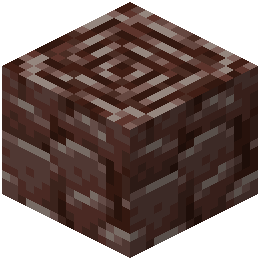 Ancient Debris
 Angler Pottery Sherd
 Apple
 Archer Pottery Sherd
 Armadillo Scute
 Armadillo Spawn Egg
 Armor Stand
 Arms Up Pottery Sherd
 Arrow
 Baked Potato
 Bamboo Raft
 Bamboo Raft with Chest
 Banner Pattern (Creeper)
 Banner Pattern (Flower)
 Banner Pattern (Piglin)
 Banner Pattern (Guster)
 Banner Pattern (Skull)
 Banner Pattern (Flow)
 Bat Spawn Egg
 Bee Spawn Egg
 Beetroot
Blocks
598 blocks · showing 24. Browse all →
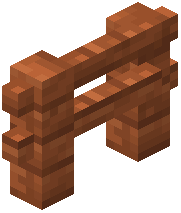 Acacia Fence
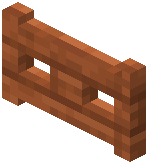 Acacia Fence Gate
 Acacia Hanging Sign
 Acacia Leaves
 Acacia Log
 Acacia Planks
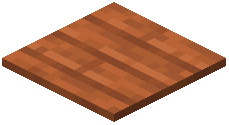 Acacia Pressure Plate
 Acacia Sapling
 Acacia Sign
 Acacia Trapdoor
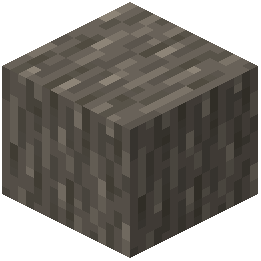 Acacia Wood
 Activator Rail
 Air
 Allium
 Amethyst Cluster
 Andesite
 Anvil
 Attached Melon Stem
 Attached Pumpkin Stem
 Azalea Leaves
 Azure Bluet
 Bamboo Fence
 Bamboo Fence Gate
 Bamboo Hanging Sign
What this pack changes
Every texture group the pack replaces, counted from the pack itself.
| Area | Textures replaced |
|---|---|
| Blocks | 1,347 |
| Items | 494 |
Pack format 46 (Minecraft 1.21.5)1,841 texture files in total
Frequently asked questions
How do I enable VanillaEnhanced after installing it?
Open your world or create a new one, then go to Settings > Resource Packs and move VanillaEnhanced from the available list to the active list. Make sure it's positioned above any conflicting packs. Restart your world to see the new textures take effect.
Why do my blocks look different colors than the screenshots?
Check your brightness and gamma settings—VanillaEnhanced's enhanced colors show best with optimal lighting. Also verify the resource pack is actually active in your resource pack menu and that no other packs are overriding it above it in the list.
Do the textures work with shaders?
Yes, VanillaEnhanced is compatible with most shader packs since it only changes textures, not lighting mechanics. However, some shaders may alter how the enhanced details appear, so test your favorite shader combination to see if you like the result.
Will VanillaEnhanced work on servers?
Yes—it's a client-side resource pack, so you can use it on any server without the server needing to install anything. Other players won't see your enhanced textures, but you will.
How do I know which blocks have been updated?
Most natural blocks like grass, dirt, leaves, flowers, and wood have been redesigned, while stone and ores match the upgraded style. Check the Identifying Block Changes guide for a detailed breakdown of what's different in each category.
Does this pack change mob textures or just blocks?
VanillaEnhanced focuses on blocks, plants, and items—it does not change mob or entity textures. Mobs will continue to look like vanilla Minecraft.
Can I use VanillaEnhanced with other resource packs?
You can stack multiple packs, but place VanillaEnhanced above any packs you want it to override. If another pack is above it, that pack's textures will take priority for overlapping blocks.
Why is my game running slower with this pack?
The 32×32 textures use more memory than vanilla's 16×16, which can impact performance on lower-end systems. Try lowering your render distance or disabling fancy graphics if you experience lag.
Do the enhanced textures make it harder to identify ores while mining?
No—ores are still clearly distinguishable from stone because the pack maintains the original color palette and ore identities. The sharper detail actually makes ores easier to spot in some cases.
Will my old world look weird if I add this pack to an existing save?
No, the pack only changes how blocks appear visually—it doesn't alter world generation or block data. Your existing terrain will immediately display the new textures without any issues.
You May Also Like
Wikis that share the most with this one
Wikis on the same theme: decor
More resource pack wikis on the site
Vanilla Spice Visuals Resource PackVanilla Sophisticated Backpacks Resource Pack Vanilla Reborn Rp By Guonith Resource PackVanilla Mashup Pbr Resource PackVanilla Glowing Ores Resource PackVanilla Fullbright Resource PackVanilla Connected Textures Resource PackVanilla 3D Extension Resource PackVampiric GUI Resource PackUrban Transit Fleet Resource PackUrban Resource PackUrban 128X256X512X1024X Resource Pack
The most downloaded mods that have a wiki here
A few wikis from each of the other kinds
Gallery
11 images from the Vanillaenhanced Resource Pack page.


