

 DownloadDrdonut Essentials Pvp Pack Resource Pack
Get the files on 9Minecraft
Contents (8)
Guides
Step-by-step, in-game.
Clear Your View by Repositioning Your ShieldShield Position Changes By default, your shield renders in the center of your screen when held, blocking a…Maintain Vanilla Aesthetics While Using Combat OptimizationsPreserving Minecraft's Original Look This pack prioritizes combat clarity without sacrificing the familiar Minecraft…Minimize Particle Effects for Better VisibilityParticle Effect Reduction Intense battles generate heavy particle effects—explosions, potion clouds, block breaks,…Reduce Fire Overlay Obstruction During CombatUnderstanding Fire Overlay Changes When you catch fire in combat, the default Minecraft fire animation creates a tall…
Items
 Tall Grass
Blocks
 Chiseled Nether Bricks
 Cracked Nether Bricks
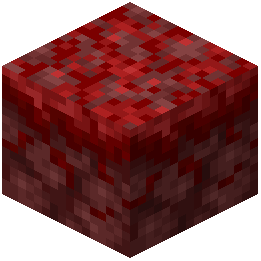 Crimson Nylium
 Grass
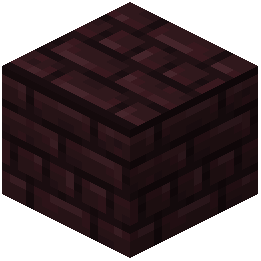 Nether Bricks
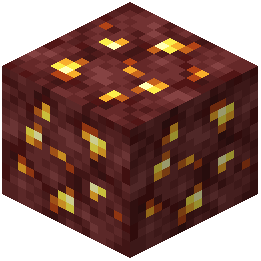 Nether Gold Ore
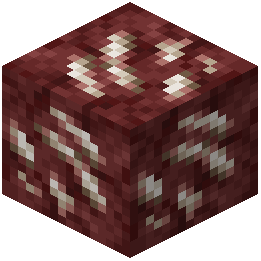 Nether Quartz Ore
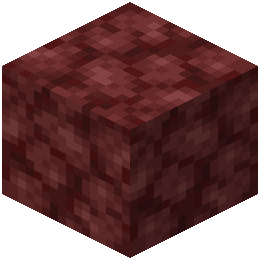 Netherrack
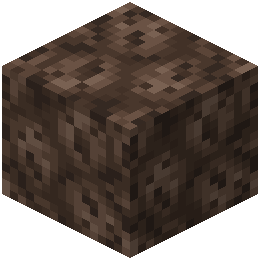 Soul Sand
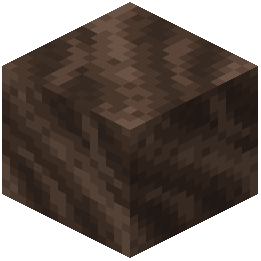 Soul Soil
What this pack changes
Every texture group the pack replaces, counted from the pack itself.
| Area | Textures replaced |
|---|---|
| Particles | 53 |
| Blocks | 22 |
| Misc | 4 |
| Sky & weather | 2 |
| Mobs & entities | 1 |
| GUI & menus | 1 |
| Items | 1 |
Pack format 34 (Minecraft 1.21.2)84 texture files in total
Extra features
Custom sounds
Sound overrides
Custom block/item models
Reworked GUI
Frequently asked questions
How do I enable the resource pack after downloading it?
Open your Resource Packs folder in Minecraft settings, place the pack file there, then select it from the available packs list and move it to the active side. Restart your game to apply the changes.
Will this pack work with other PvP resource packs?
No, resource packs override each other—only one can be active at a time. If you want to combine features, you'll need to choose which pack's optimizations matter most for your playstyle.
Does the fire overlay reduction affect my ability to see damage?
The pack only lowers the visual flame effect on your screen; you'll still see damage numbers and health indicators normally, so combat feedback remains clear.
Can I use this pack on servers or only in single-player?
Resource packs work on any server since they only change what you see locally—your changes don't affect other players or server gameplay.
Why does my shield still block part of my view even with this pack?
The pack moves your shield to the side, but the exact position depends on your FOV settings and screen resolution; try adjusting your field of view in video settings for the best result.
Does this pack remove particles from other players' attacks?
No, the pack only reduces your own particle effects like fire and potion clouds; you'll still see particles from opponents' abilities so you can react to their moves.
Will this pack cause lag or performance issues?
The pack is lightweight since it only modifies specific combat textures, so it should run smoothly on most systems without noticeable performance impact.
How do I know if the shield repositioning is actually working?
Equip a shield in your offhand and look at its position on your screen—it should be moved to the side rather than centered, giving you a clearer view of your opponent.
Does this pack change how blocks look for building or mining?
No, all non-combat blocks and items keep their vanilla appearance; only fire, shields, and particle effects are modified to reduce combat clutter.
You May Also Like
Wikis that share the most with this one
Wikis on the same theme: nether
 Viking Armory Resource Pack
More resource pack wikis on the site
Dragon Totem of Undying Resource PackDragon Survival Sculk Addon Resource PackDotoworld Resource PackDotocraft Resource PackDOT Crosshair Resource PackDoodled Resource PackDonut Smp Essentials Resource PackDonemc Pvp Resource PackDo Not Disable Resource PackDinosaur King Fossils and Archeology Revival Genesis Resource PackDimensional Vitals Case Resource PackDimension Red’s Alchemy Resource Pack
The most downloaded mods that have a wiki here
A few wikis from each of the other kinds
Gallery
5 images from the Drdonut Essentials Pvp Pack Resource Pack page.


