

 DownloadDonut Smp Essentials Resource Pack
Get the files on 9Minecraft
Contents (8)
Guides
Step-by-step, in-game.
Improve Visibility in Dark Areas and the NetherBrighten Underground Exploration The pack increases brightness in caves and dark underground areas without requiring…Make Water and Weather Less DistractingSee Through Water Clearly Water is rendered with full transparency, removing the usual murky blue tint. This lets you…Reduce Audio Distractions While PlayingSilence Loud Cave Ambience Cave sounds are significantly quieter, so you won't be startled by sudden audio cues while…Reduce Visual Clutter During PvP FightsMinimize On-Screen Distractions This pack automatically shrinks shields and totems so they don't dominate your view…
Items
 Tall Grass
Blocks
 Chiseled Nether Bricks
 Cracked Nether Bricks
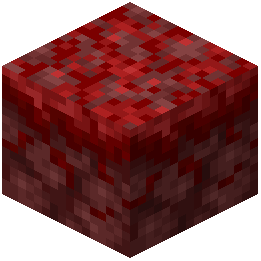 Crimson Nylium
 Grass
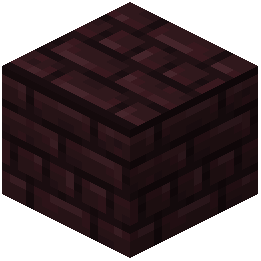 Nether Bricks
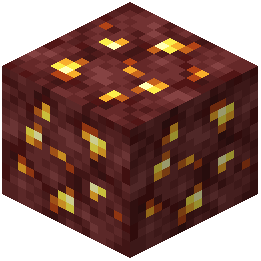 Nether Gold Ore
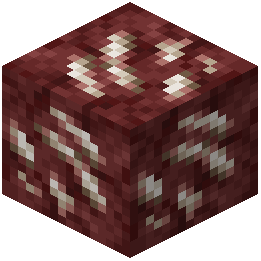 Nether Quartz Ore
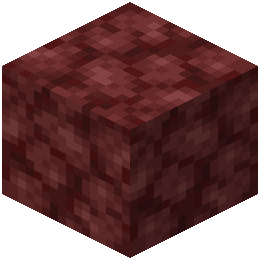 Netherrack
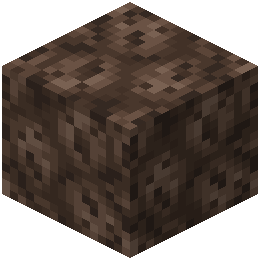 Soul Sand
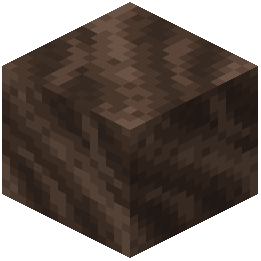 Soul Soil
What this pack changes
Every texture group the pack replaces, counted from the pack itself.
| Area | Textures replaced |
|---|---|
| Particles | 53 |
| Blocks | 22 |
| Misc | 4 |
| Sky & weather | 2 |
| Mobs & entities | 1 |
| GUI & menus | 1 |
| Items | 1 |
Pack format 34 (Minecraft 1.21.2)84 texture files in total
Extra features
Custom sounds
Sound overrides
Custom block/item models
Reworked GUI
Frequently asked questions
Does this pack work with other resource packs?
You can layer this pack with others by placing it lower in your resource pack list, but features may conflict if another pack modifies the same textures or sounds. Test your combination in a world to see which effects take priority.
Why can't I see the totem animation when I pop a totem?
The pack shrinks the totem pop animation significantly so it doesn't block your view during combat; the effect still plays, but it's much smaller and less distracting.
How do I turn specific features on or off?
This is a resource pack, not a mod with a config menu, so you cannot toggle individual features without editing the pack files yourself or using a separate mod like Controlling.
Does this affect my FPS or performance?
Removing particles, fog, and sounds typically improves performance slightly since your game renders and processes less, though the difference depends on your hardware.
Will cave sounds still play, just quieter?
Yes, cave sounds are muted but not completely silent, so you'll still hear them at a much lower volume to avoid distraction.
Does the pack make shields invisible or just smaller?
Shields remain visible but are shrunk down so they take up less screen space during combat without blocking your view of enemies.
Can I use this pack on a multiplayer server?
Yes, resource packs are client-side only, so other players won't see your changes and servers allow them by default.
Why is my Nether still dark even with this pack?
The pack increases Nether brightness, but if it's still too dark, check that your game brightness setting is turned up and that no other pack is overriding these changes.
Does this pack remove the pumpkin blur completely?
The pack removes the dark overlay that appears when you wear a carved pumpkin, giving you a clear view while still showing the pumpkin frame.
Will I see less of my own particles when I use abilities or potions?
Yes, the pack reduces critical strike particles and other hit effects, so you'll see fewer visual effects around your character during combat.
You May Also Like
Wikis that share the most with this one
Wikis on the same theme: nether
 Viking Armory Resource Pack
More resource pack wikis on the site
Donemc Pvp Resource PackDo Not Disable Resource PackDinosaur King Fossils and Archeology Revival Genesis Resource PackDimensional Vitals Case Resource PackDimension Red’s Alchemy Resource PackDigs Simple Pack Resource PackDigital Dreams Photorealistic Ressource Pack Resource PackDiamond To Malachite Resource PackDiamond Smp Pvp Default Resource Pack Diagonal Rails Resource PackDev’s Better Wither Hearts Resource PackDev’s Heart Resource Pack
The most downloaded mods that have a wiki here
A few wikis from each of the other kinds
Gallery
5 images from the Donut Smp Essentials Resource Pack page.


