

 DownloadFancy Holograms Plugin
Get the files on 9Minecraft
Guides
Step-by-step, in-game.
Create a Dynamic Hologram That Updates AutomaticallyUsing Placeholder Text Dynamic holograms display information that changes over time. When creating your hologram, use…Create Your First HologramSetting Up a Basic Hologram Start by choosing a location where you want your hologram to appear. Stand at that spot…Duplicate and Manage Multiple HologramsCopying Existing Holograms Instead of recreating a hologram from scratch, duplicate an existing one: ` /hologram copy…Style and Position a Hologram PreciselyMoving and Scaling Once your hologram exists, adjust its position with: ` /hologram edit myhologram moveTo 100 64 200…
Frequently asked questions
How do I create my first hologram?
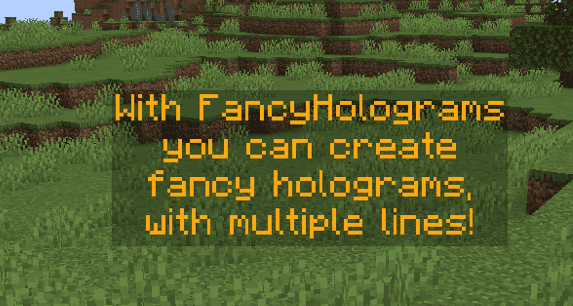
Use `/hologram create (name)` to spawn a new hologram at your current location, then use `/hologram edit (name) addLine (text)` to add text to it. You can add multiple lines by running the addLine command multiple times.
How do I move a hologram to a different location?
Use `/hologram edit (hologram name) moveTo (x) (y) (z)` to teleport it to exact coordinates, or use `/hologram edit (hologram name) position` to enter positioning mode and adjust it manually.
What does the billboard setting do?
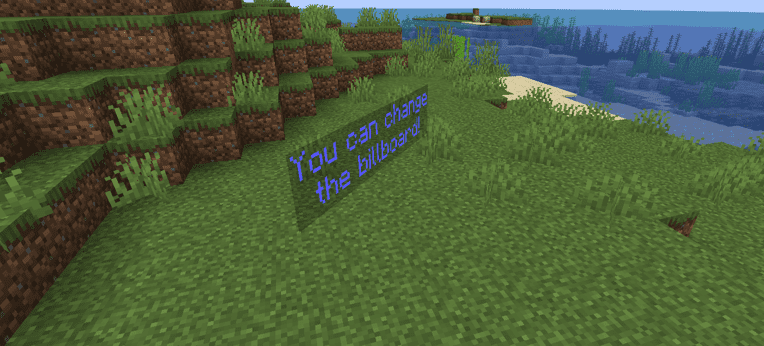
The `/hologram edit (hologram) billboard (center|fixed|horizontal|vertical)` command controls how the hologram rotates to face players: center rotates on all axes, fixed doesn't rotate, horizontal only rotates left/right, and vertical only rotates up/down.
See all 10 Fancy Holograms questions ›
Gallery
6 images from the Fancy Holograms Plugin page.


You May Also Like
Wikis that share the most with this one
 Job X Plugin
More plugin wikis on the site
The most downloaded mods that have a wiki here
A few wikis from each of the other kinds