

 DownloadTiny Gates
Get the files on 9Minecraft
Guides
Step-by-step, in-game.
Build a Simple AND Gate Logic CircuitWhat You Need Place an AND Gate on a Tiny Redstone panel. This gate outputs a signal only when both its left and…Create a Toggle Switch with T Flip FlopUnderstanding T Flip Flop The T Flip Flop toggles its output state every time it receives a pulse to its back input.…Detect Signal Changes with Edge DetectorHow Edge Detector Works The Edge Detector outputs a single redstone pulse when it detects a change in signal state.…Set Up a Timed Pulse System with ClockConfiguring Your Clock The Clock gate generates redstone pulses at a fixed interval you set. Right-click the Clock to…
Recipes
Every recipe the mod adds, grouped by how it is made.
Items
 Tiny AND Gate
 Tiny Clock
 Tiny Counter
 Tiny Edge Detector
 Tiny NOT Gate
 Tiny OR Gate
 Tiny RS Latch
 Tiny T Flip Flop
 Tiny XOR Gate
Blocks
A
 AND Gate (Block)
 AND Gate (Item)
C
 Clock (Block)
 Clock (Item)
 Counter (Item)
 Counter (Block)
E
 Edge Detector (Item)
 Edge Detector (Block)
N
 NOT Gate (Block)
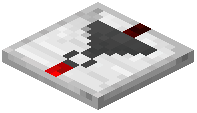 NOT Gate (Item)
O
 OR Gate (Block)
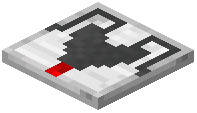 OR Gate (Item)
R
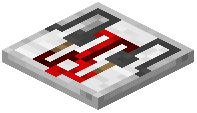 RS Latch (Item)
 RS Latch (Block)
T
 T Flip Flop (Block)
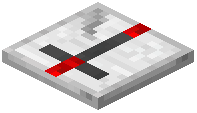 T Flip Flop (Item)
X
 XOR Gate (Block)
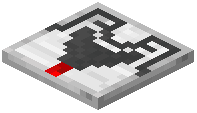 XOR Gate (Item)
Frequently asked questions
Do I need Tiny Redstone Mod to use Tiny Gates?
Yes, Tiny Gates Mod is an addon that requires Tiny Redstone Mod to be installed first. The gates are placed on Tiny Redstone panels to build integrated circuits.
How do I place a gate on a wall or ceiling?
Gates can be oriented in any direction just like placing blocks—right-click on the surface of a Tiny Redstone panel (floor, wall, or ceiling) and the gate will attach to that face. The input and output directions are relative to the gate's orientation.
What's the difference between RS Latch and T Flip Flop?
RS Latch stays on after a pulse to the left (Set) input until you pulse the right (Reset) input. T Flip Flop toggles its output state every time you pulse the back input, useful for creating repeating on/off cycles.
How do I set the Clock gate's timing?
Right-click the Clock gate to open its GUI and set the interval between pulses. You can disable the clock by sending a redstone signal to its back input.
Can I use the Counter as a potentiometer?
Yes, the Counter can act as a potentiometer by locking its value with an input to the left side, allowing you to set and hold a specific signal strength output.
What does the Edge Detector do exactly?
Edge Detector outputs a single redstone pulse when a signal starts (rising edge) or stops (falling edge) at its back input. Right-click it to toggle which type of edge change you want to detect.
Why isn't my NOT gate working like a redstone torch?
The NOT gate outputs only to the front direction with no delay, unlike a redstone torch which powers adjacent blocks. Make sure your output is facing the direction you need the signal to go.
Can I chain multiple gates together on one panel?
Yes, you can place multiple gates on the same Tiny Redstone panel and connect their inputs and outputs to build complex circuits, as long as they fit on the panel.
How do I reset the Counter gate?
Send a redstone signal to the right input of the Counter to reset it to zero. The left input locks the current count value in place.
Does the XOR gate work like a 3-way light switch?
Yes, XOR outputs to the front only when the left and right inputs don't match (one on, one off), making it perfect for toggle switch logic like controlling a light from multiple locations.
You May Also Like
Wikis that share the most with this one
More mod wikis on the site
The most downloaded mods that have a wiki here
A few wikis from each of the other kinds
Gallery
12 images from the Tiny Gates Mod page.


