DownloadTime Stop Clock
Get the files on 9Minecraft
Guides
Step-by-step, in-game.
Items
 Arrow
 Staff
 Time Clock
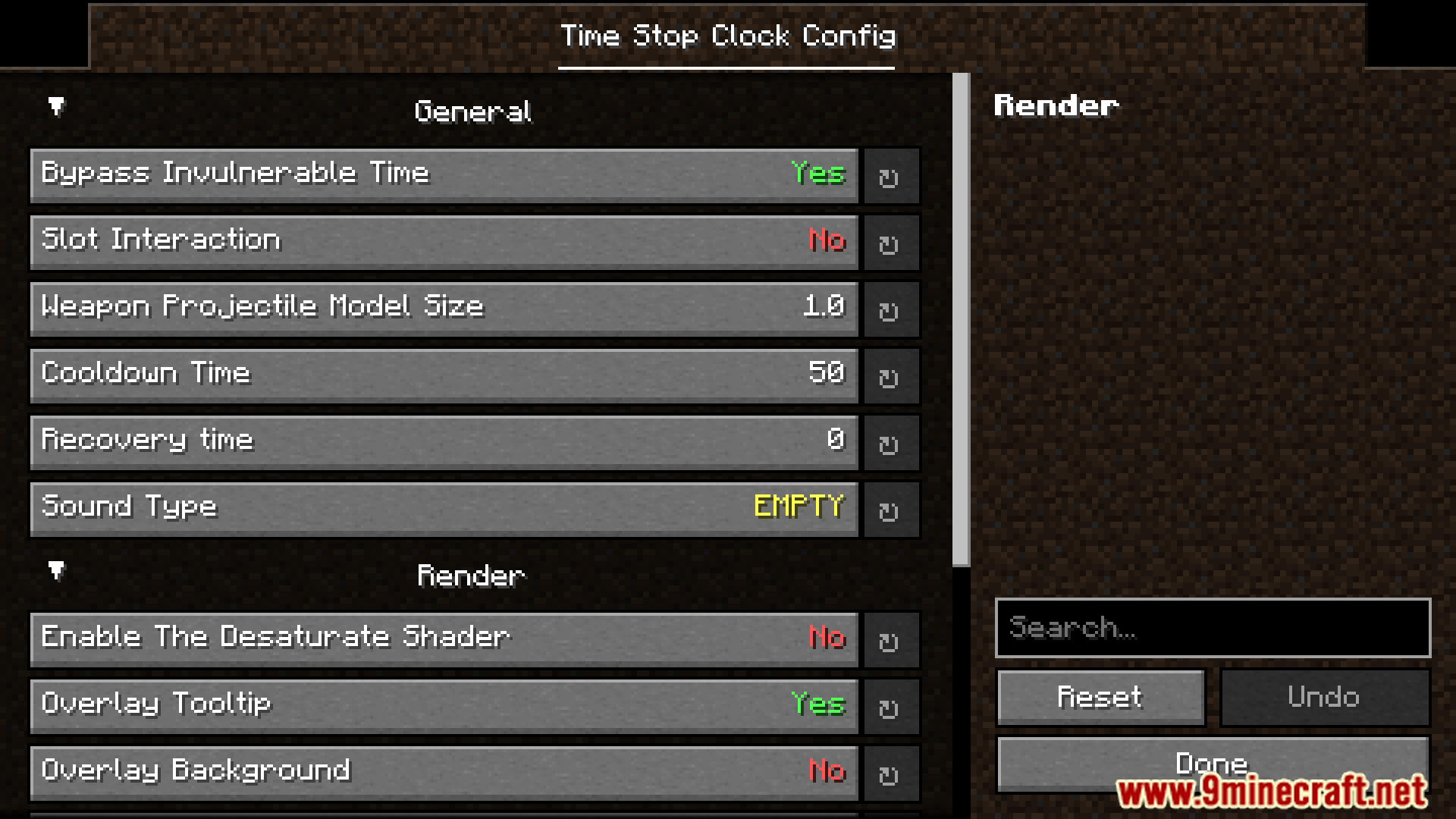
Configuration
Every setting in the mod config file, with what it changes.
| Option | What it does |
|---|---|
arrow | Arrow |
entity | Entity |
render | Render |
time | Time |
timeclock | Time Clock |
Client
| Option | What it does |
|---|---|
dynamic_nameDynamic Name | Specifies if the name of the item is dynamic when it is selected. |
dynamic_name_colorDynamic Name Color | Whether the name color of the item changes dynamically. |
desaturateEnable The Desaturate Shader | Enable the desaturate shader to convert the game graphics into a black and white effect. |
glowing_colorGlowing Color | Glowing color of whitelisted entity. |
overlay_backgroundOverlay Background | The background of the tooltip overlay. |
overlay_tooltip_offsetXOverlay OffsetX | The X-axis offset of the overlay tooltip. |
overlay_tooltip_offsetYOverlay OffsetY | The Y-axis offset of the overlay tooltip. |
overlay_tooltipOverlay Tooltip | Add overlay of tooltip for mod on the screen. |
overlay_background_colorOverlay Tooltip Background Color | The color of the overlay tooltip background. |
overlay_tooltip_colorOverlay Tooltip Color | The color of the overlay tooltip. |
tooltip_positionOverlay Tooltip Position | Determines which corner of the screen the tooltip overlay will be rendered. |
Server
| Option | What it does |
|---|---|
blacklistArrow Blacklist | Blacklisted items will be blocked from being launched. |
bypass_invulnerable_timeBypass Invulnerable Time | Enables the ability to bypass the target's invulnerable time, allowing immediate damage application (Limited to projectile damage only). |
cooldownCooldown Time | Cooldown tick using timeclock. |
ability_tickRecovery time | Ticks needed to recover back to normal after using time manipulation. |
reverse_timeboxReverse Timebox | Reverse the feature of the timebox. |
slot_interactionSlot Interaction | Whether interaction with slots in the container is allowed. |
sound_typeSound Type | The sound played when using the time clock. |
model_sizeWeapon Projectile Model Size | The model size of WeaponProjectile (non-vanilla projectiles shot by arrow in this mod). |
Frequently asked questions
What are the three main time control speeds available in Time Stop Clock Mod?
The mod allows you to stop time completely, slow it down to 0.5x speed, or speed it up to 2.0x speed.
How do you change the game tickrate in Time Stop Clock Mod?
You can use the command /timeclock tickrate to set the game tickrate to your desired value.
What command enables or disables time stop in this mod?
Use /timeclock pauseTime <true/false> to enable or disable the time stop feature.
What is the entity whitelist feature used for?
The whitelist allows you to view, add, remove, or clear specific entities from being affected by the time-stop mechanic.
How do you see which projectiles are compatible with the mod's item?
Hold Shift while holding the special item to view all compatible projectiles you can shoot.
How can you reload the mod's configuration settings?
Use the command /timeclock config reload to reload the external configuration file.
You May Also Like
Wikis that share the most with this one
More mod wikis on the site
The most downloaded mods that have a wiki here
A few wikis from each of the other kinds
Gallery
12 images from the Time Stop Clock Mod page.