

 DownloadSimple Tomb
Get the files on 9Minecraft
Guides
Step-by-step, in-game.
Configuring Simple Tomb to Fit Your Server or WorldWhy Configure It Simple Tomb works out of the box, but most players tweak it so graves behave the way they want — for…How to Open a Grave and Get Your Items BackFinding the Grave When you die, Simple Tomb places a grave at your death location instead of scattering your items on…How to Use the Grave KeyWhat the Key Is For The Grave Key is the item Simple Tomb adds so you can reclaim your belongings after dying.…What to Do When Your Grave Is Missing or You Cannot Reach ItThe Grave Is Gone If you return to your death spot and find no grave, a few things may have happened. The grave may…
Items
Configuration
Every setting in the mod config file, with what it changes.
| Option | What it does |
|---|---|
chatChat | If true, send a player chat message every time a tomb is placed |
creativeCreative | If creative mode players can teleport to the tomb with the key, ignoring distance |
enabledEnabled | Whether to handle player death at all (false will disable almost the entire mod) |
extra_itemsExtra Items | The radius in which extra bonus items should be hunted for and collected when a grave is spawned; set to zero (0) to disable |
givenGiven | Whether to give a Grave Key item to the player on death. Tomb can be opened without they key, but the key will help the player locate the grave |
no_grave_locationGraveless Areas | Coordinates where graves shouldn't spawn |
keep_partsKeep Parts | Keep parts of the inventory |
logLog | If true, write to the game log (server log) every time a tomb is placed |
namedNamed | If a key is being dropped, will the player's display name be added to the tomb key item name |
openOnUseOpen On Use | True means the key will open the grave on use, even if the player is not standing on top |
whitelist_blocksReplaceable blocks | Blocks that can be replaced by graves |
search_heightSearch Height | When searching for a grave location, this is the maximum height to check |
search_rangeSearch Range | When searching for a grave location, this is the maximum range to check |
simpletombSimple Tomb | Simple Tomb Config |
survivalSurvival | When survival player is within this (straight line calculated) distance from the tomb, they can teleport to the tomb. Set to zero (0) to allow survival teleportation always and ignore the distance (within dimension). Set to one (1) to effectively disable survi |
teleportTeleport | Teleport Settings |
tombTomb | Tomb Settings |
unhandled_beneficial_effectsUnhandled Beneficial Effects | Beneficial effects that can't used by certain features such as �nkh of pray, lollipop, scroll of preservation, alchemy perk and magic siphon enchantment |
unhandled_harmful_effectsUnhandled Harmful Effects | Harmful effects that can't used by certain features such as tablet of cupidity and the enchantment plague bringer |
Frequently asked questions
How do I get my items back after dying with Simple Tomb?
Find the grave that spawned where you died and interact with it to collect your items. If you have a 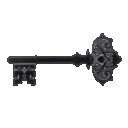 Grave Key bound to that grave, you can also use the key to retrieve them remotely.
How do I open a grave in Simple Tomb?
Walk up to the grave block and right-click it with an empty hand or any item to open it and pull your stored items out. If it won't open, check the configuration, since some setups require a Grave Key instead.
Grave Key instead.How do I use the grave key?
Right-click while holding the Grave Key to teleport your stored items from the linked grave into your inventory, or to open the grave if you're standing near it. The key is bound to the grave it was created for, so it won't work on someone else's grave.
Grave Key to teleport your stored items from the linked grave into your inventory, or to open the grave if you're standing near it. The key is bound to the grave it was created for, so it won't work on someone else's grave.How do I get a grave key?
A Grave Key is typically generated alongside your grave when you die, depending on your configuration. Check your inventory after respawning, and if it isn't there, look at the config options that control key creation.
Grave Key is typically generated alongside your grave when you die, depending on your configuration. Check your inventory after respawning, and if it isn't there, look at the config options that control key creation.See all 20 Simple Tomb questions ›
Gallery
9 images from the Simple Tomb Mod page.


You May Also Like
Wikis that share the most with this one
More mod wikis on the site
Simple Teleporters ReforgedSimple Teleporters ModSimple Structures Pale Garden ModSimple Structures Mushroom Fields ModSimple Structures Desert ModSimple Structures Caves ModSimple Storage NetworkSimple Speedsters ModSimple Shulker Preview ModSimple Resource Loader ModSimple Pocket MachinesSimple Planes Mod
The most downloaded mods that have a wiki here
A few wikis from each of the other kinds