DownloadSimple Storage Network
Get the files on 9Minecraft
Guides
Step-by-step, in-game.
How to Build Your First Simple Storage NetworkPlace the root and controller Start by placing a Storage Network Root . This is the anchor block for everything else.…How to Expand Storage and Tune Network PerformanceAdd more storage blocks Each Storage Inventory you place and link with Network Cable adds capacity to the pool. A…How to Import and Export Items AutomaticallyPull items in with Import Cable Place an Import Cable against the container or machine you want to pull from, then…How to Use Remotes and Request TablesCraft and bind a remote A Storage Remote lets you open network storage from a distance. A Crafting Remote adds…
Recipes
Every recipe the mod adds, grouped by how it is made.
Items
 Chunkload Upgrade
 Crafting Remote
 Expanded Remote
 Network Builder Remote
 Network Collector Remote
 Network Guide Book
 Network Picker Remote
 Operation Upgrade
 Singleton Upgrade
 Slowness Upgrade
 Speed Upgrade
 Stack Upgrade
 Stock Upgrade
 Storage Remote
 Void Upgrade
Blocks
C
 Controller
E
 Expanded Request Table
 Export Cable
F
 Filtered Import Cable
 Filtered Link Cable
I
 Import Cable
L
 Link Cable
N
 Network Cable
 Network Collection Interface
 Network Drawer
 Network Exchange Interface
 Network Storage Cradle
P
 Processing Cable
S
 Storage Inventory
 Storage Network Root
 Storage Request Table
 Sub-Network Receiver
Frequently asked questions
How do I start a storage network?
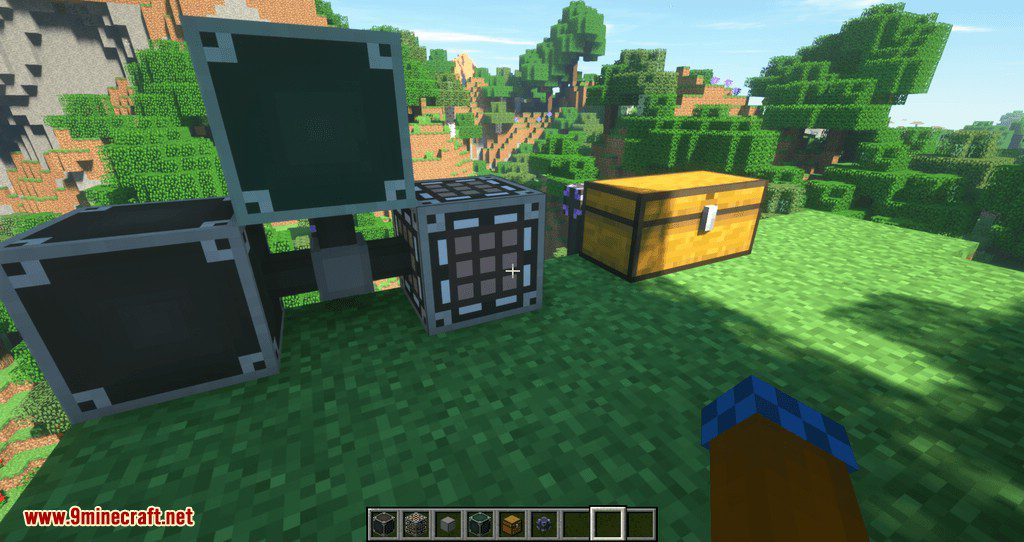
Place a Storage Network Root and connect it to a Storage Inventory using Network Cable. The Storage Inventory holds your items, and the Root acts as the network's central point.
How do I connect blocks to the network?
Use Network Cable to link the Storage Network Root, Storage Inventory, and other network blocks together. Cables must form a continuous connection between blocks.
How do I request items from the network?
Place a Storage Request Table and connect it to the network with Network Cable. Open it to search and pull items stored in connected Storage Inventories.
What does the Controller do?
The Controller is a network block that can be connected via Network Cable. It serves as an additional network component alongside the Storage Network Root.
How do I import items into the network automatically?
Use an Import Cable connected to the network and pointing at an inventory. It pulls items from that inventory into the network's storage.
How do I export items out of the network?
Use an Export Cable connected to the network and pointing at a target inventory. It pushes items from network storage into that inventory.
What is a Filtered Import Cable for?
It works like an Import Cable but only pulls items matching its filter. Use it to control which items enter the network from a connected inventory.
How do I craft items directly from network storage?
Use a Crafting Remote or Expanded Remote connected to the network. These let you craft using items stored in the network without removing them first.
What do the Speed, Stack, and Operation Upgrades do?
These are upgrades applied to network components to modify their behavior. Speed Upgrade affects processing rate, Stack Upgrade affects stack handling, and Operation Upgrade affects operations performed.
What is the Network Storage Cradle used for?
The Network Storage Cradle is a network block connected via Network Cable. It acts as a storage-related component within the network.
How do I remotely access my network?
Use a Storage Remote, Crafting Remote, Expanded Remote, or one of the Network Collector/Picker/Builder Remotes. These items let you interact with the network from a distance.
What is the Network Guide Book?
The Network Guide Book is an item crafted via a shaped recipe. It provides in-game documentation for the mod's blocks and items.
You May Also Like
Wikis that share the most with this one
Wikis on the same theme: quest
More mod wikis on the site
 Simple Mod Sync SMS Mod
The most downloaded mods that have a wiki here
A few wikis from each of the other kinds
Gallery
12 images from the Simple Storage Network Mod page.