

 DownloadLogistics Network
Get the files on 9Minecraft
Guides
Step-by-step, in-game.
Create a Multi-Destination Distribution HubUse Multiple Output Nodes Attach one input node to your source block. Then attach separate output nodes to each…Hide Your Logistics Network CompletelyPlace Nodes Out of Sight Since nodes are wireless, attach them to block faces that face away from your main build or…Set Up Your First Wireless Item Transfer LineAttach Nodes to Source and Destination Place a node on the side of your source block (chest, furnace output, etc.)…Transfer Fluids and Energy Across Your BaseSet Up Fluid Transfer Attach a node to a fluid tank or pipe output. Set that node's side to Input . Attach another…
Recipes
Every recipe the mod adds, grouped by how it is made.
Items
 Ars Source Upgrade
 Big Filter
 Diamond Upgrade
 Dimensional Upgrade
 Gold Upgrade
 Iron Upgrade
 Logistics Node
 Medium Filter
 Mekanism Chemical Upgrade
 Mod Filter
 Netherite Upgrade
 Pattern Setter
 Regex Filter
 Slot Filter
 Small Filter
 Wrench
Blocks
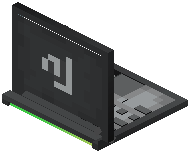 Computer
Mobs
Creatures this mod adds.
Logistics Node
Configuration
Every setting in the mod config file, with what it changes.
| Option | What it does |
|---|---|
node_attached | Node Attached Hint |
Frequently asked questions
How do I start with Logistics Network Mod?
Craft your first node and attach it to a block you want to pull from or push to, then craft a second node and attach it to your destination block. Open the node's GUI, assign them to the same channel, set input/output sides, and items will transfer wirelessly between them.
What does channel mean in Logistics Network?
Each node has 9 independent channels you can use. Items on channel 1 of one node will only transfer to other nodes also set to channel 1, letting you run multiple separate transfer lines through the same pair of nodes.
Can I transfer multiple types of items on one channel?
No, each channel transfers only one item type at a time. If you need to move different items, assign them to different channels on your nodes.
How do I control when items transfer with redstone?
Each node has redstone control settings in its GUI where you can set it to activate on redstone signal, deactivate on signal, or ignore redstone entirely. This lets you pause transfers or trigger them conditionally.
What happens if I set input and output on the same side of a node?
The node will prioritize input, so items will flow in from that side. If you want bidirectional transfer, use different sides of the node for input and output.
Can nodes transfer through walls and across chunks?
Yes, nodes are completely wireless and work across any distance, even if chunks aren't loaded, as long as both nodes are in loaded chunks.
Do I need line of sight between nodes?
No, nodes don't need to see each other. They communicate wirelessly regardless of blocks, terrain, or distance between them.
How do I transfer fluids and energy with this mod?
Attach nodes to fluid tanks or energy storage blocks the same way you do for items, set them to the same channel, and configure input/output sides. Fluids and FE transfer with the same wireless system as items.
What causes nodes to stop transferring?
Check that both nodes are on the same channel, that input/output sides are configured correctly, that the source block has items to send, that the destination has space, and that redstone control isn't blocking the transfer.
Can I hide nodes so they don't show in my base?
Yes, nodes attach directly to blocks and don't require visible cables or multiblock structures, so you can place them inside walls, underground, or anywhere out of sight while your automation still works.
You May Also Like
Wikis that share the most with this one
More mod wikis on the site
The most downloaded mods that have a wiki here
A few wikis from each of the other kinds
Gallery
12 images from the Logistics Network Mod page.


