

 DownloadCreate Rock Stone
Get the files on 9Minecraft
Guides
Step-by-step, in-game.
Expand a Mine Head into a 3×3 GridUnderstanding Mine Head Expansion The Mine Head is the central digging block of your mining rig. By default, it mines…Find Multiple Ore Deposits EfficientlyScan Systematically Use the Deposit Scanner to map out your underground resource landscape. Hold it and sweep your…Set Up Your First Mining RigPrepare Your Mining Site Locate an underground ore deposit using the Deposit Scanner . Hold it in your hand and look…Troubleshoot Low Mining OutputCheck Rotational Power Supply Your mining rig requires consistent rotational force to operate. Verify that your…
Recipes
Every recipe the mod adds, grouped by how it is made.
Items
 Deposit Scanner
 Polished Resonant Amethyst
 Resonant Amethyst
 Small Pile of Redstone
Blocks
C
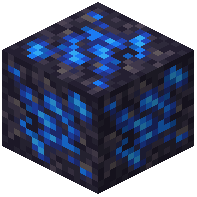 Cobalt Deposit
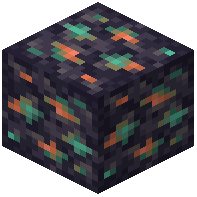 Copper Deposit
D
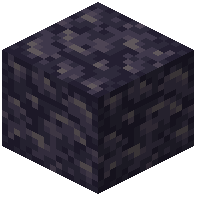 Depleted Deposit
G
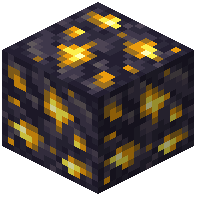 Gold Deposit
I
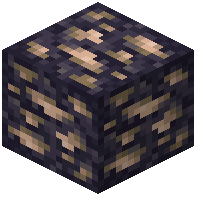 Iron Deposit
L
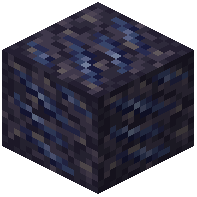 Lead Deposit
M
 Mine Head (Part)
 Mine Head
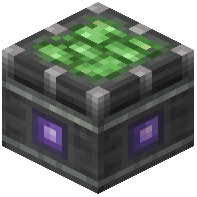 Miner Bearing
N
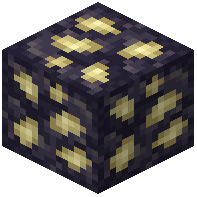 Nickel Deposit
Q
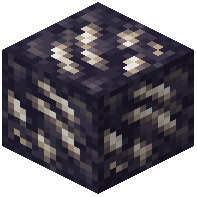 Quartz Deposit
R
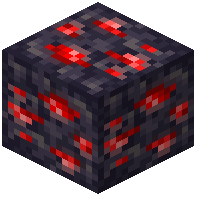 Redstone Deposit
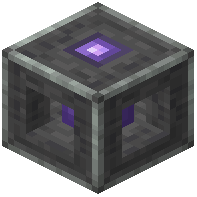 Resonance Buffer
 Resonator
S
 Shattering Resonator
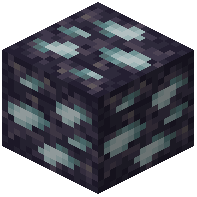 Silver Deposit
 Stabilizing Resonator
T
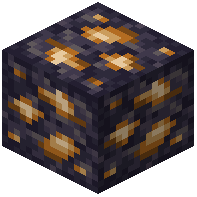 Thorium Deposit
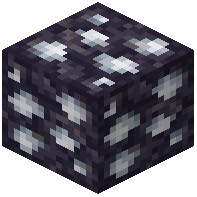 Tin Deposit
U
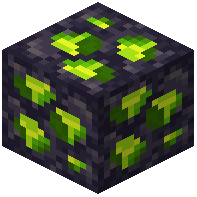 Uranium Deposit
Z
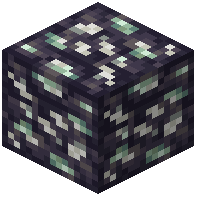 Zinc Deposit
Configuration
Every setting in the mod config file, with what it changes.
| Option | What it does |
|---|---|
deposit_block_info | Deposit Block Info |
infiniteDepositsInfinite Deposits | Whether deposits never run out of resources. |
maxScanDistanceMaximum Scanning Distance | Maximum scanning distance of the Deposit Scanner in chunks. |
miningDepthMining Depth | How many blocks deep can a miner claim deposit blocks. Warning: active miners have to be reassembled to apply this setting. |
miningRadiusMining Radius | Radius in which a miner can claim deposit blocks for mining. Radius of 2 results in a 5x5 square mining area with the Mine Head in the middle. Warning: active miners have to be reassembled to apply this setting. |
miningSpeedMining Speed | How many mining operations a miner with no attachments can complete in one hour, at 256 RPM, with one deposit block claimed. |
movableDepositsMovable Deposits | Whether deposits can be attached to a contraption or moved by a piston. |
Frequently asked questions
How do I find my first ore deposit?
Craft a Deposit Scanner and hold it in your hand, then look around until both antennas blink together. Follow the direction of the flashes—they'll blink faster as you get closer to the deposit. When the blinking is fastest, you've found your spot.
What's the difference between a Miner Bearing and a Mine Head?
The Miner Bearing is the rotational base that powers your entire drill setup and connects to your kinetic network. The Mine Head is the actual digging block that does the mining—it can expand into a 3×3 layout when you place iron blocks next to it for increased output.
How do I expand my Mine Head to 3×3?
Place iron blocks directly adjacent to your Mine Head in the pattern shown in the ponder scenes. The Mine Head will automatically expand into a larger digging area, increasing your mining speed and output.
Why is my mining rig producing so little ore?
Check that your Miner Bearing is receiving enough rotational power from your kinetic network—hover over it to see the production rate tooltip. Also verify your Mine Head is properly expanded and your item extraction lines aren't clogged or disconnected.
Can I mine modded ores like tin and lead?
Yes, Create Rock & Stone supports both vanilla ores and modded resources including tin, lead, silver, and uranium. The mod automatically detects compatible ores from other mods in your pack.
Do I need to dig out the entire cave to set up a mining rig?
No—that's the whole point of this mod. You place your Miner Bearing over a detected deposit and let the drill do the work, leaving the surrounding terrain intact.
How do I know how much ore my setup is producing?
Hover over the Miner Bearing in your inventory or look at the block itself to see a live tooltip showing your current production rate and resource calculations.
Can I use this mod with map mods?
Yes, Create Rock & Stone integrates with popular map mods to mark discovered resource nodes directly on your world map, making it easier to plan multiple mining operations.
What if I want to change how common ore deposits are?
Use the command `/datapack enable "create_rns:<flavor>"` to activate a specific deposit spawn rate preset on your world—this works on existing saves.
Are there tutorials built into the mod?
Yes, the mod includes ponder scenes that walk you through every step of building and running a mining rig. Access them in-game to learn the mechanics visually.
You May Also Like
Wikis that share the most with this one
More mod wikis on the site
The most downloaded mods that have a wiki here
A few wikis from each of the other kinds
Gallery
6 images from the Create Rock Stone Mod page.


