

 DownloadRenewed Menu Resource Pack
Get the files on 9Minecraft
Guides
Step-by-step, in-game.
Customize Container GUI AppearanceUnderstanding the New Container Style Renewed Menu Resource Pack redesigns all container GUIs—chests, furnaces,…Explore the Redesigned Advancements MenuAdvancements Menu Visual Overhaul Renewed Menu Resource Pack transforms the advancements screen background and layout…Navigate the Bedrock-Style Main MenuWhat Changed in the Main Menu Renewed Menu Resource Pack updates your main menu background and button styling to…Use Color-Coded Shulker Box InventoriesHow Shulker Box Colors Work Renewed Menu Resource Pack automatically colors shulker box inventory screens to match…
Blocks
 Acacia Leaves
 Azalea Leaves
 Birch Leaves
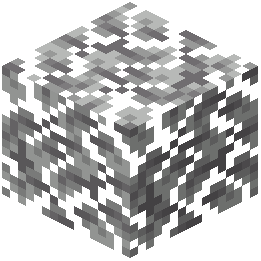 Dark Oak Leaves
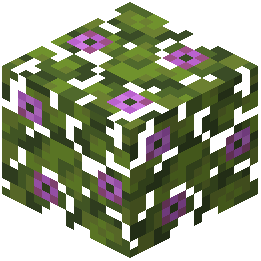 Flowering Azalea Leaves
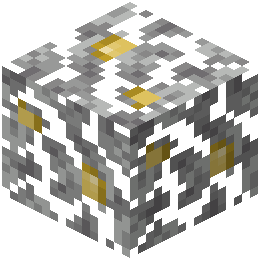 Jungle Leaves
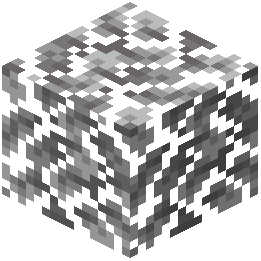 Oak Leaves
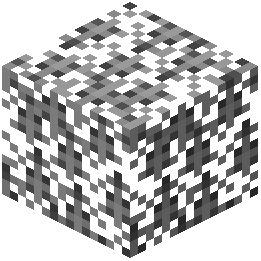 Spruce Leaves
What this pack changes
Every texture group the pack replaces, counted from the pack itself.
| Area | Textures replaced |
|---|---|
| GUI & menus | 399 |
| Blocks | 8 |
Pack format 42–99 (Minecraft 1.21.4–1.21.9)407 texture files in total
Extra features
Custom block/item models
Reworked GUI
Frequently asked questions
How do I enable the resource pack after installing it?
Open your Resource Packs menu in Settings, find Renewed Menu Resource Pack in the Available list, and click the arrow to move it to Active. Make sure it's positioned above any conflicting packs.
Why do my container GUIs still look the same?
Check that the resource pack is actually enabled in your Resource Packs menu and appears in the Active section. If it's enabled, try closing and reopening your inventory, or restart the game entirely.
Do shulker box inventory colors change automatically?
Yes, when you open a shulker box, its inventory background will automatically match the color of that shulker box without any configuration needed.
Can I customize the container GUI colors myself?
Yes, you can edit the resource pack files to change container colors and appearances—refer to the Customize Container GUI Appearance guide for detailed instructions on which files to modify.
Does this pack work with other resource packs?
It can work with others, but resource packs lower in the list will override those above them. Place Renewed Menu Resource Pack above any packs that also modify GUIs or menus to ensure its changes take priority.
Will this affect my game performance?
No, this is a purely visual resource pack with no gameplay mechanics, so it has negligible impact on performance.
What exactly changes about the main menu?
The main menu background is redesigned to match a Bedrock-style aesthetic. See Navigate the Bedrock-Style Main Menu for a full breakdown of the visual changes.
Does the advancements menu look different too?
Yes, the advancements menu background is also redesigned as part of this pack. Check out Explore the Redesigned Advancements Menu to see what's new.
Do buttons look different in all menus?
Buttons throughout the menu interface are restyled to match the Bedrock version, including those in container GUIs, settings, and the main menu.
Can I use this pack on a multiplayer server?
Yes, resource packs are client-side only, so you can use this on any server without affecting other players or requiring server permission.
You May Also Like
Wikis that share the most with this one
More resource pack wikis on the site
Remove Potion Particles Resource PackRemove Potion Particles 9minecraft Resource PackRemove Enchant Glint Resource PackRemo’s Shield Resource PackRemodeled Fence And Gates Resource PackRemodeled Doors 3D Resource PackReimagined Resource PackReimagined GUIReimagined GUIRefurbished Log Boat Resource PackRefined Vista Resource PackRefined Vanilla Interface Resource Pack
The most downloaded mods that have a wiki here
A few wikis from each of the other kinds
Gallery
12 images from the Renewed Menu Resource Pack page.


