

 DownloadOzocraft Remix Resource Pack
Get the files on 9Minecraft
Contents (8)
Guides
Step-by-step, in-game.
Adapting the Pack for Bedrock EditionBedrock Compatibility Ozocraft Remix has a dedicated Bedrock version. Bedrock players should download the specific…Choosing the Right Resolution for Your SetupUnderstanding Resolution Options Ozocraft Remix offers textures at a middle-ground resolution—higher than vanilla but…Comparing Ozocraft Remix to Hyper-Realistic PacksWhy Middle-Ground Resolution Matters Hyper-realistic packs offer extreme detail but demand powerful hardware and…Maximizing Building Aesthetics with Rustic TexturesUnderstanding the Rustic Style Ozocraft Remix's rustic textures create depth and character in structures. The pack…
Items
517 items · showing 24. Browse all →
 Acacia Boat
 Acacia Boat with Chest
 Acacia Door
 Acacia Hanging Sign
 Acacia Sign
 Allay Spawn Egg
 Amethyst Shard
 Angler Pottery Sherd
 Apple
 Archer Pottery Sherd
 Armadillo Scute
 Armadillo Spawn Egg
 Armor Stand
 Arms Up Pottery Sherd
 Arrow
 Axolotl Spawn Egg
 Baked Potato
 Bamboo
 Bamboo Door
 Bamboo Hanging Sign
 Bamboo Raft
 Bamboo Raft with Chest
 Bamboo Sign
 Banner Pattern
Blocks
540 blocks · showing 24. Browse all →
 Acacia Button
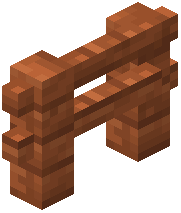 Acacia Fence
 Acacia Leaves
 Acacia Log
 Acacia Planks
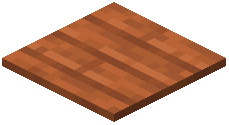 Acacia Pressure Plate
 Acacia Sapling
 Acacia Trapdoor
 Activator Rail
 Allium
 Amethyst Cluster
 Andesite
 Anvil
 Attached Melon Stem
 Attached Pumpkin Stem
 Azalea Leaves
 Azure Bluet
 Bamboo Button
 Bamboo Fence
 Bamboo Fence Gate
 Bamboo Mosaic
 Bamboo Planks
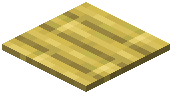 Bamboo Pressure Plate
 Bamboo Trapdoor
What this pack changes
Every texture group the pack replaces, counted from the pack itself.
| Area | Textures replaced |
|---|---|
| Blocks | 1,730 |
| Items | 1,344 |
| Mobs & entities | 802 |
| GUI & menus | 768 |
| Particles | 253 |
| Armor trims | 91 |
| Paintings | 52 |
| Status effects | 40 |
| Maps | 38 |
| Jei | 28 |
| Sky & weather | 16 |
| Font | 16 |
| Models | 14 |
| Misc | 10 |
| Biome colours | 7 |
Pack format 70–99 (Minecraft 1.21.6–1.21.9)5,210 texture files in total
Extra features
Random entity textures
Custom font
Custom block/item models
Reworked GUI
Frequently asked questions
How do I activate the resource pack after downloading it?
Place the downloaded file in your resourcepacks folder, then open Minecraft and go to Options > Resource Packs. Find Ozocraft Remix in the Available list, click the arrow to move it to Active, and restart your world for changes to take effect.
What resolution should I use if my computer isn't very powerful?
Ozocraft Remix works well at lower resolutions like 16x or 32x without sacrificing the rustic aesthetic; start with 16x if you experience lag, since the pack is designed to be efficient across different hardware levels.
Does this pack work on Bedrock Edition?
Yes, there is a Bedrock-compatible version available, though the installation process differs from Java Edition; check the wiki's Bedrock section for the specific texture pack format and installation steps.
Why do some of my blocks look different than in the screenshots?
Make sure the resource pack is at the top of your Active list in Resource Packs settings, as other packs can override it; also verify you're using the correct version for your Minecraft edition (Java vs. Bedrock).
Can I use this pack with shader mods?
Yes, Ozocraft Remix is compatible with most shader mods, though the rustic textures will be enhanced or altered by the shader's lighting effects; test with your preferred shader to see if you like the combination.
Does the pack include updated textures for new blocks?
Yes, the pack has been updated with format corrections and textures for the latest Minecraft version, so newly added blocks are included in the rustic style.
How is this different from hyper-realistic texture packs?
Ozocraft Remix intentionally avoids extreme realism and instead provides a middle-ground aesthetic that enhances your world without overwhelming it; this makes it faster to load and easier on performance while still looking polished.
Will this pack make my game run slower?
Ozocraft Remix is designed to be efficient and shouldn't cause significant performance drops on most systems; if you experience lag, try lowering the resolution or disabling other resource-heavy mods.
Can I edit the textures to customize the pack?
Yes, you can extract and modify the texture files to suit your preferences, though this requires basic image editing knowledge; keep a backup of the original pack in case you want to revert changes.
Does the pack work with mods that add new blocks?
Ozocraft Remix will display new mod blocks with default textures unless the mod includes its own textures; for best results, check if the mod creator has released a compatibility patch for Ozocraft Remix.
You May Also Like
Wikis that share the most with this one
Wikis on the same theme: boat
More resource pack wikis on the site
Oxygen Os Resource PackOxidized PT BR Translation Resource PackOvergrown Moss Carpet Resource PackOvergrown Flowery Hotbar Resource PackOutstanding Outlined Ores Resource Pack Outlinedores By Drafys Resource PackOutlined Ores Resource Pack
 Our Story FTB Quest & Mod Theme Resource PackOs Crops Resource PackOs Colorful Grasses Resource Pack
 Os Colorful Grasses Official Resource PackOs’ Carved Wood Resource Pack
Outlinedores By Drafys Resource PackOutlined Ores Resource PackOur Story FTB Quest & Mod Theme Resource PackOs Crops Resource PackOs Colorful Grasses Resource PackOs Colorful Grasses Official Resource PackOs’ Carved Wood Resource PackThe most downloaded mods that have a wiki here
A few wikis from each of the other kinds
Gallery
12 images from the Ozocraft Remix Resource Pack page.


