

 DownloadCyan Pvp Pack Resource Pack
Get the files on 9Minecraft
Contents (8)
Guides
Step-by-step, in-game.
Identify Cyan-Themed Items in Your InventoryRecognize Retextured Items at a Glance The Cyan PVP Pack recolors key combat items to match its signature blue theme.…Maintain Combat Visibility While Using ShieldsKeep Your Target in View While Blocking Shields normally cover a large portion of your screen when held, making it…Optimize Your Screen Layout for PVP CombatReduce Visual Clutter During Fights The Cyan PVP Pack automatically lowers fire and shield models to keep your…Spot Dropped Items Quickly in Chaotic FightsUse Item Outlines to Track Loot When items drop during combat, the Cyan PVP Pack adds bright outlines around them,…
Items
 Blaze Powder
 Bow
 End Crystal
 Ender Pearl
 Firework Rocket
 Golden Apple
 Mace
 Minecart with TNT
 Netherite Axe
 Netherite Pickaxe
 Netherite Sword
 Spectral Arrow
 Totem of Undying
 Wind Charge
Blocks
 Activator Rail
 Cobweb
 Detector Rail
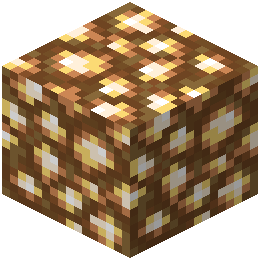 Glowstone
 Powered Rail
 Rail
What this pack changes
Every texture group the pack replaces, counted from the pack itself.
| Area | Textures replaced |
|---|---|
| GUI & menus | 299 |
| Blocks | 30 |
| Items | 27 |
| Misc | 18 |
| Mobs & entities | 3 |
| Enviroment | 2 |
| Particles | 1 |
Pack format 9 (Minecraft 1.19)380 texture files in total
Extra features
Custom font
Custom block/item models
Reworked GUI
Custom particles
Frequently asked questions
Why can't I see my target when I'm holding a shield?
The pack lowers your shield model so it doesn't block your view during combat. If you still can't see clearly, check that your resource pack is active in your settings and ranked above any conflicting packs.
How do I make dropped items easier to spot in fights?
This pack adds a clear outline around dropped items on the ground, making them stand out in chaotic combat situations. The outline is part of the pack's default features and activates automatically.
Do the animated tools work with all enchantments?
The pack adds smooth animations to the totem, mace, and wind charge regardless of their enchantments. The animations are visual only and don't affect how the items function in combat.
Will this pack work with my other resource packs?
Resource packs stack based on their load order in your settings. If another pack also retextures swords, shields, or tools, place the Cyan PVP Pack higher in the list to ensure its cyan designs take priority.
Why do my held items look smaller than normal?
The pack intentionally makes held items smaller to free up more screen space for combat visibility. This is a core feature designed to reduce clutter during PVP fights.
Can I turn off the fire effect lowering?
The lowered fire model is a built-in feature of this pack and cannot be toggled individually. If you want the default fire position, you would need to use a different resource pack or create a custom version.
Does this pack change the appearance of all armor?
The pack applies a cyan theme to crystal combat tools and retextures key items like swords and shields, but it doesn't overhaul all armor pieces. Check the screenshots on the wiki to see exactly which items receive the cyan treatment.
Will this pack affect my performance or FPS?
Resource packs like this one typically have minimal performance impact since they only change textures and models. If you experience lag, try disabling other resource packs or mods that might conflict.
How do I identify cyan-themed items in my inventory?
Cyan-themed items have a distinctive bright blue color that stands out from standard Minecraft textures. Open your inventory to see the custom totem, swords, shields, and other retextured items with their new cyan appearance.
Does lowering the shield affect my actual shield protection?
No, the lowered shield is purely visual and doesn't change how shield mechanics work in combat. Your shield will still block damage normally—only its on-screen position is adjusted for better visibility.
You May Also Like
Wikis that share the most with this one
Wikis on the same theme: tool
Matralys 16X Resource PackTrusty Tools Resource PackBlue Paradise Resource PackGlowing Items Resource PackKnives & Guns Resource PackShinier Tools Resource PackChaos Pvp Pack Resource PackDo Not Disable Resource PackPvp Scroutopia Resource PackPvp Smp Deluxe Resource PackTiny Tools Txf Resource PackAngular Essence Resource Pack
More resource pack wikis on the site
Cuter Mutant Monsters Resource PackCutecore Kin’s Sweetest GUI ୭ ᵎᵎ Resource PackCute Pumpkin Resource PackCute Hotbar Icons Resource PackCute Farm Animals Resource PackCUTE AND BETTER BOATS Resource PackCustomized Jujutsucraft Resource PackCustom Background HD Resource PackCursed Pack Resource PackCubic Sun & Moon Resource PackCubic Sun and MoonCubic Stars Resource Pack
The most downloaded mods that have a wiki here
A few wikis from each of the other kinds
Gallery
8 images from the Cyan Pvp Pack Resource Pack page.


