

 DownloadAnimation Vs Player
Get the files on 9Minecraft
Guides
Step-by-step, in-game.
Choose the Right Staff for Your Combat StyleUnderstanding Staff Variety The mod includes seven distinct staffs: Purple, Blue, Light Blue, Grey, Black, Pink, and…Customize Gameplay With GamerulesAccess Custom Gamerules The mod adds special gamerules that let you adjust how staffs behave in your world. These…Discover Block Power CombinationsExperiment With Block Types Each block you socket into a staff grants different abilities. Grass, Dirt, and Stone…Socket Your First Block Into a StaffPrepare Your Equipment Before you can unlock a staff's power, you need two things: a staff in your off-hand and a…
Recipes
Every recipe the mod adds, grouped by how it is made.
Items
B
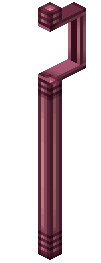 Black Staff
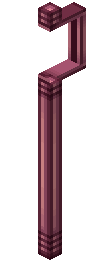 Blue Staff
G
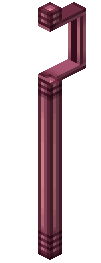 Gray Staff
L
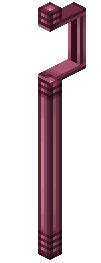 Light Blue Staff
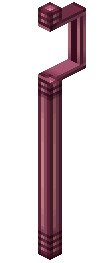 Lucky Staff
M
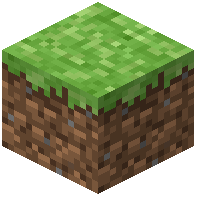 Minecraft Game Icon
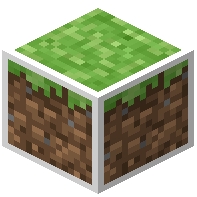 Minecraft Game Icon (Creation)
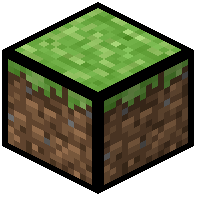 Minecraft Game Icon (Destruction)
 Minecraft Game Icon (Merged)
 Music Disc (Jazzy Note Blocks)
 Music Disc (Rhapsody In Blue)
 Music Disc (Note Block Battle)
 Music Disc (Rush E)
 Music Disc (Greens Jam)
 Music Disc (Flight Of The Bumblebee)
 Mystical Rod
P
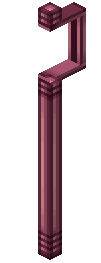 Pink Staff
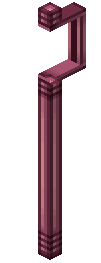 Purple Staff
 Purple Staff Fake (Blue)
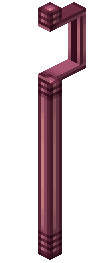 Purple Staff Fake
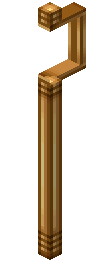 Purple Staff Fake (Lucky)
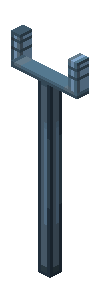 Purple Staff Fake (Light Blue)
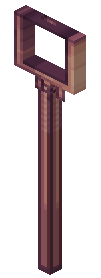 Purple Staff Fake (Pink)
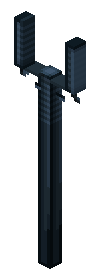 Purple Staff Fake (Black)
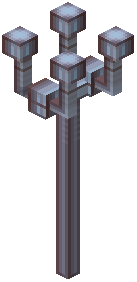 Purple Staff Fake (Grey)
S
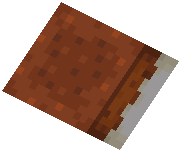 Splatted Cake
Blocks
 Black Hole
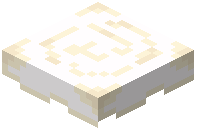 Cake Icing
 Desktop Floor
 Desktop Wall
 Document
 File Explorer Floor
 Folder
 Image
 Minecraft App
Frequently asked questions
How do I get started with Animation Vs Player Mod?
Craft your first staff using the mod's crafting recipes, then hold it in your off-hand slot. Pick up a compatible block in your main hand and right-click to socket it into the staff and activate its power.
What blocks work in staffs?
Compatible blocks include Grass, Dirt, Stone, Cobblestone, Sand, Oak Log, Oak Planks, Iron, Gold, Diamond, Netherite, TNT, Magma, Campfire, Lightning Rod, Cake, Egg, Dispenser, Grindstone, Crafting Table, and White Wool. Each block creates different effects depending on which staff you use.
Can I use any block in a staff or only certain ones?
Only specific compatible blocks work in staffs. If you try to socket an incompatible block, it won't activate. You can toggle unregistered item sockets with a custom gamerule if you want to experiment with other blocks.
Do different staffs do different things with the same block?
Yes, each staff color produces unique effects when socketed with the same block. Experimenting with different staff and block combinations will reveal different powers and attacks.
How do I remove a block from a staff?
Right-click the staff while holding it to eject the socketed block, or you can place the staff in a crafting grid to retrieve the block.
What are the music discs for?
The mod adds themed music discs like Jazzy Note Blocks, Green's Jam, and Rush E that play the Animation vs Minecraft soundtrack. Place them in a jukebox to enjoy the music while playing.
Can I customize how often I can use staff powers?
Yes, use the custom gamerules to adjust staff cooldown percentages to make powers recharge faster or slower based on your preferred difficulty.
What are the computer blocks used for?
The desktop-themed blocks like Files, Folders, Images, and Minecraft App Icons are purely decorative and don't affect gameplay—use them to build themed structures or decorate your world.
Do I need to hold the staff in a specific hand?
Yes, hold the staff in your off-hand slot (the second hand) and the block you want to socket in your main hand, then right-click to activate.
Which staff should I use for combat?
Each staff works differently with various blocks, so experiment with different color staffs and block combinations to find the combat style that suits you—the guide 'Choose the Right Staff for Your Combat Style' covers this in detail.
You May Also Like
Wikis that share the most with this one
More mod wikis on the site
 Animated Pocket Villagers Mod
The most downloaded mods that have a wiki here
A few wikis from each of the other kinds
Gallery
7 images from the Animation Vs Player Mod page.


