

 DownloadChat Animation Mod
Get the files on 9Minecraft
Guides
Step-by-step, in-game.
Configuration
Every setting in the mod config file, with what it changes.
| Option | What it does |
|---|---|
enableTextFieldAnimation | Animate Input Field |
enableMessageAnimation | Animate Messages |
enableOpacity | Animate Opacity |
fadeTimeMessage | Duration |
fadeTimeTextField | Duration |
removeMessageIndicatorHide Indicator Line | Hide the indicator line on the left of messages. |
_input | Input Field |
_messages | Messages |
Frequently asked questions
What does the Chat Animation Mod do?
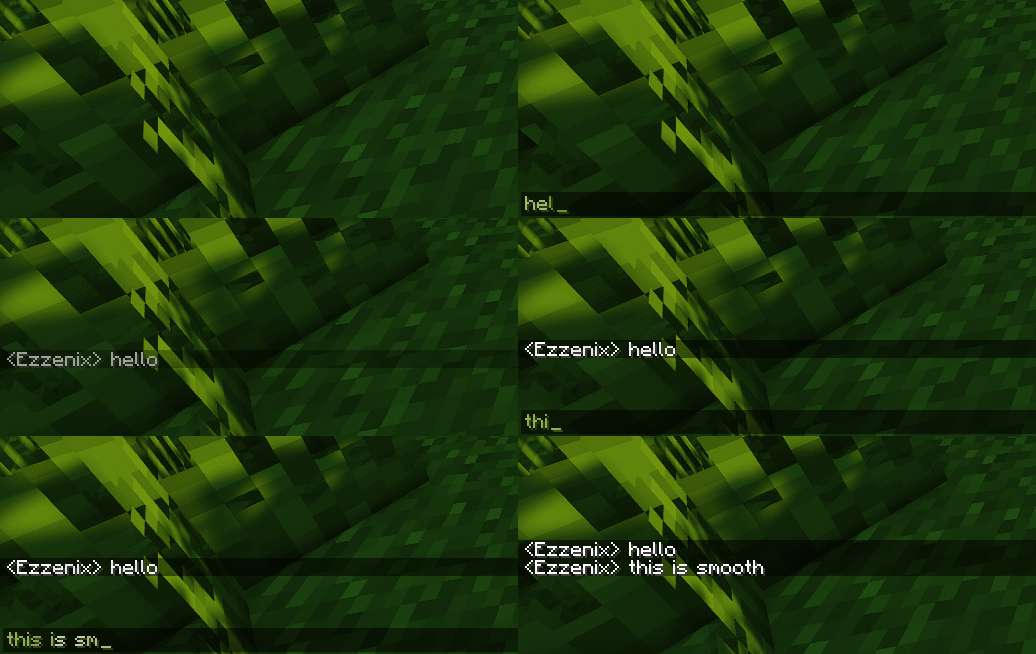
It makes chat messages appear with a smooth animation, improving the chat visuals. It also removes the message indicator, the line to the left of messages.
Does the Chat Animation Mod change how chat messages look?
Yes, it adds smooth animations to chat messages. It also removes the line to the left of messages.
What is removed by the Chat Animation Mod?
It removes the message indicator, the line to the left of messages.
Is there a guide available for the Chat Animation Mod?
Yes, a Chat Animation Mod Guide has been written.
See all 6 Chat Animation questions ›
Gallery
2 images from the Chat Animation Mod page.
You May Also Like
Wikis that share the most with this one
More mod wikis on the site
The most downloaded mods that have a wiki here
A few wikis from each of the other kinds