

Contents (5)
Interacting with the block
A 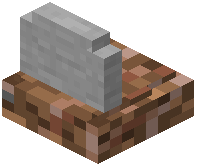 grave is an interactive block, not just decoration. Stand close and use your interact key to open it. The interface behaves like a chest: your stored items appear in slots, and you drag or shift-click them into your inventory. If nothing happens when you interact, make sure you are aiming directly at the grave block and that you are not sneaking, since some setups change the action while crouched.
Reading the obituary text
The mod records death information and displays it on or through the grave. This  obituary typically includes who died and details about the death, and it can appear as text on the grave or in the interface when you open it. This is the feature players mean when they search for gravestone wording or descriptions. The exact wording is generated from the death event, so it changes depending on how you died.
Customizing the message
If your version supports it, the obituary text and grave appearance can be adjusted through config or by  crafting different grave styles. Look in the mod's config file for options controlling the death message format and whether the obituary shows. If you only want the storage function and not the text, you can usually turn the obituary display off there.


