

Contents (5)
Check the config options
Most of this mod's behavior is controlled by a config file. Open it and look for the grave-on-death toggle, which decides whether a 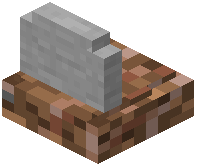 grave spawns at all. If it is off, your items drop normally and no grave appears. Other options typically cover whether the grave stores your full inventory, whether it protects items from despawning, and how the
  obituary is displayed. Changing these lets you decide between a grave-based death and vanilla item dropping.
Why a grave might not appear
If you died and found no grave, the usual causes are: the grave feature is disabled in config, the death happened somewhere a block cannot be placed, or another mod is handling death drops instead. Conflicting death-chest or inventory mods can override this one, so check your mod list if graves stopped working after adding something new. In multiplayer, server-side config controls this, so a server owner may need to enable it.
Commands and cleanup
If the mod provides commands, use them to list or locate graves rather than searching blindly. When you have emptied a grave, break it if it remains, so old markers do not clutter the world. On servers, clearing leftover graves also prevents confusion when several players die in the same area.


