Contents (9)
Getting Started
To use OTG, you must install the mod and at least one World Preset. Presets are often distributed as separate .jar files or folders that you place in the mods or openterraingenerator/worlds directory.
The 'O' Menu
In-game, pressing the 'O' key (default) opens the OTG World Management GUI. This menu allows you to: * Create and delete dimensions. * Configure portal materials for specific worlds. * Start and monitor the Map Pre-generator to reduce lag during exploration. * Adjust gamerules and visual settings (fog, sky color) on the fly.
World Creation
When creating a new world in Single Player: 1. Go to More World Options. 2. Cycle through World Type until you see OTG. 3. Click Customize to select your desired Preset (e.g., Biome Bundle, Skylands).
Resource Queue
The Resource Queue in each BiomeConfig.ini determines the order and frequency of object generation. The engine processes this list from top to bottom for every chunk.
Common Resource Types
- Ore(Block, Size, Frequency, Rarity, MinHeight, MaxHeight): Generates mineral veins.
- Plant(Block, Frequency, Rarity, MinHeight, MaxHeight): Places flowers and small vegetation.
- Grass(Block, Frequency, Rarity): Covers the surface in grass or ferns.
- Liquid(Block, Frequency, Rarity, MinHeight, MaxHeight): Creates lakes or lava pockets.
- Dungeon(Frequency, Rarity, MinHeight, MaxHeight): Places vanilla-style dungeons.
- SmallLake(Block, Frequency, Rarity, MinHeight, MaxHeight): Generates surface water/lava bodies.
Dimensions & Portals
OTG allows for an unlimited number of dimensions, each running a different preset.
The Quartz Portal
By default, OTG dimensions are accessed via a custom portal frame. * Frame Material: Block of Quartz (configurable in the 'O' menu). * Activation: Use a Flint and Steel on the inside of the frame.
Dimension Settings
In the WorldConfig.ini, you can define specific physical properties for a dimension:
* DimensionAbove / DimensionBelow: Links worlds vertically (e.g., falling into the void in one world drops you into the sky of another).
* Gravity: Adjust the jump height and fall speed.
* PortalMaterials: Change the block required to build the portal frame for that specific world.
Popular Presets
While OTG is the engine, these presets provide the content:
- Biome Bundle: The most famous preset, adding over 400 new biomes and thousands of custom trees and structures.
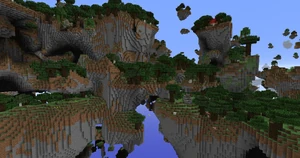
- Skylands: A world of floating islands with a lethal void below.
- Dregora: A massive overhaul featuring custom lore, unique structures, and a hand-painted biome map.
- Vanilla Vistas: A preset that enhances vanilla generation with smoother transitions and more realistic terrain without adding custom blocks.