
Contents (8)
Instruments
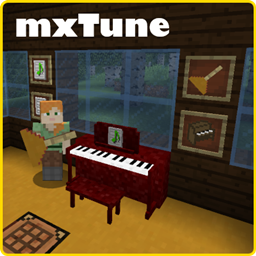
mxTune adds a vast collection of musical instruments. Each instrument has a unique sound profile and can be used to play specific parts of an MML song. In 1.12.2, some instruments like the Piano could be placed as blocks, while in 1.16.5, all instruments are handheld items.
Instrument List
| Instrument | Category | Description |
|---|---|---|
| Grand Piano | Keyboard | High-fidelity piano sound for classical pieces. |
| Upright Piano | Keyboard | A more compact piano sound, ideal for taverns. |
| Acoustic Guitar | String | Standard string sound for folk and acoustic tracks. |
| Electric Guitar | String | Available in Overdriven, Jazz, Muted, and Distortion variants. |
| Bass Guitar | String | Provides the low-end rhythm for band compositions. |
| Violin / Cello | String | Orchestral strings with smooth, sustained notes. |
| Flute / Clarinet | Woodwind | High-pitched, melodic wind instruments. |
| Trumpet / Trombone | Brass | Powerful, bright brass sounds for fanfares. |
| Drum Kit | Percussion | A full set of percussion sounds for rhythmic backing. |
| Mandolin / Banjo | String | Specialized folk instruments with distinct plucking sounds. |
| Accordion | Wind | A unique reed instrument often used in folk music. |
| Bongos / Timpani | Percussion | Specialized percussion for varied rhythmic textures. |
Mechanics
MML (Music Macro Language)
mxTune uses the MML format for all music. A valid MML string must start with MML@ and end with a semicolon ;. The mod includes a real-time MML parser that highlights syntax errors in red, preventing players from saving broken sheet music.
Solo Performance
- Prepare Music: Right-click Music Paper to open the editor, paste your MML code, and click 'Done' to create Sheet Music.
- Load Instrument: Hold an instrument, then Sneak + Right Click to open its internal inventory. Place the Sheet Music into the slot.
- Play: Hold the loaded instrument in your main hand and Right Click to start playing. Your character will be locked in place during the performance. Press ESC to stop.
JAM Sessions (Group Play)
JAM sessions allow multiple players to play different parts of the same song in perfect synchronization. * Joining a JAM: In 1.16.5, a player joins a JAM by holding an instrument and Right-Clicking the group leader. * PIN Protection: Leaders can set a 4-digit PIN to restrict who can join their session. * Capacity: 1.12.2 supports up to 8 players, while 1.16.5 supports up to 16 players/parts.
Music Venues
Using the Music Venue Tool, players can define 'Audio Islands.' These are cuboid regions that isolate mxTune audio. This is particularly useful for servers where multiple bands might be playing in close proximity, as it prevents the music from overlapping and causing noise pollution.
Technical Information
mxTune utilizes a custom MIDI-based sound engine that operates alongside the standard Minecraft sound system. It uses high-quality soundfonts to ensure that instruments sound realistic.
- Mobs: This mod does not add any new mobs or creatures to the game.
- Biomes/Dimensions: This mod does not add new biomes, dimensions, or world structures.
- Compatibility: Works with most major mods; however, performance may be impacted if many players are playing high-part-count MML files simultaneously in the same chunk.


