

 DownloadPixel Perfection Fidelity Resource Pack
Get the files on 9Minecraft
Contents (7)
Guides
Step-by-step, in-game.
Appreciate Random Block Variations in Your WorldHow Random Block Looks Work Pixel Perfection Fidelity assigns different textures to identical blocks randomly,…Customize Your Sky and CloudsWhat the Custom Sky Offers Pixel Perfection Fidelity includes a custom sky and cloud system that replaces Minecraft's…Enable Glowing Textures for Better Night VisibilityWhat Glowing Textures Do Glowing textures make specific blocks and items emit light in dark areas, helping you…Use Connected Blocks to Create Seamless StructuresUnderstanding Connected Blocks Connected blocks automatically join the textures of adjacent similar blocks, making…
Items
546 items · showing 24. Browse all →
 Acacia Boat
 Acacia Boat with Chest
 Acacia Door
 Allay Spawn Egg
 Amethyst Shard
 Angler Pottery Sherd
 Apple
 Archer Pottery Sherd
 Armadillo Scute
 Armadillo Spawn Egg
 Armor Stand
 Arms Up Pottery Sherd
 Arrow
 Axolotl Spawn Egg
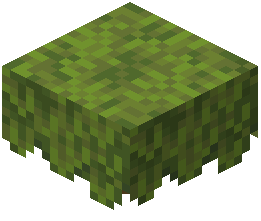 Azalea
 Baked Potato
 Bamboo
 Bamboo Door
 Bamboo Raft
 Bamboo Raft with Chest
 Banner Pattern (Globe)
 Banner Pattern (Creeper)
 Banner Pattern (Flower)
 Banner Pattern (Guster)
Blocks
566 blocks · showing 24. Browse all →
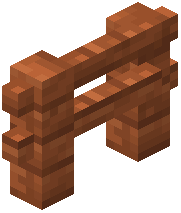 Acacia Fence
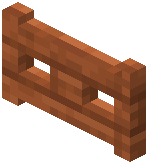 Acacia Fence Gate
 Acacia Hanging Sign
 Acacia Leaves
 Acacia Log
 Acacia Planks
 Acacia Sapling
 Acacia Shelf
 Acacia Sign
 Acacia Trapdoor
 Activator Rail
 Allium
 Amethyst Cluster
 Andesite
 Anvil
 Attached Melon Stem
 Attached Pumpkin Stem
 Azalea Leaves
 Azure Bluet
 Bamboo Fence
 Bamboo Fence Gate
 Bamboo Hanging Sign
 Bamboo Mosaic
 Bamboo Planks
What this pack changes
Every texture group the pack replaces, counted from the pack itself.
| Area | Textures replaced |
|---|---|
| Blocks | 1,710 |
| Items | 890 |
| Mobs & entities | 746 |
| GUI & menus | 592 |
| Particles | 299 |
| Trims Broken | 58 |
| Paintings | 52 |
| Maps | 42 |
| Status effects | 40 |
| Armor trims | 40 |
| Palettes | 17 |
| Sky & weather | 16 |
| Misc | 13 |
| Biome colours | 3 |
| Effect | 1 |
| Font | 1 |
Pack format 88–97 (Minecraft 1.21.9)4,520 texture files in total
Extra features
Custom entity models (OptiFine/CEM)
Custom font
Custom block/item models
Reworked GUI
Frequently asked questions
How do I turn on glowing textures?
Glowing textures are enabled by default in this resource pack. If you don't see them, make sure you have the resource pack selected in your world settings and that your graphics settings aren't set to the lowest level, which can disable certain visual effects.
Why do my connected blocks look disconnected?
Connected blocks only work when you place similar blocks next to each other—the pack joins their sides visually. If blocks still look separate, check that you're using the same block type (for example, oak wood with oak wood, not oak with spruce).
Can I use this pack with other resource packs?
You can load multiple packs together, but if another pack changes the same textures, whichever pack is higher in your load order will take priority. For best results, use Pixel Perfection Fidelity as your main pack.
Does this pack work on servers?
Yes, resource packs are client-side only, so you can use Pixel Perfection Fidelity on any server without needing permission or affecting other players.
Why is my performance worse with this pack?
The glowing textures and 3D shapes can impact performance on lower-end devices. Try disabling glowing textures in your resource pack settings or lowering your render distance if you experience lag.
Do the random block variations look the same if I reload my world?
Yes, the random textures are consistent—the same block will keep its appearance when you reload because the variation is based on the block's position in your world.
How do I customize the sky and clouds?
The custom sky is applied automatically when you use the pack. If you want to adjust it further, you can edit the pack's configuration files, but the default sky is designed to match the medieval aesthetic.
Will this pack work on older Minecraft versions?
This pack updates an older texture pack for newer versions of the game. Check the pack's compatibility information to see which versions it supports.
Why do some blocks look faded or washed out?
The slightly faded colors are intentional—they create the old-time, cozy medieval feel that defines this pack's style.
Can I use this pack with mods that add new blocks?
Yes, but new blocks from mods won't have custom textures from this pack unless the mod author created textures for them. The pack's features like glowing and connected blocks will still work on vanilla blocks.
You May Also Like
Wikis that share the most with this one
 Pink Slime Resource Pack
More resource pack wikis on the site
Pirates Of The Caribbean Mash Up Resource PackPirate Boats Resource PackPiplup Totem of Undying Resource PackPinku’s Pink GUI Pack Resource PackPinku’s Green GUI Pack Resource PackPink Sweet GUI Resource PackPink Girlfriend Totem of Undying Resource PackPink Enchantment Glint Resource PackPiglin-Chan Resource PackPerfect Clear Glass Resource PackPea Toons Shader Resource PackPDB3Ds Blocky Armor Stands Resource Pack
The most downloaded mods that have a wiki here
A few wikis from each of the other kinds