

 Download3D Items Vanillaism Resource Pack
Get the files on 9Minecraft
Guides
Step-by-step, in-game.
Create a Themed Storage Display AreaOrganizing Items Visually Combine functional storage with decorative 3D item displays to create an organized base…Display 3D Items in Your BaseUsing Item Frames and Armor Stands The 3D models in this pack look best when displayed as dropped items or held by…Troubleshoot Missing or Flat 3D ModelsWhy Items Aren't Showing as 3D If items appear flat when they should be 3D, check these common issues: Location…Understand When Items Appear 3D vs FlatWhere You'll See 3D Models This pack applies 3D rendering only in specific situations: Dropped on the ground — Items…
Items
 Command Block
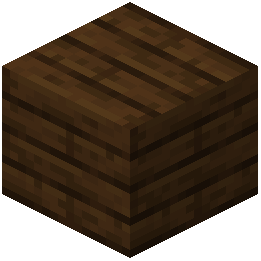 Dark Oak Planks
What this pack changes
Every texture group the pack replaces, counted from the pack itself.
| Area | Textures replaced |
|---|---|
| Items | 237 |
| Blocks | 4 |
Pack format 89–324 (Minecraft 1.21.9)241 texture files in total
Extra features
Custom block/item models
Frequently asked questions
Why do my items look flat in my inventory but 3D when I drop them?
This is intentional design—the pack keeps items flat in menus and chests so you can organize without visual clutter, but renders them as 3D models when dropped on the ground or held in your hand. This separation helps you manage your storage while still enjoying the visual upgrade during gameplay.
Do all items get the 3D treatment or just some?
Most standard items like tools, weapons, food, and materials receive 3D models, but not every single item in the game is included. Items that remain flat are typically those that work better as 2D sprites or have less visual impact.
Can I use this pack with other resource packs?
Yes, but load order matters—place this pack lower in your resource pack list if you want other packs to override specific textures, or higher if you want 3D Items Vanillaism to take priority. Test your setup to ensure models display correctly and textures don't conflict.
Will 3D items slow down my game or hurt performance?
The 3D models are optimized to have minimal performance impact since they only display when items are dropped or in your hand, not constantly in your inventory. Most players see no noticeable FPS loss, but performance depends on your hardware and other mods or packs you're running.
How do I display 3D items as decoration in my base?
Place items in item frames on walls or stands, or drop them on the ground in organized patterns—both methods show the 3D models. You can create themed storage displays by grouping similar items together with lighting like lanterns to highlight them.
Some of my 3D items look wrong or are missing textures—what do I do?
First, reload your resource packs in-game or restart Minecraft to ensure the pack fully loaded. If problems persist, check that no other resource packs are conflicting with this one, and verify you're using a compatible game version.
Do enchanted items look different in 3D?
Enchanted items retain their glowing effect and display as 3D models when dropped or held, so you can see the enchantment shimmer on the actual 3D shape of your tool or weapon.
Will armor and armor trims appear 3D when I wear them?
Armor itself displays normally when worn, but armor trim smithing templates appear as 3D models when dropped or placed in item frames, letting you showcase your crafting materials decoratively.
Can I see 3D items in item frames and on the ground at the same time?
Yes—item frames display the 3D models, and dropped items on the ground also render in 3D, so you can create cohesive decorative displays by combining both placement methods.
Do I need to enable any special settings or commands to use this pack?
No—simply load the pack like any other resource pack and it works automatically. Items will display as 3D in the appropriate contexts without any configuration needed.
You May Also Like
Wikis that share the most with this one
More resource pack wikis on the site
3d Entity Eggs Resource Pack3D Default Resource Pack3D Crops Revamped Resource Pack3D Crops 9Minecraft Resource Pack3D Bricks Remastered Resource Pack3d Animated Doors Resource Pack3 D Spears Reimagined Resource Pack3 D Models Ulti Craft Sandalone Resource Pack3 D Medieval Iron Bars Resource Pack3 D Buckets Resource Pack1×1 Ultimate Resource Pack18W43A Wood Resource Pack
The most downloaded mods that have a wiki here
A few wikis from each of the other kinds
Gallery
6 images from the 3D Items Vanillaism Resource Pack page.


