

 DownloadWelcome Message Mod
Get the files on 9Minecraft
Guides
Step-by-step, in-game.
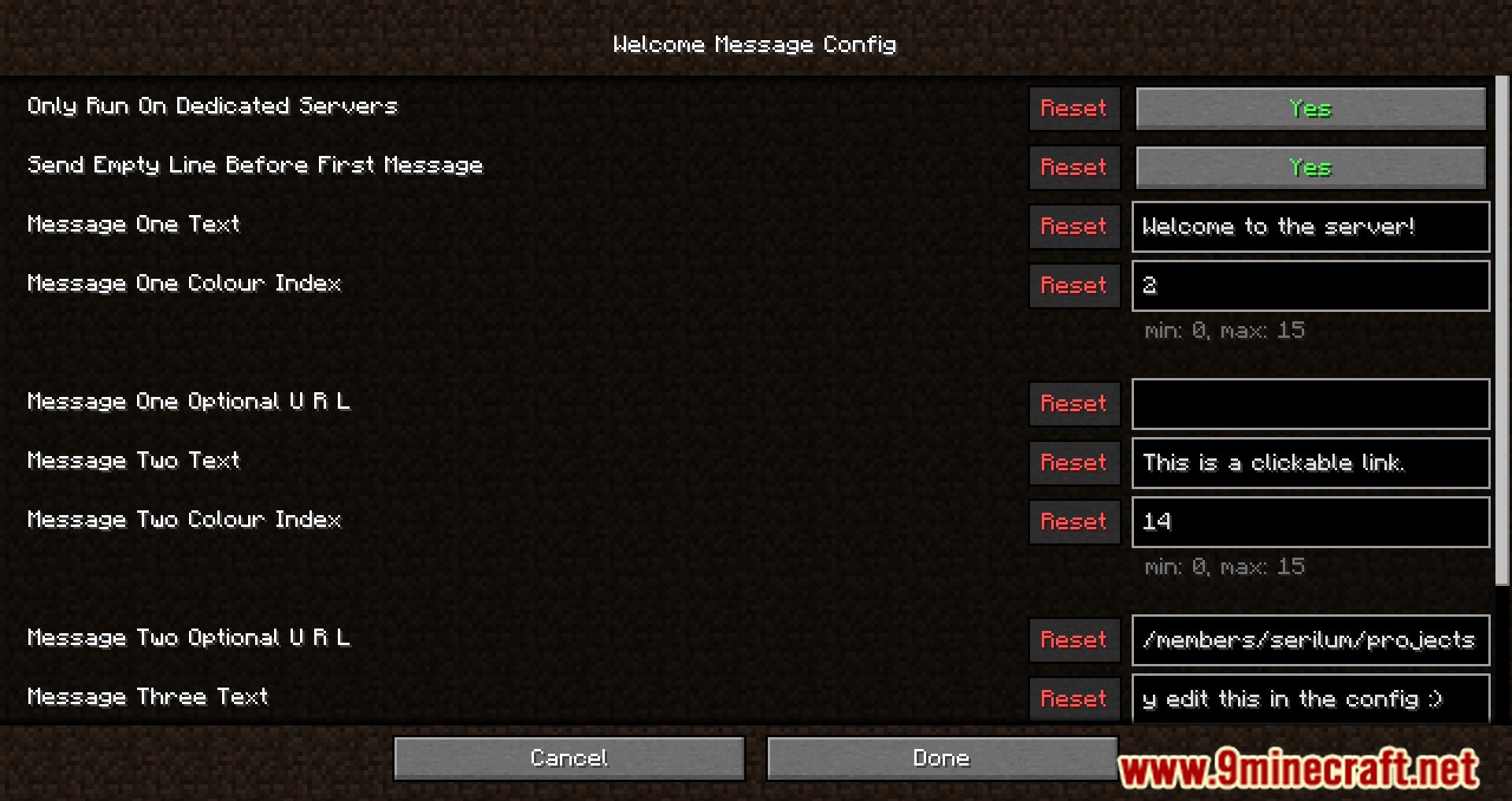
Add a Clickable Link to a Welcome MessageEnable the URL Field Open your config file and locate the message you want to add a link to. Find the corresponding…Customize Message Colors for Better VisibilityUnderstand Color Options Welcome Message Mod supports 16 Minecraft chat colors. Common colors include black, dark…Set Up Your First Welcome MessageLocate Your Config File Find the Welcome Message Mod config file in your server or client config folder. The file is…Use All Three Welcome Messages EffectivelyPlan Your Message Layout The mod allows three separate messages, each with its own text, color, and optional link.…
Frequently asked questions
Where do I configure welcome messages?
Welcome messages are configured in a config file located in your mod's config folder. Open this file in any text editor, and you'll find settings for each of your three message slots, including text, color, and URL options.
Can I use welcome messages on single-player worlds?
By default, welcome messages only appear on dedicated servers, but you can change this behavior in the config file to enable them in single-player if you want.
What chat colors are available?
You can choose from 16 standard Minecraft chat colors to style each message. The config file will list the available color names you can use.
See all 10 Welcome Message questions ›
Gallery
11 images from the Welcome Message Mod page.
You May Also Like
Wikis that share the most with this one
Wikis on the same theme: world
More mod wikis on the site
The most downloaded mods that have a wiki here
A few wikis from each of the other kinds