

 DownloadWawla
Get the files on 9Minecraft
Contents (7)
Guides
Step-by-step, in-game.
How to Identify Blocks and Their Mod Source with WawlaWhy identify blocks In modded worlds you often run into a block you do not recognize. Wawla's block readout tells you…How to Read the Wawla HUD Overlay and Understand What Each Line MeansWhat the overlay shows Wawla extends the vanilla tooltip-style HUD that appears when you look at a block or entity.…How to Turn Specific Wawla HUD Lines On or OffFinding the toggles Wawla is modular: every extra piece of information is a separate option. Open the config from the…How to Use Wawla to Inspect Mobs: Health, Armor, and Held ItemsAiming at an entity Look directly at the mob so your crosshair is on its hitbox. Wawla then adds entity-specific…
Configuration
Every setting in the mod config file, with what it changes.
| Option | What it does |
|---|---|
armor_points | Shows a mob's armor point value in the tooltip |
beehive_countBeehive Bee Count | Shows how many bees are inside a beehive |
beehive_honeyBeehive Honey Level | Shows the current honey level of a beehive |
beehive_smoked | Shows whether a beehive is currently smoked by a campfire |
blast_resistance | Shows a block's blast resistance value in the tooltip |
block_ench_power | Shows the enchanting power a block provides to nearby tables |
hardnessBlock Hardness | Shows a block's hardness value in the tooltip |
break_progress | Shows how far the block breaking progress has advanced |
breeding_cooldown | Shows the remaining cooldown before an animal can breed again |
breeding_item | Shows which item is needed to breed the targeted animal |
table_ench_powerEnch Table Power | Shows the enchanting power level of an enchanting table |
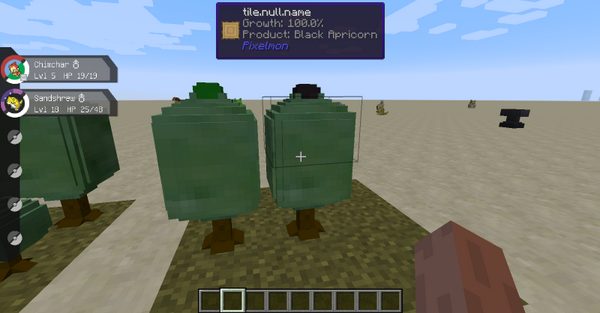
growing_cooldownGrowth Time | Shows the remaining time until a crop finishes growing |
hide_trap_chest | Hides trap chest information from the tooltip display |
horse_jump | Shows a horse's jump strength in the tooltip |
horse_speed | Shows a horse's movement speed in the tooltip |
frame_contentsItem Frame Contents | Shows what item is held inside an item frame |
skull_owner | Shows the player name owning a placed skull |
villager_tier_progressVillager EXP | Shows a villager's experience progress toward next trade tier |
villager_typeVillager Profession | Shows a villager's profession in the tooltip |
villager_tier | Shows a villager's current trade tier level |
Other settings in this file
1 more option the mod ships without its own description. Names are taken straight from the config file.
- plugin_wawlaWawla
Frequently asked questions
How do I open or enable the Wawla overlay?
Wawla works automatically once installed — there's nothing to open. Just look at a block or entity and the extra HUD lines appear near your crosshair; if you see nothing, check that the mod is enabled in your mod list and that the HUD toggle in its config is on.
Why is Wawla not showing anything when I look at blocks?
The most common causes are the HUD being disabled in the config, the individual line toggles being turned off, or another HUD mod drawing over it. Check the config's HUD and per-line options first, then test with other overlay mods temporarily disabled.
How do I turn off just one line of the Wawla display?
Open the Wawla config and look for the per-line toggles — each line (such as block hardness, mob health, or mod source) can be switched on or off individually. Disabling a line hides only that line; the rest of the overlay keeps working.
Can I move the Wawla HUD to a different position on screen?
Wawla's overlay is tied to where you're looking rather than being a free-floating HUD element, so it doesn't have a drag-to-move position like a status bar. If you want it elsewhere, you'd need a separate HUD-positioning mod that supports it.
Dependencies
Other mods needed to run this one.
Bookshelf (required)Waila (required)
Gallery
12 images from the Wawla page.

You May Also Like
Wikis that share the most with this one
More mod wikis on the site
The most downloaded mods that have a wiki here
A few wikis from each of the other kinds